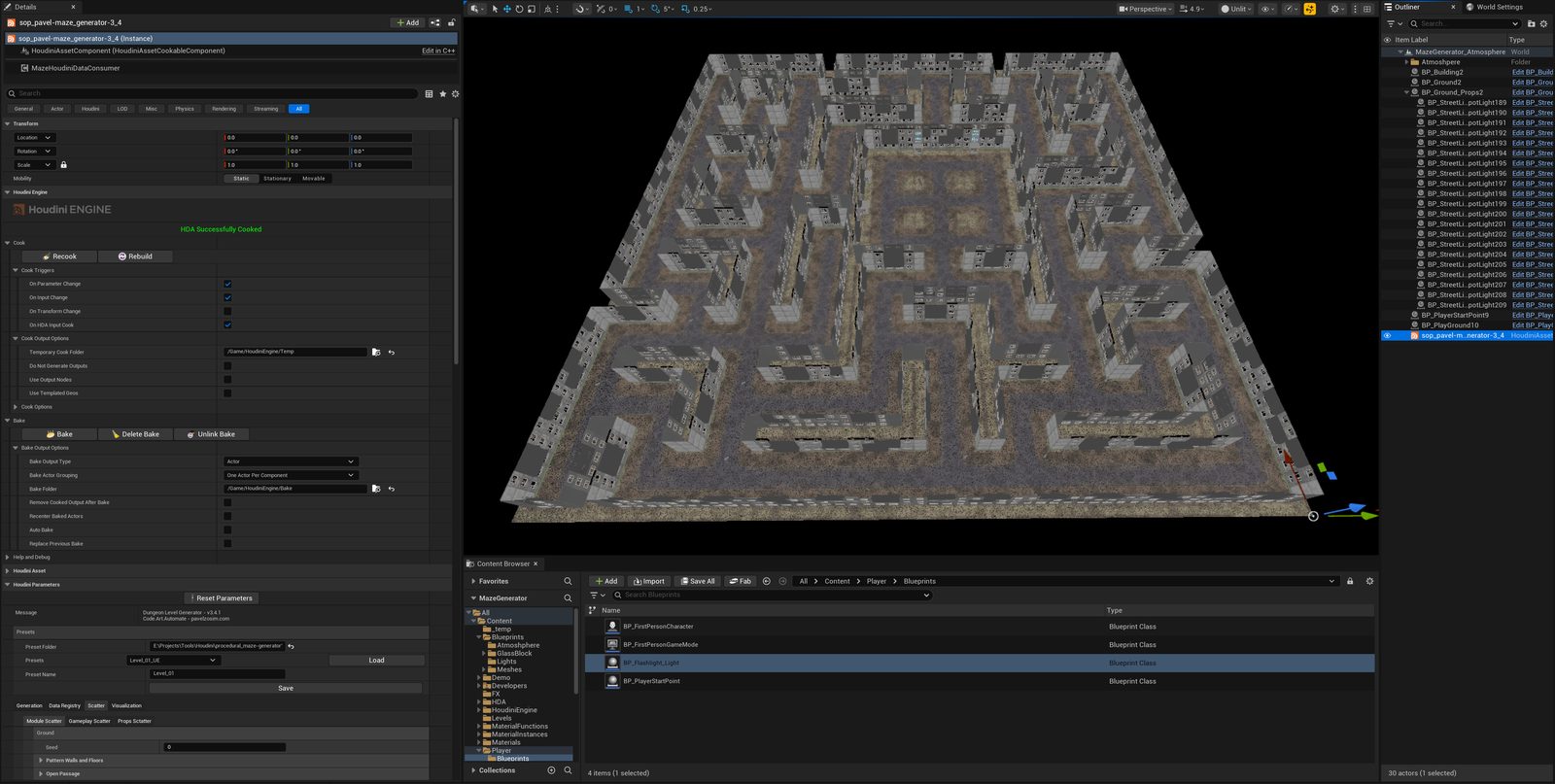
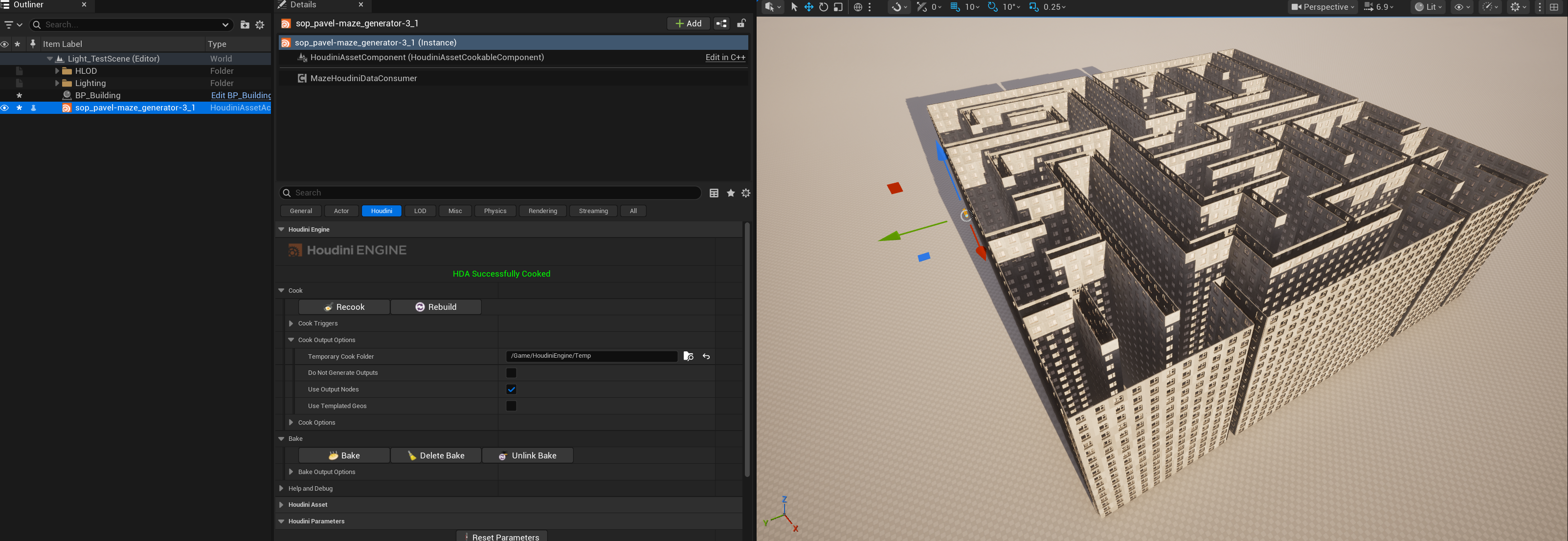
01 Overview
This article continues Controlled Procedurality, the main write-up on this project's generator and the level design system built around it. That article mentions lighting only in passing, as one example of a rule layered onto placed instances from the Unreal side. This one is entirely about that layer: a superstructure that works with randomization and with lighting synchronized to the material, producing the effect of a lit window, a streetlight with the same kind of control, or any other repeated or standalone object this system scatters.
Implementation context: Unreal Engine 5.8.1, Houdini Engine, and the project’s custom MazePlacementExtras component.
I needed windows to light up at dusk and a streetlight to actually cast light on wet asphalt, and the two approaches I reached for first both ran into a wall. A Blueprint Actor per window, each carrying its own light at a socket, gives full control over that one window — but a full Actor per window is expensive to spawn and manage at the density a generated city needs — substantially more UObject and component overhead per copy than a HISM instance carries — and HISM instancing exists specifically to avoid paying that cost. A per-instance random draw in the material instead, along the lines of a PerInstanceRandom node, is close to free and gives a plausible mix of lit and dark windows — but a shader has no way to know whether that glow corresponds to an actual light-casting source nearby, and no way to be told "turn this one window off" for a story beat. It solves variation. It does not solve synchronization, and it gives no control.
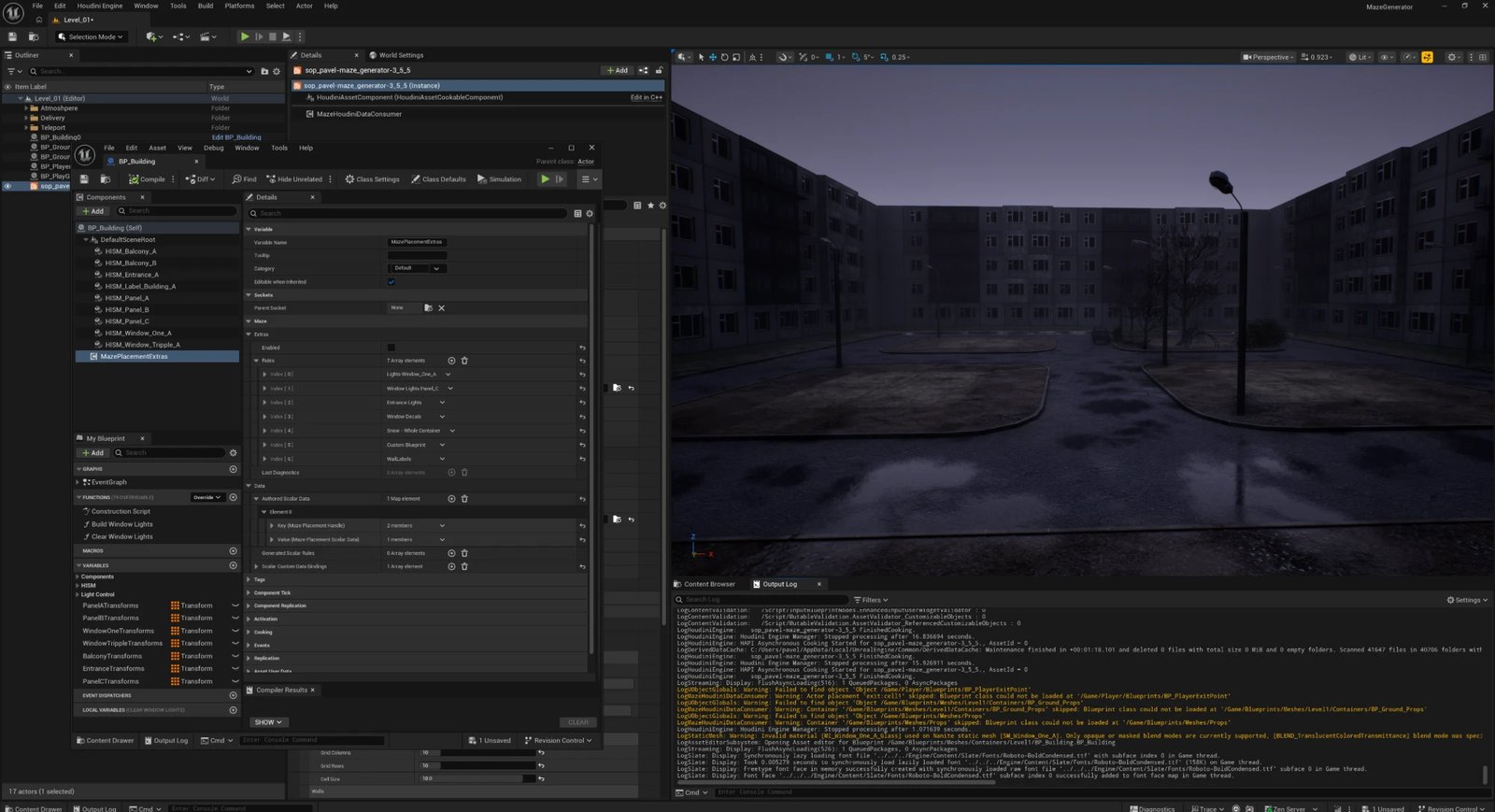
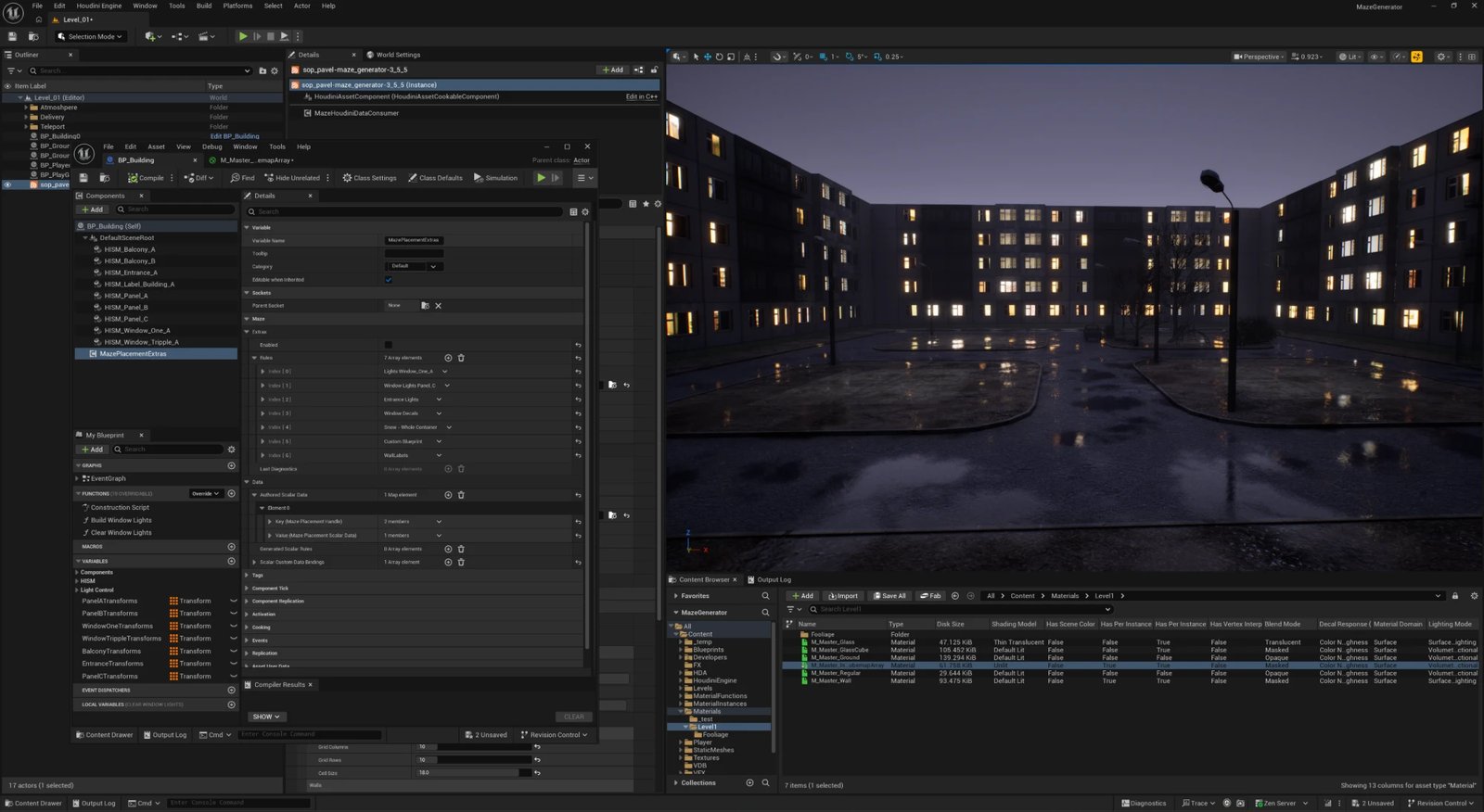
The way out was to stop treating a lit window as an object to spawn, and start treating it as a placement to attach behavior to — without asking the Houdini generator to know anything about lighting. Read the identity the generator already publishes for every instance, and build an engine-side pass on top of the existing HISM that can attach real objects and write data keyed to that same identity. A material reading the same key a light was created from cannot drift out of sync with it, because both answer to one source of truth instead of two separate systems guessing at each other. Nothing about that mechanism is specific to light, either — underneath, it's one boolean per placement that can spawn an object and drive a material's emissive channel at the same time; this article just keeps using a lit window as the example, because it's the concrete case that's actually built.
Typed Placement Routing is the other piece worth knowing going in — it covers how Houdini placements reach Unreal as named HISM components or Blueprint Actors in the first place. This article covers the layer built on top of both: attaching lights to placed instances, choosing which ones are on, and keeping that choice — and that synchronization — stable while the maze is rebuilt.
The generator itself is deliberately kept out of this. The Houdini asset does its own job — structure, scatter, topology, identity — and carries no light components, emissive values or volumetric effects. The lighting is a superstructure written for the game engine, on top of an unchanged core.
02 Why a lamp is not a generator problem
I treat the visible source, its illumination, and any beam or haze as separate controls. An emissive material makes the window or bulb appear bright. A light component provides controllable illumination and shadows. Volumetric fog or an authored effect can make a beam visible when the scene needs it. Not every lamp needs all three.
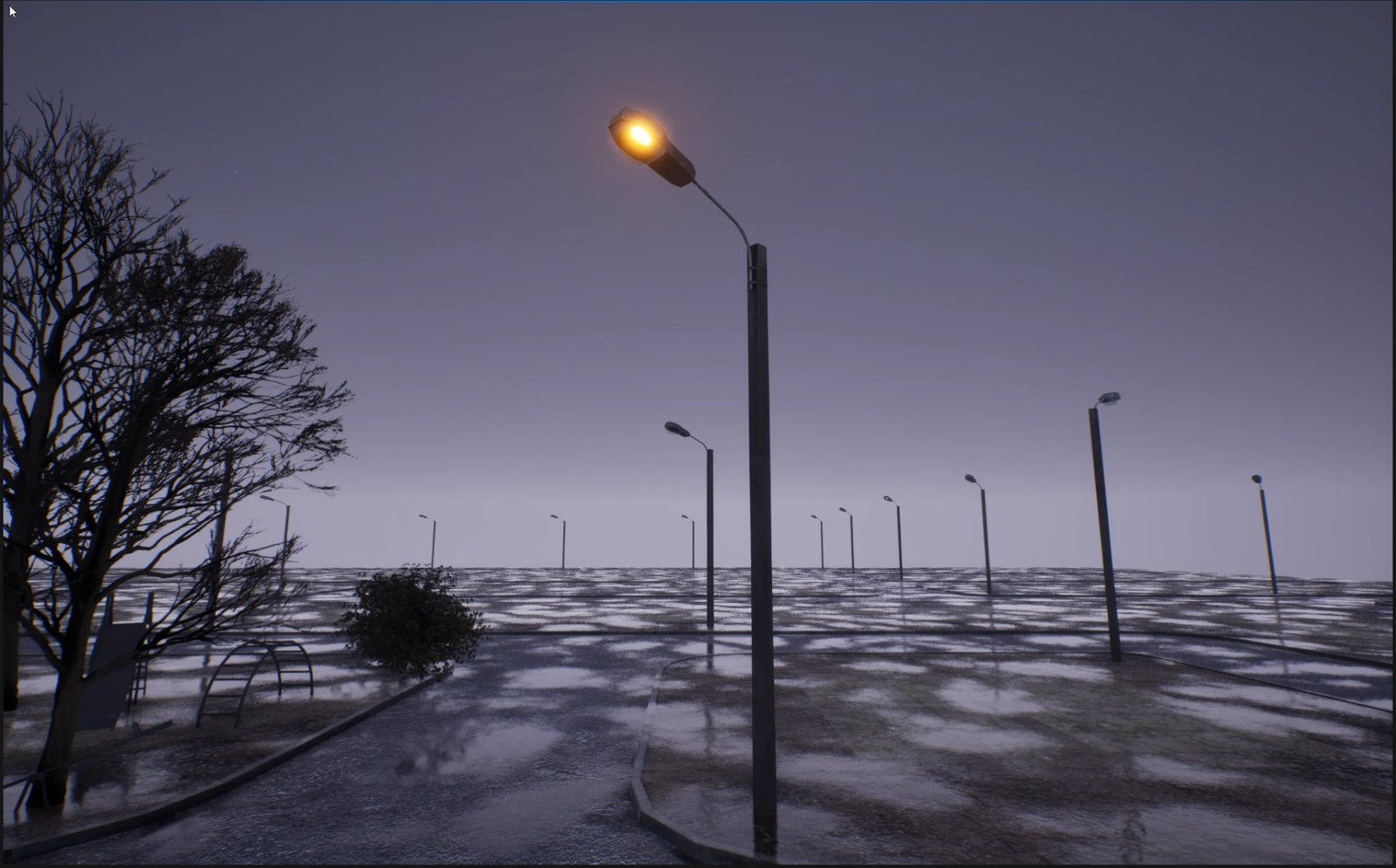
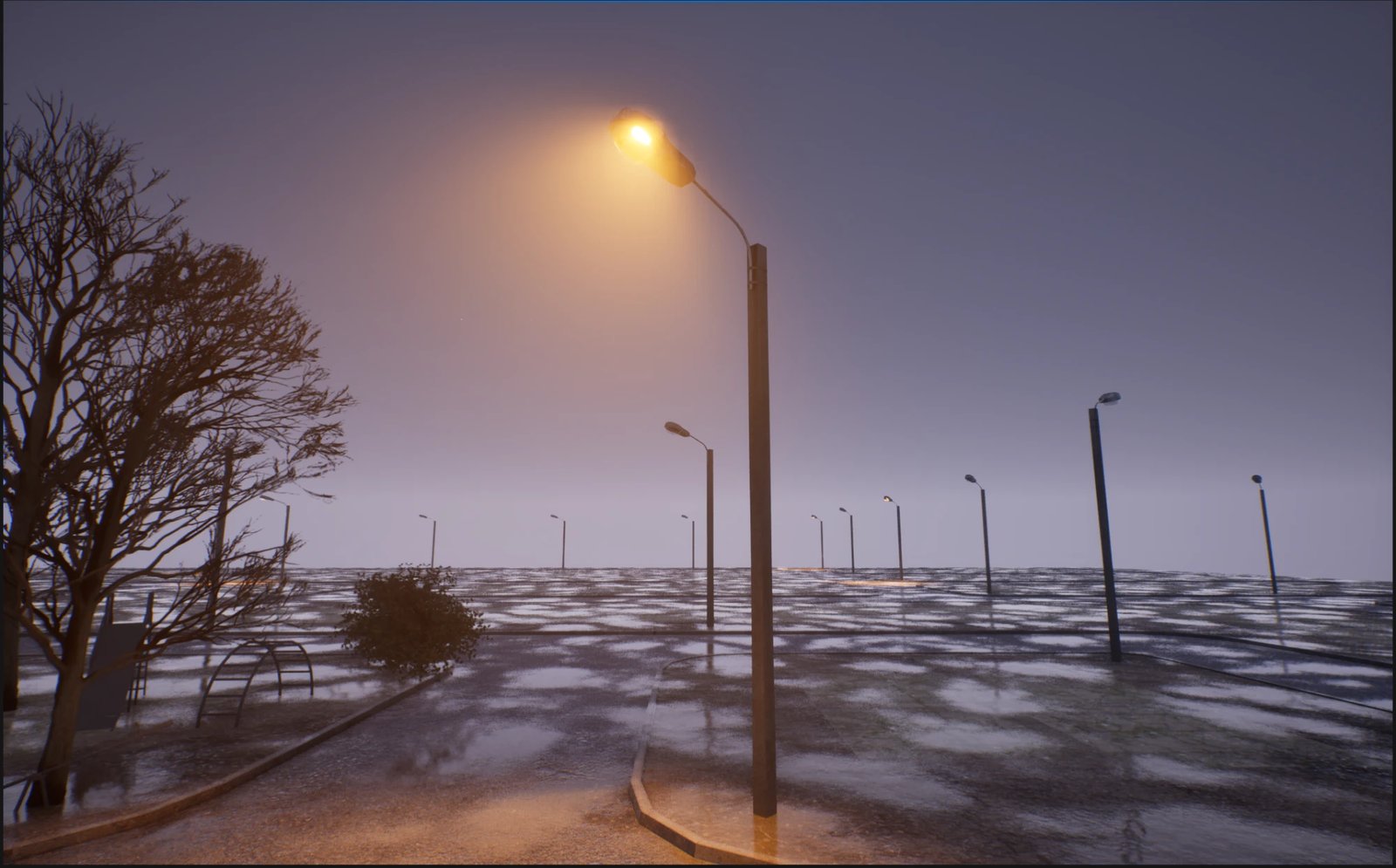
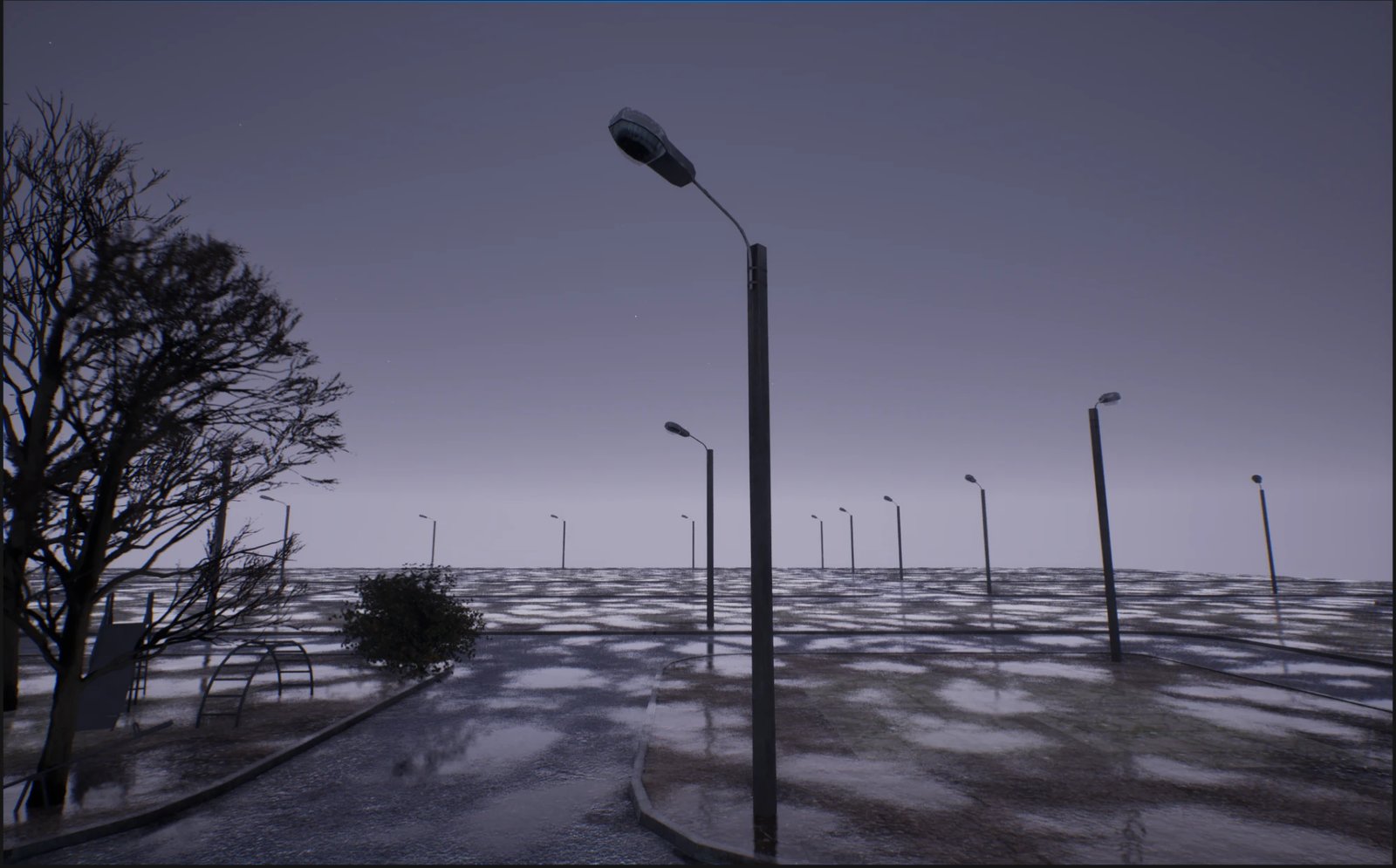
Putting those into the generator would load it with objects that are specific to one engine. Every engine names and handles them differently, and each of them changes the cost of a cook. So the generator stays the source of where and what kind of place, and the engine layer decides what happens there.
| Part of a light | Lives in | Why there |
|---|---|---|
| Where a lamp can exist | Houdini (placement, topology, key) | Structure and identity are the generator's job |
| Emissive surface | Material (per-instance custom data) | Per-instance values without a separate material instance for every window |
| Light source | Unreal object attached at a socket | Engine-specific type, units and shadow method |
| Beam / haze | Engine effect or texture | Technique and cost depend on the intended effect |
| Which lamps are on | Engine layer, keyed to the placement | Must survive a rebuild of the maze |
Emissive materials can also illuminate the scene through Lumen. Small, bright emitters can be noisy, so this setup uses explicit lights for control rather than assuming emissive contributes no light.
03 The boundary: what the generator publishes
The Unreal Consumer publishes a metadata snapshot alongside the HISM instances it creates. In the current adapter, structural placements use domain structural and props use prop. Structural records include placement key, topology and floor fields; prop records include key, prop type, scatter identifiers and side. Prop floor fields are currently unavailable. Gameplay and standalone Actor placements do not have this HISM source mapping. Extras reads those fields rather than inferring them from mesh geometry.
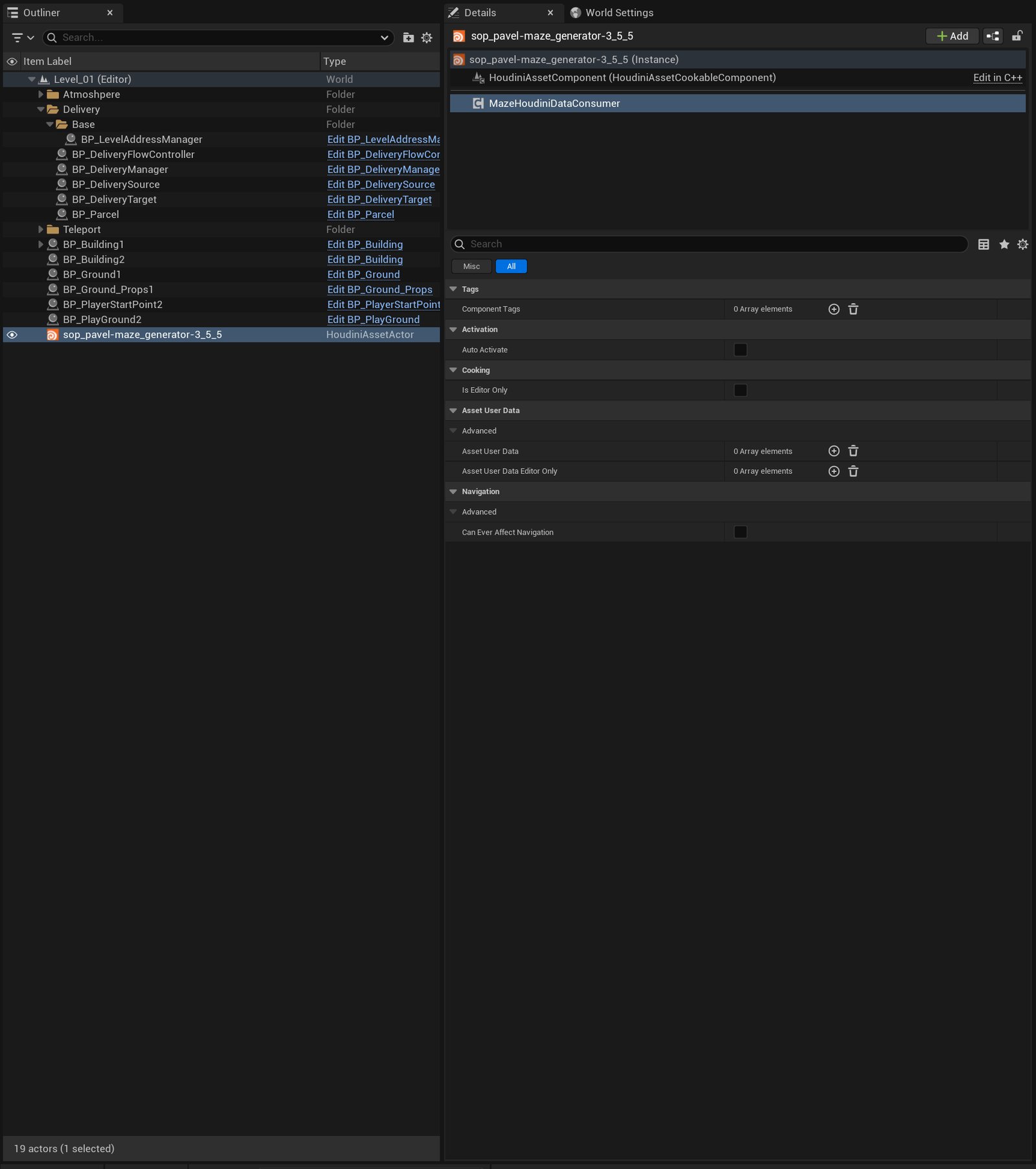
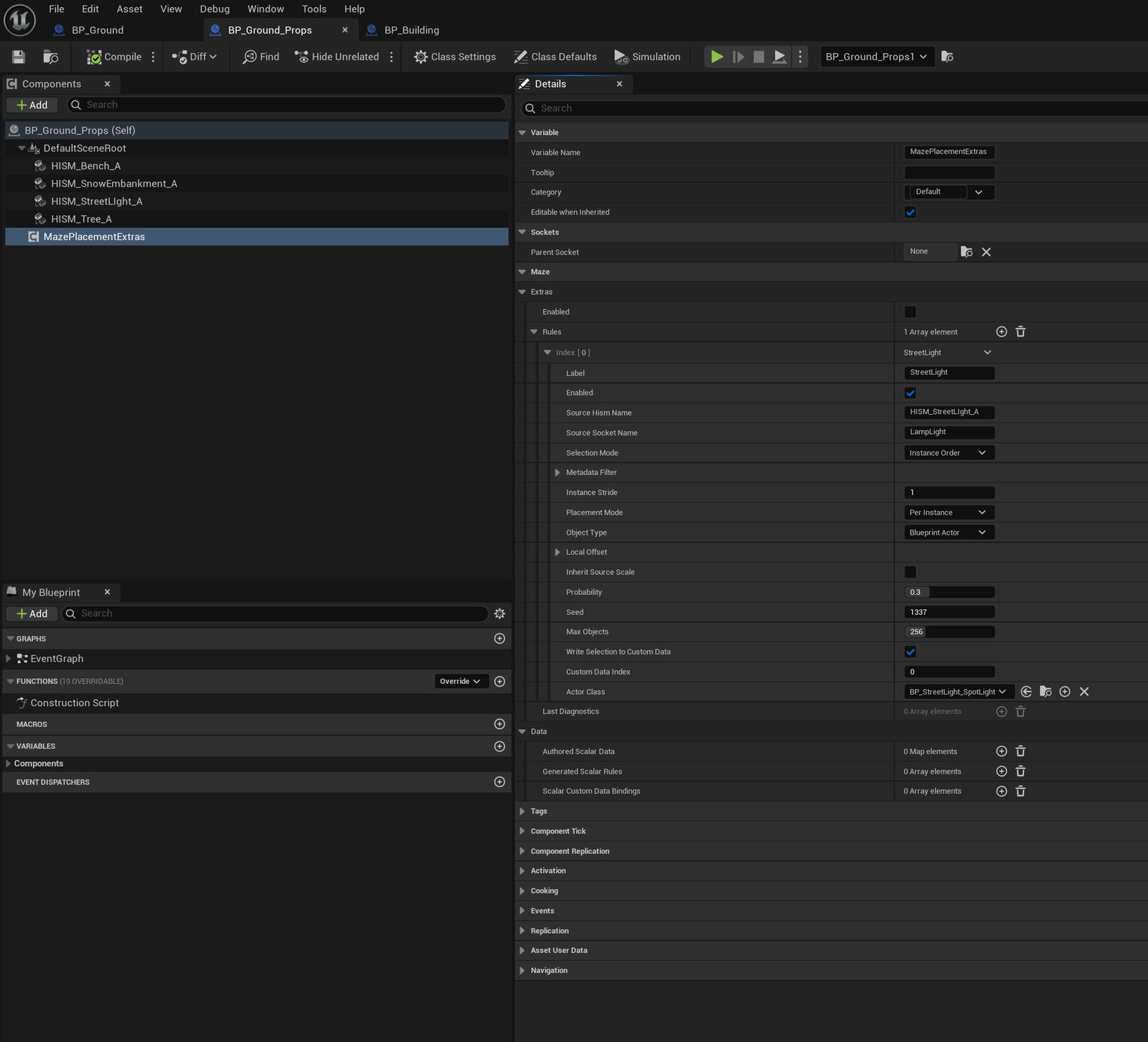
Extras is a Blueprint-facing component on the container that owns the HISM. It is separate from the generator, and the Consumer rebuilds it automatically after every completed HISM update. Nothing on the Houdini side knows it exists.
04 Anchoring a light to an instance
A rule names a source HISM and, optionally, a mesh socket. For each selected instance, the light anchor combines the mesh-local socket transform with that instance’s transform and the configured local offset. A socket belongs to the shared mesh asset; the instance transform is what places that anchor on each copy. With Inherit Source Scale off, the implementation removes scale from the instance transform before combining it with the socket and local offset. This affects anchor spacing as well as the spawned object’s scale; use it deliberately on scaled source meshes.
Windows: a rect light at a socket
The window rule targets the window HISM and the socket named WindowLight on the window mesh. Its object is a rect light with its own color, intensity, attenuation radius, source size and shadow toggle, so a window rule and an entrance rule on the same building can look completely different without either touching the other.
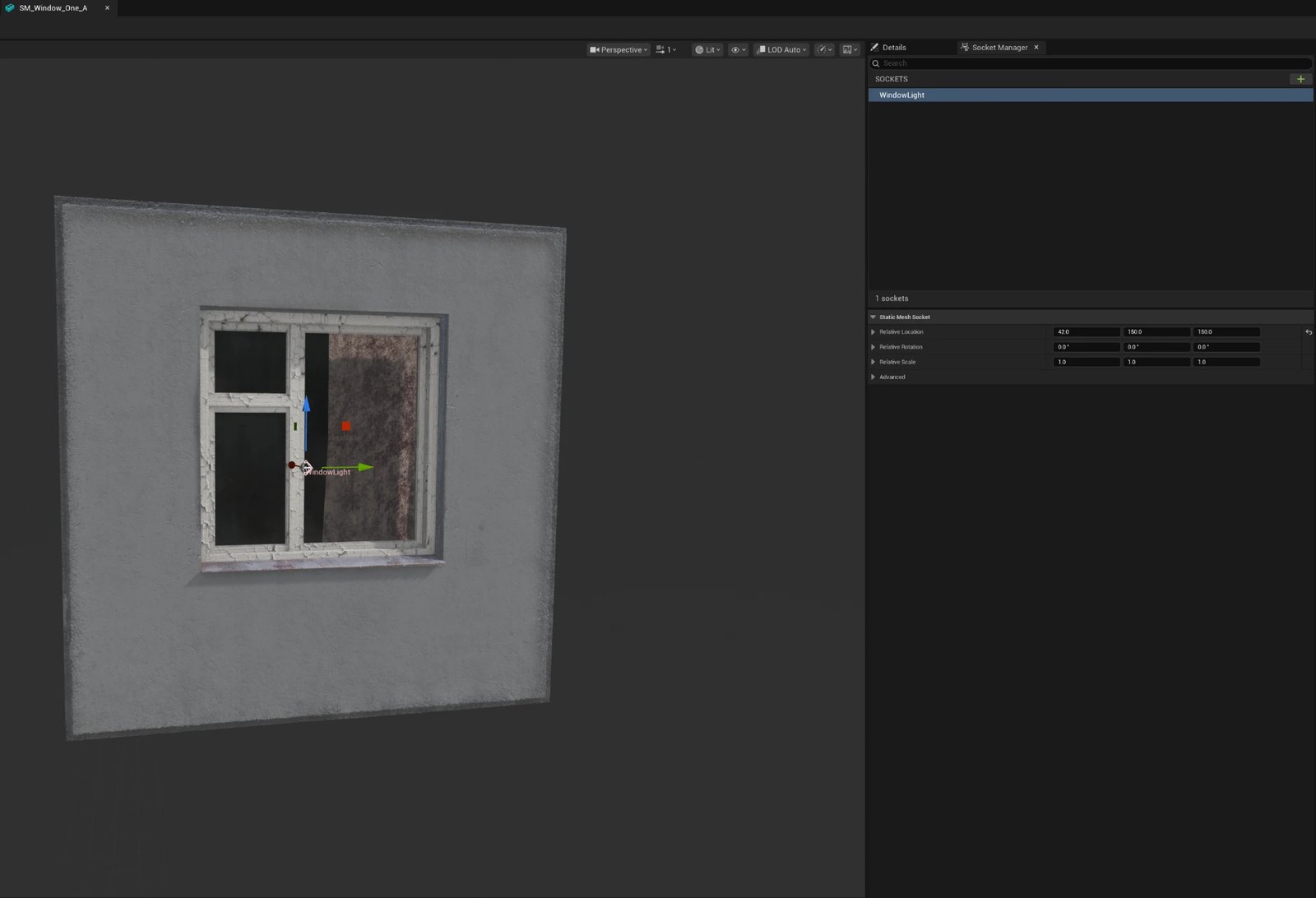
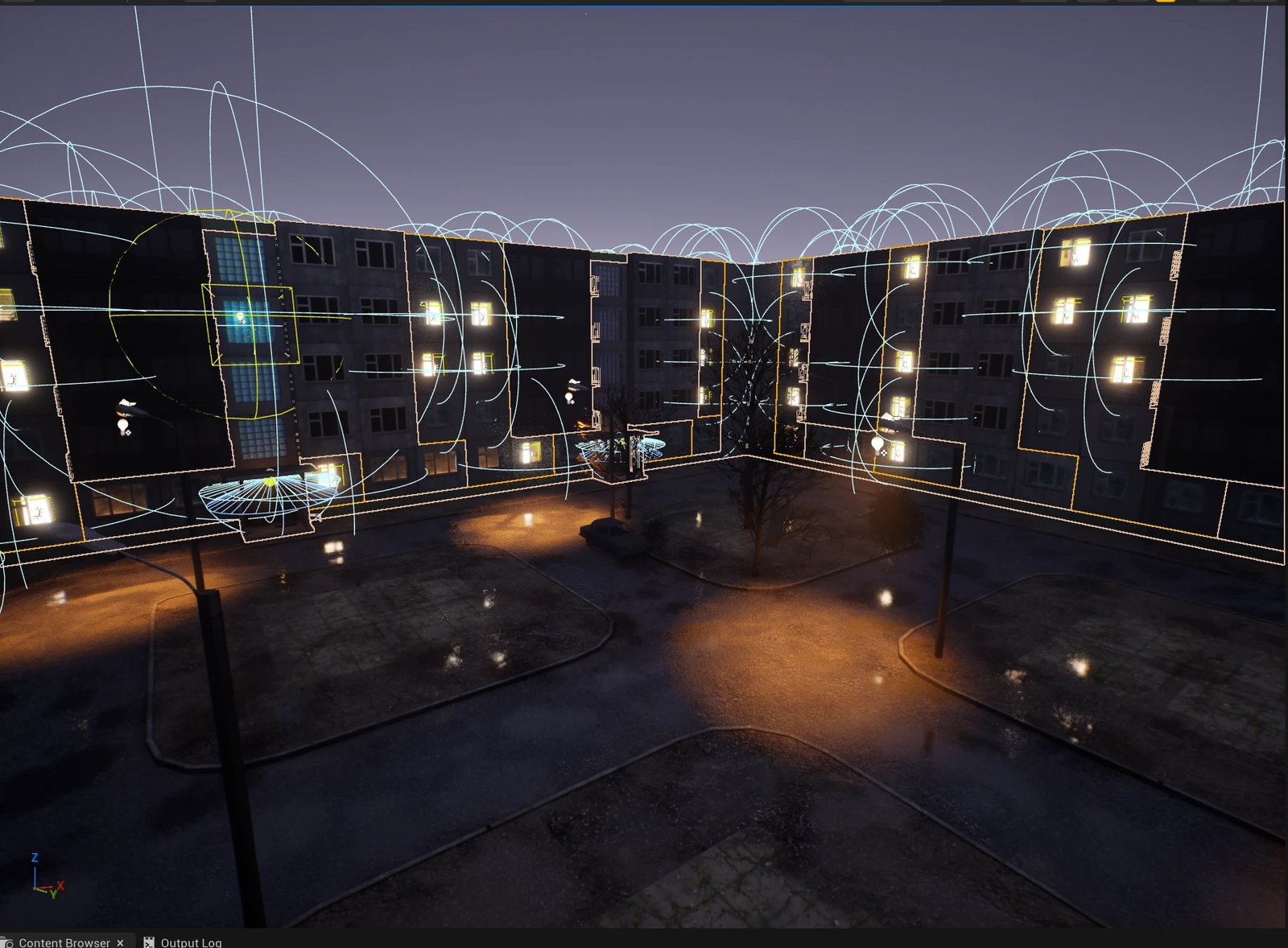
| Rule field | Window Lights, as configured |
|---|---|
| Socket | WindowLight |
| Selection mode | Stable Placement Key |
| Probability / Seed / Max Objects | 1.0 / 1337 / 1024 |
| Light | Rect light, white, 2 lm, 120 × 120 cm, attenuation 500 cm, shadows off |
| Write Selection To Custom Data | on, channel 0 |
Changing the probability, cap, or light parameters changes the result without requiring a change to the Houdini generator.
Streetlights: a Blueprint Actor at a socket
The streetlight uses the same placement mechanism with a Blueprint Actor at the LampLight socket. The Blueprint can group spot and point light components and expose their settings together. An IES profile controls the light’s angular intensity distribution; volumetric scattering controls its contribution to fog. These settings belong to the Unreal lighting setup, not to the placement identity.
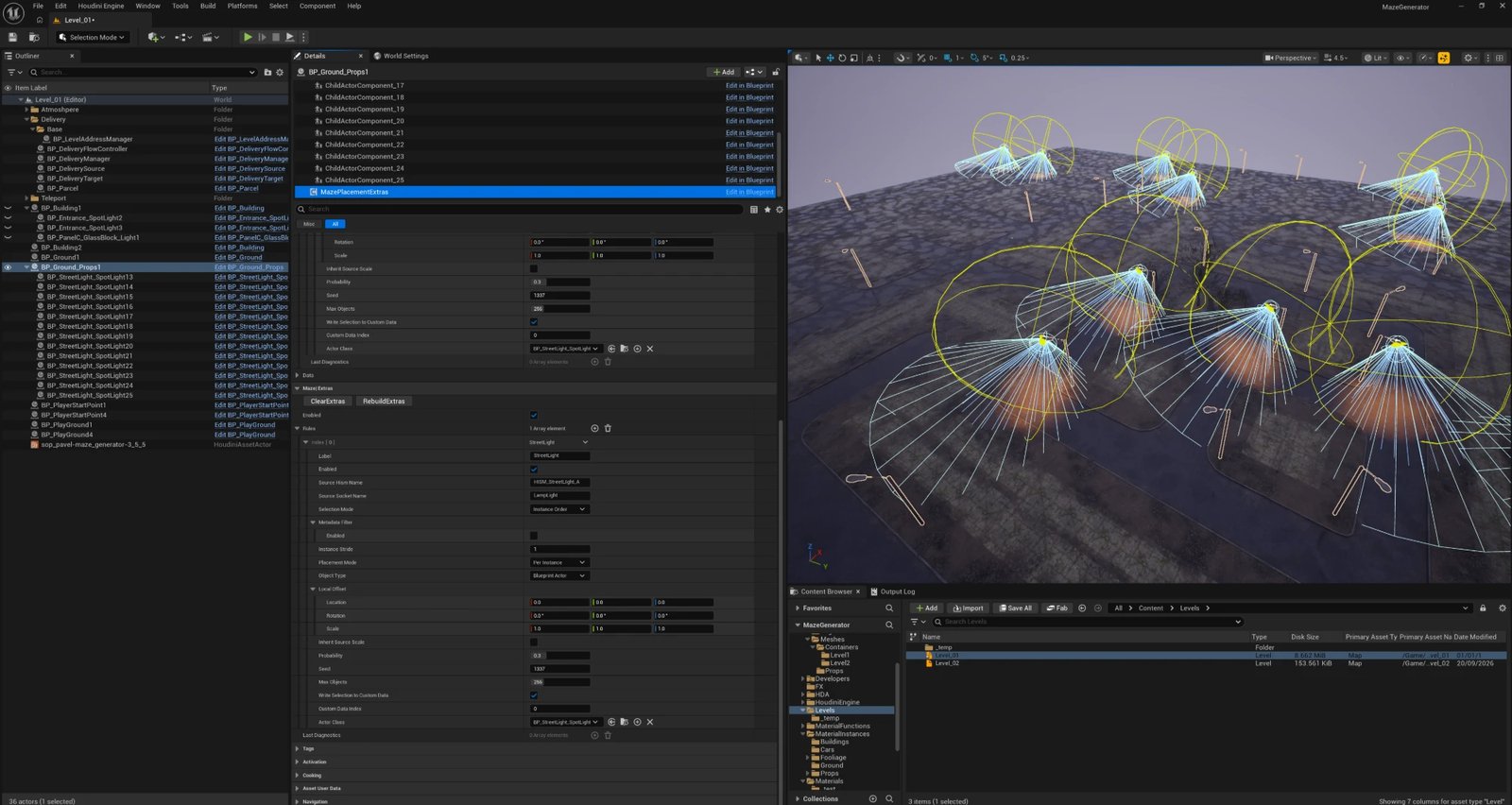
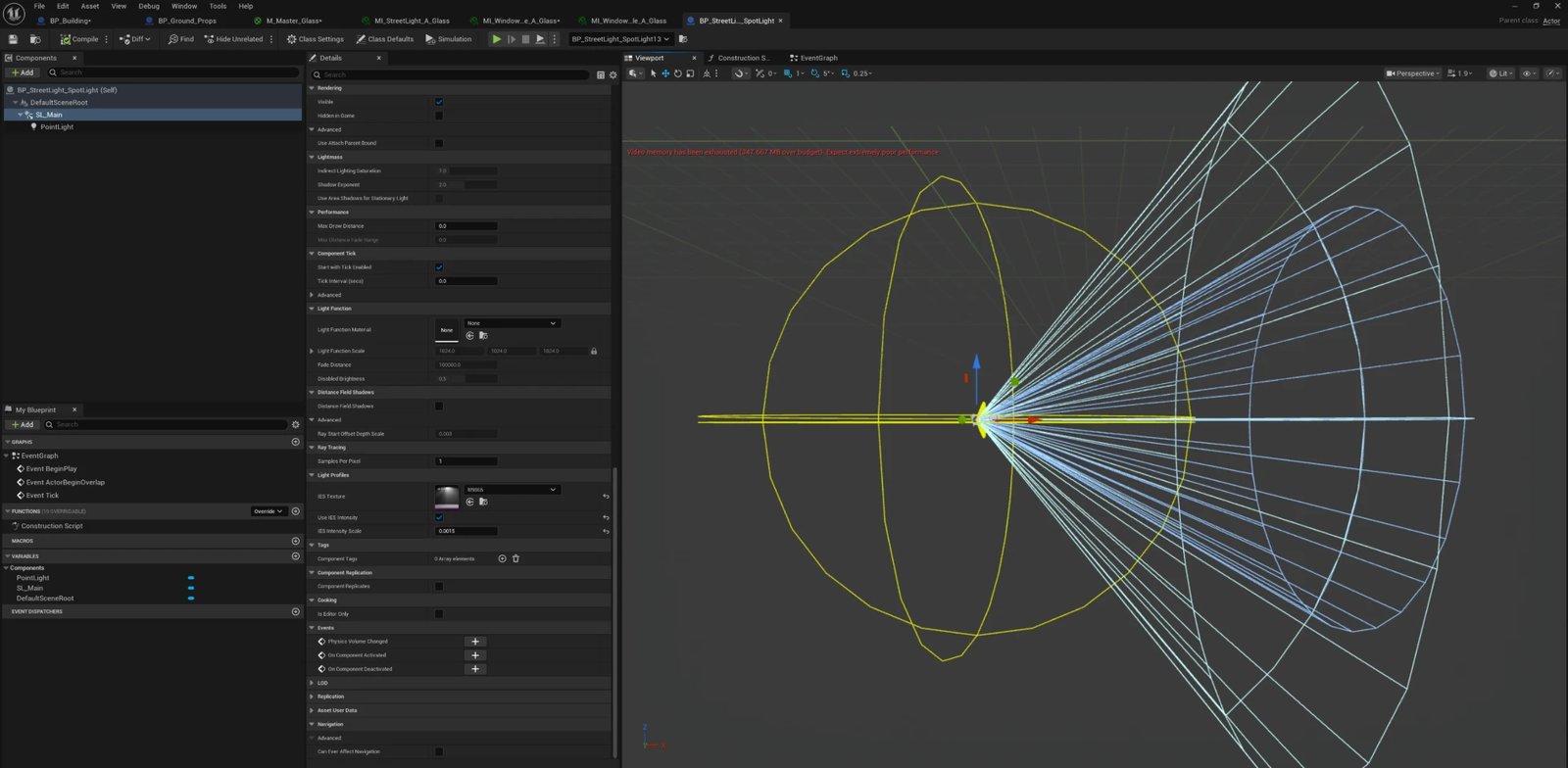
MegaLights is a rendering path, not a property of the socket or Blueprint architecture. Its use depends on the project’s engine version, renderer settings, and supported platform; selecting a shadow method on a light is not sufficient to enable it.
| Rule field | StreetLight, as configured |
|---|---|
| Source HISM | HISM_StreetLight_A |
| Socket | LampLight |
| Selection mode | Instance Order |
| Probability / Seed / Max Objects | 0.3 / 1337 / 256 |
| Object | Blueprint Actor, BP_StreetLight_SpotLight |
| Write Selection To Custom Data | on, channel 0 |
05 Which ones light up
A rule can select a subset of windows. Instance Order operates on HISM indices, which can refer to different placements after a rebuild. Stable Placement Key bases the decision on placement identity instead. Reordering alone does not change the result when the keys and rule inputs remain unchanged.
In stable mode, the probability decision comes from the rule seed, domain, placement key, and a purpose identifier. A separate purpose produces the priority used for the object cap. The result is deterministic for unchanged inputs; it is not a promise that the final selected set stays fixed when placements or rule settings change.
// Selection flow, not a drop-in implementation.
validateCurrentUniqueKeysForEntireSource(placements)
candidates = filterByMetadata(placements, rule)
for each placement in candidates:
    chance = stableDraw(seed, domain, placement.key, purpose = 0)
    priority = stableDraw(seed, domain, placement.key, purpose = 1)
    if chance < probability:
        eligible.add(placement, priority)
selected = takeUpToLimit(sortByStablePriority(eligible), maxObjects)
The implementation uses a fixed 64-bit FNV-1a byte fold followed by an avalanche step. It serializes the purpose byte, a 32-bit seed in low-byte-first order, and length-prefixed UTF-8 domain and key strings. Purpose 0 supplies the probability draw; purpose 1 supplies cap priority. Ties use case-sensitive domain/key ordering. That explicit contract makes the selection independent of HISM index order and platform character width.
Metadata filters narrow the candidates before they consume the object cap. Values within one allowlist are OR; populated lists combine with AND, using exact case-sensitive text matches. Missing fields do not match populated lists, so a floor filter excludes current prop records. Stable selection requires current metadata and nonempty, unique keys for the whole source; invalid metadata skips the rule with a diagnostic rather than silently falling back to instance order.
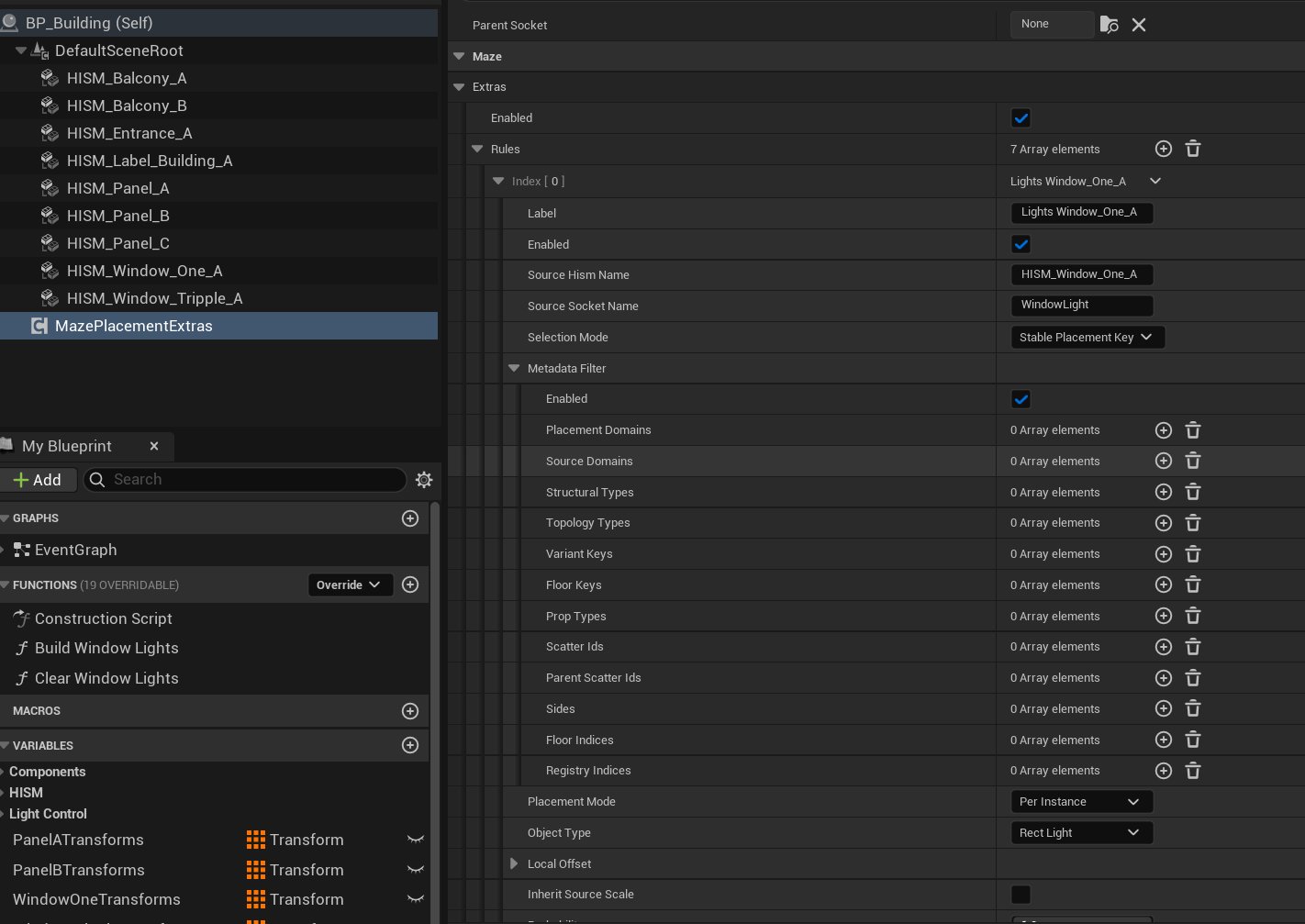
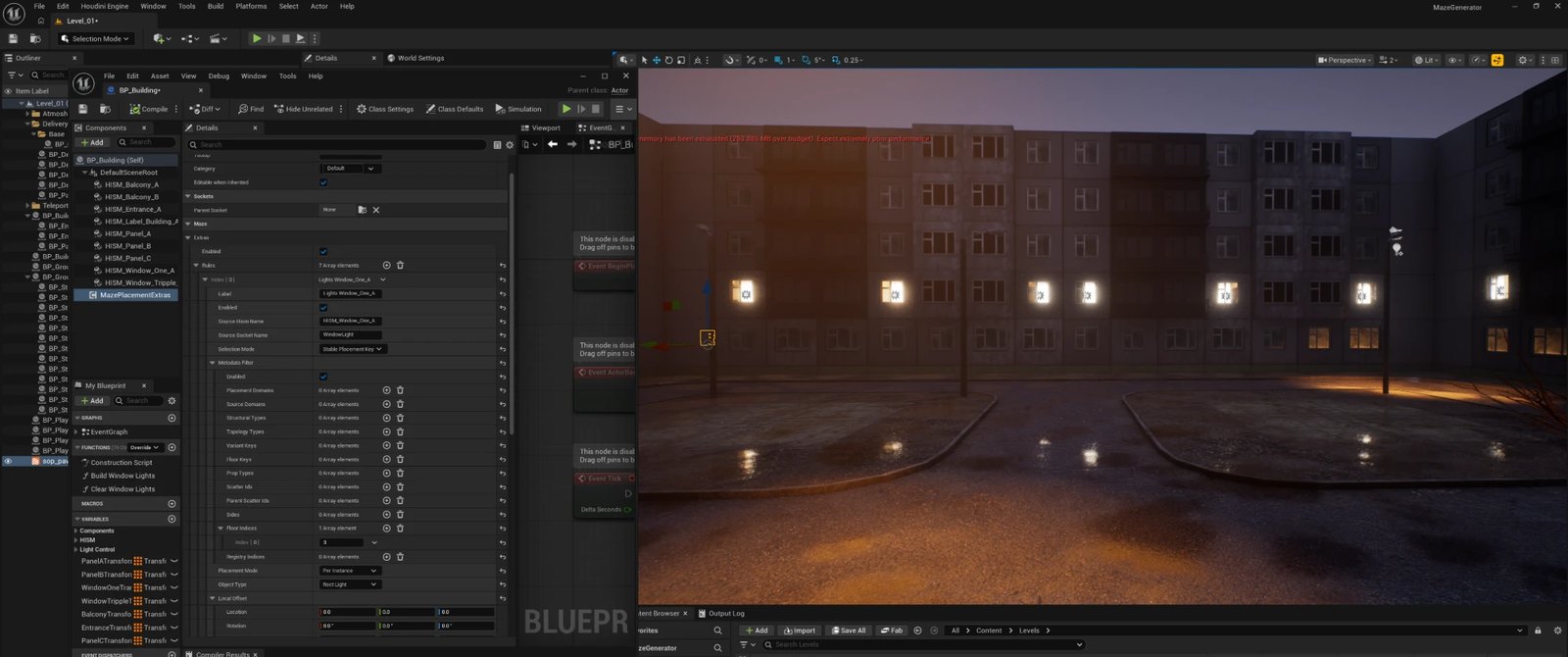
Floor Indices = [3] against an otherwise-empty filter turns every other floor's windows into non-candidates before probability ever runs. Debug view: yes — Unreal Editor Details panel and viewport, one state per slide.Floor Indices addresses one axis. There's no equivalent key for position along a floor — a window-column or facade-slot identifier — so a rule can pick a floor, a side, or a scatter group, but not an arbitrary horizontal position within one. Adding that key would turn floor-level banding into addressing individual windows: a grid, in principle capable of spelling something out in lit glass rather than just lighting a band. Per-instance control down to a single point is a planned extension of the same filter mechanism, not something built yet.
06 The emissive half: a mask in the material
A light object alone does not make a window look lit. The glass has to glow in the same places where a light exists. Extras handles this by writing a mask straight into the source HISM: with Write Selection To Custom Data on, an instance gets 1 if its light was created and 0 in every other case — excluded by probability, by the object limit, or by an invalid asset. The window material reads that channel as per-instance custom data and drives its emissive from it.
The material and light creation therefore share one decision. Keeping them synchronized also requires reserving the chosen custom-data channel, clearing stale values, and reapplying the rule when its configuration changes. Extras rejects conflicting mask writers and scalar bindings with diagnostics; unrelated external writers still need to respect that channel ownership. The interior-room material can choose its cubemap independently of this on/off state.
This project's window: a mask-gated room behind the glass
The mask above decides only whether a window is lit. A second, independent question is what shows through the glass once it is: this project answers that with a cubemap array, not room geometry. A window's material carries a small library of captured interiors, and each instance picks one. The two decisions are deliberately uncoupled — the earlier article on this project already says as much in passing — because it means the interior can be swapped, re-authored or re-randomized without touching whether a given window is switched on at all.
Uncoupling them also pays for itself, at least as a logical early-out. Ray-casting into a virtual room and sampling a cubemap array is not free per pixel, and a facade can carry a lot of windows. So the same mask that gates the light gates the interior too: a window with no light skips the room reconstruction in the shader graph and reads as a flat dark surface instead. What that's worth on the GPU depends on the compiled shader and branch coherence — a custom HLSL expression like this one doesn't automatically compile to a cheap dynamic branch — so it's an optimization the mask makes possible, not a measured saving; profiling the actual shader would be the way to claim one.
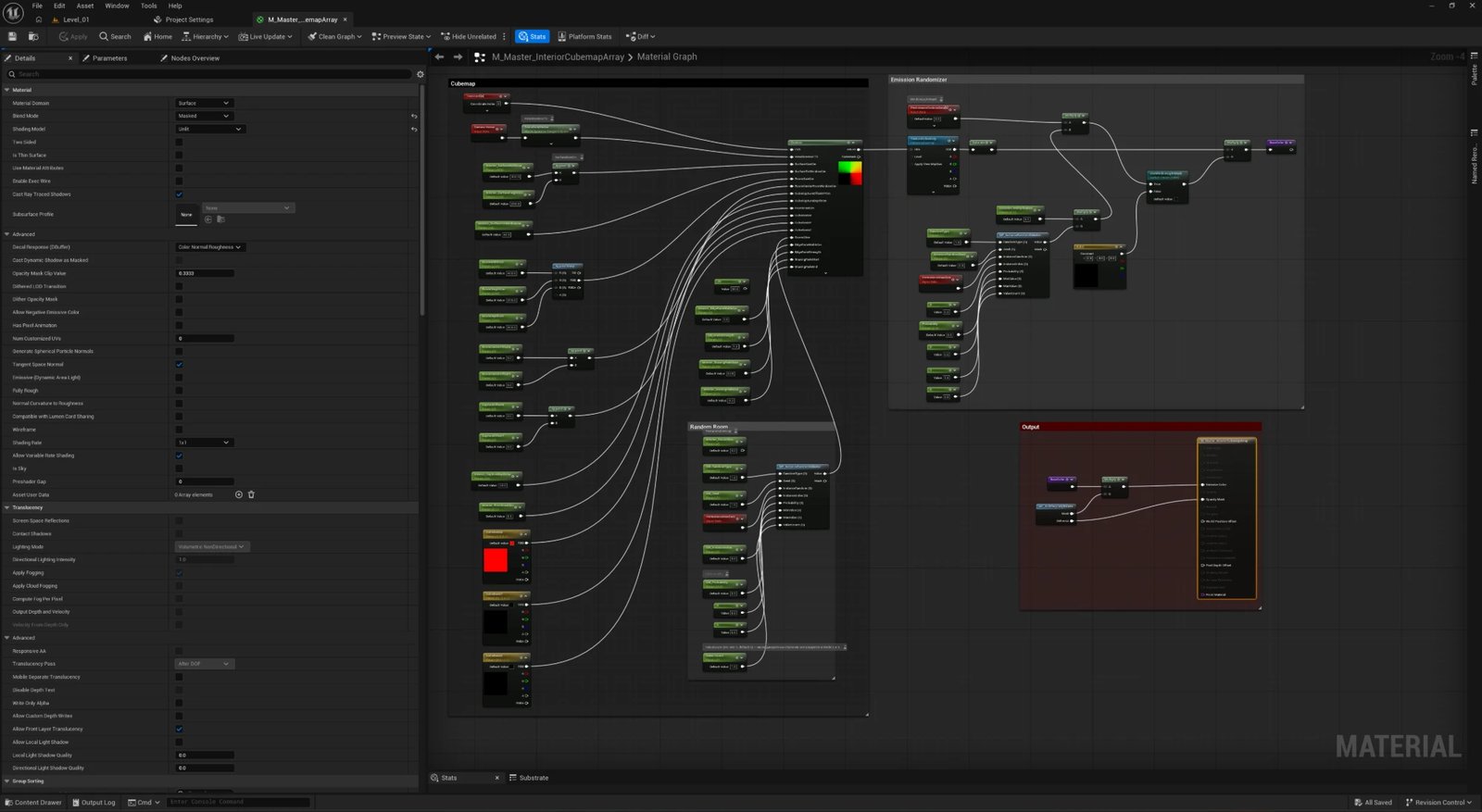
M_Master_InteriorCubemapArray: the interior ray-cast and cubemap sample on the left, the Random-driven Emission Randomizer on the right, both feeding one Output node. Debug view: yes — Unreal Material Editor, not a rendered result.A ray-cast room, not a modeled one
The interior is a custom HLSL expression, in a tangent-space convention where +X is window-right, +Y is window-up, and +Z points outward from the facade. For every pixel of the glass it reconstructs a camera ray, finds where that ray actually crosses the glass plane — the flat proxy the material is painted on doesn't have to sit exactly there — and re-expresses that point relative to the center of a virtual room sized in centimeters. A safe ray/box intersection then finds where the ray would exit that room; the exit point, offset by an authored capture position and re-projected through the cubemap's own basis vectors, is the direction actually sampled from the array. Two fades soften the illusion where it would otherwise break: one fades the room out near the window frame, measured in real centimeters rather than UV space, and one fades it out at a grazing viewing angle. A last check rejects any reconstructed point that the window opening itself would physically block from view.
// Tangent-space convention: +X window right, +Y window up,
// +Z outward from the facade (-Z = into the building).

float3 halfRoom = max(abs(RoomSizeCm), 1.0) * 0.5;

// Camera ray in tangent space, flipped to point into the room.
float3 rayDirectionN = -ViewDirectionTS / max(length(ViewDirectionTS), 1e-5);

// Reconstruct the ray at the real glass plane, room-centered.
float2 roomPlanePosition = windowPosition - RoomCenterFromWindowCm;
float3 rayOrigin = float3(roomPlanePosition, halfRoom.z - frontInset);

// Safe ray / box intersection against the room bounds.
float3 directionSign = lerp(-1.0, 1.0, step(0.0, rayDirectionN));
float3 safeDirection  = directionSign * max(abs(rayDirectionN), 1e-5);
float3 tExitPerAxis   = max((-halfRoom - rayOrigin) / safeDirection,
                             ( halfRoom - rayOrigin) / safeDirection);
float  tExit = min(tExitPerAxis.x, min(tExitPerAxis.y, tExitPerAxis.z));
float3 hitLocal = rayOrigin + rayDirectionN * max(tExit, 0.0);

// hitLocal, minus an authored capture point and re-projected
// through the cubemap's basis, becomes the sampled direction —
// on the array slice this instance's RoomSlice selects.
The condensed listing above keeps the ray/box core; the full expression also derives the capture position from an authored offset, applies the two fades, and clamps the array slice. None of it runs unless the mask says the window is on. What actually sits in the array is a set of captured room panoramas — this project holds seven, each an authored kitchen, bedroom or living room — and RoomSlice, resolved by the Random function's Balanced Discrete mode described below, just indexes into that array.
One random function, four modes
Both "is this window lit" and "which room appears behind it" ultimately trace back to a single reusable Random custom expression, switched between four modes by a RandomType input. It hashes an instance seed through two independent sine-based draws — one for a probability-style decision, one for picking a value — so the two questions don't correlate with each other by accident.
float probability = saturate(Probability);
float rangeMin = min(MinValue, MaxValue);
float rangeMax = max(MinValue, MaxValue);
float count = max(1.0, floor(ValueCount));

float instanceSeed = InstanceRandom + Seed * 19.193;
float selectionRandom = frac(sin(instanceSeed * 12.9898 + 78.233) * 43758.5453);
float valueRandom     = frac(sin(instanceSeed * 39.3467 + 11.135) * 24634.6345);

float finalValue = 0.0;
float selected   = 1.0;

if (RandomType < 0.5)                       // MODE 0 -- continuous random
{
    finalValue = lerp(rangeMin, rangeMax, valueRandom);
}
else if (RandomType < 1.5)                  // MODE 1 -- binary probability
{
    selected = selectionRandom < probability ? 1.0 : 0.0;
    finalValue = selected;
}
else if (RandomType < 2.5)                  // MODE 2 -- discrete random, N equally likely values
{
    float index = min(floor(valueRandom * count), count - 1.0);
    float t = count > 1.0 ? index / (count - 1.0) : 0.0;
    finalValue = lerp(rangeMin, rangeMax, t);
}
else                                          // MODE 3 -- balanced discrete, evenly spread by instance
{
    float seedOffset = floor(abs(Seed) * 17.0);
    float index = fmod(floor(InstanceIndex) + seedOffset, count);
    float t = count > 1.0 ? index / (count - 1.0) : 0.0;
    finalValue = lerp(rangeMin, rangeMax, t);
}

Mask = selected;
return finalValue;
Mode 1 is a plain weighted coin flip — useful anywhere a material needs its own probability draw independent of the placement-key hash described in section 05. Modes 2 and 3 both pick one of ValueCount discrete values, but differently: Mode 2 draws uniformly at random, so with enough instances some values run hot and others barely appear; Mode 3 ignores the random draw entirely and instead cycles through every value by instance index, offset by the seed, so every room variant this array holds shows up roughly the same number of times across a whole facade. That is the mode a cubemap array wants — an even spread of interiors reads as variety; a random draw that happens to favor two rooms out of eight reads as a bug. Room variation is intentionally cosmetic and tied to instance index rather than placement key, unlike the lighting selection in section 06 — it is not guaranteed to survive a reorder unchanged, and for which fake room sits behind a window, that trade is fine.
ValueCount set; the bars are illustrative frequency, not a measured distribution. Mode 3 is deterministic by instance index, not random at all — "balanced" describes its output, not its mechanism.07 Control beyond random
Random selection answers "which windows, roughly." It does not answer "turn day into night," or "the player needs to notice this exact window, right now," or "this one streetlamp has to flicker because the story needs it to." Those need one control per placement, addressable by name, not a probability draw.
For a lamp that only needs to become something else entirely, the Extras metadata filter can already narrow a rule to a specific structural type, floor, or scatter group — the same allowlist fields covered in section 05 — and spawn a Blueprint Actor there instead of the default light. That's a category filter, not an address; it can single out "windows on floor 3," not one arbitrary instance by name. Full runtime control over a light that's already there — dimming it for a day/night cycle, driving a flicker while it keeps casting real light and real shadows, without swapping the object out — goes through a separate general data layer instead: a number per placement, keyed by a name and addressed by a handle made of the source HISM name and the placement key — never an instance index, which is only temporary. The handle is scoped to its owning container. Together with a data key, it resolves through four layers, first match wins.
| Layer | Where it is set | Behavior |
|---|---|---|
| Runtime override | Blueprint / C++ call at play time | Highest priority, not saved |
| Authored | Component details, per handle | Saved with the level |
| Generated | Rule with seed and min/max range | Deterministic from seed, domain, key and data key |
| Default | Argument of the read or the binding | Fallback when nothing else applies |
A resolved value can be projected into a material channel through a binding from a data key to a custom data index. The engine layer does not interpret the number. What a value like Visual.Intensity means for a lamp is defined by the material or game code that reads it.
SourceHismName + PlacementKey, never an instance index — it survives a rebuild, the index does not. The value's meaning — intensity, color temperature, anything else — is defined by whatever reads the channel, not by this pipeline.The project's streetlight uses this path for real, continuous control rather than an on/off swap. Its light Blueprint exposes intensity and color temperature as parameters, and those same values drive the pole mesh's emissive through the data layer above, so the glass and the actual light source read from one resolved value instead of two systems that happen to agree for now. A day/night controller can write one override across every streetlight in a level this way. For a window that already has a light — one the rule in section 06 actually created — a scripted beat can override its resolved intensity by placement key, independent of whatever the generated rule would otherwise have produced. It can't conjure a light for a window the selection draw excluded; that's still gated by section 06, not by this layer.
The light rules in section 06 use the selection mask, a separate 0/1 mechanism with its own lifecycle. The scalar data layer here is what carries an actual value — intensity, color temperature, or anything else keyed by name. Decals and house numbers, covered in a later article, read the same layer for a different kind of value.
08 Surviving a rebuild
The point of all of this is that a rebuild of the maze does not throw the lighting away — for a rule on Stable Placement Key. Every instance is identified by its source HISM name and the placement key from the generator regardless of selection mode, and that identity is what the metadata snapshot republishes on every re-cook or reorder; a window rule reading that key keeps lighting the same logical windows because the placement has the same key, not because it sits at the same position in an array. The streetlight rule shown in section 04 is still on Instance Order — the mechanism supports stability, this particular rule hasn't been switched to use it, and its own selection can shift after a reorder the same way an unconverted window rule's would.
| Event | What happens |
|---|---|
| Instances reordered | With unchanged rule inputs and candidates, values and selection follow the same HISM name and key |
| Candidates added or removed | Per-key draws stay stable; the object cap can change which candidates receive lights |
| Consumer recook | Metadata republished, extras and bindings applied again |
| Clear Extras | Removes generated objects and owned masks; data layers stay |
| Save and reload | Authored data, rules and bindings persist; runtime overrides do not |
| HISM renamed or key changed | A different identity; old entries do not migrate |
Apply without a cook: after changing light rules, press Rebuild Extras. Editing the Details panel alone does not rebuild the lights. After editing scalar data or bindings, use Apply Scalar Custom Data or Rebuild Extras. A Consumer update supplies fresh metadata automatically; Rebuild Extras alone cannot recover missing keys.
09 Limits, and what this does not do
The data layer currently writes to the source HISM only; producing a separate generated HISM for extras is a different feature that is not built yet. Removing a scalar binding or disabling scalar projection leaves its last values in the material buffer; selection-mask cleanup is a separate lifecycle. Write the desired defaults before removing a binding if those values should reset.
Runtime overrides live in memory: keeping them across game sessions needs a save game or adapter on the game side. Authored entries are tied to a handle, so a changed key means a new placement, not a moved one.
The object cap limits spawned extras, not GPU time. A Blueprint may contain several lights, and cost also depends on shadowing, screen coverage, overlapping lights, fog, and the rendering path. Profile the resulting scene on the target hardware.
None of the layers decides what a value means. That is the point: a scalar tied to a placement can drive the brightness of a lamp today and something entirely unrelated tomorrow.
10 Result
Zoomed out, this was never really about one lit window or one streetlamp — it's about where a generated game's content lives once meshes stop being the only thing a generator hands off. Environment is meshes: the structural and prop placements Houdini already produces and Unreal already registers into HISM. Lighting turned out to need a layer of its own — engine-side, addressed by the same placement identity, answering to nobody in Houdini — and this project has now proven that layer twice, on a multi-story building's windows and on a street's lamp posts. A material layer looks like a plausible next one, routing a different Material Instance per HISM the way rules already route objects, but that shape hasn't been worked out yet; it's a direction, not a claim.
The saved automation report from 20 September 2026 records seven passing placement tests: six Extras tests and one scalar-data test. They cover selection, metadata, cleanup, layer precedence, channel preservation, and projection. These headless checks validate data and component behavior; the viewport captures show the separate visual result.
Light on a generated city ended up as three small decisions, each in the right place: the generator publishes an identity, the engine layer attaches objects and writes a mask — or, for the streetlight, a synchronized value — at that identity, and the material turns it into a glow. With unchanged identities, candidates, and rule settings, reordering the maze preserves the lighting selection, and because none of it lives in the generator, the core stays as lean as it was.
Light was the concrete case because it's close to unavoidable in any generated environment — every generated building needs a lit window sooner or later. But the object a rule spawns doesn't have to be a light: the same rule mechanism already supports a Niagara system at that socket instead, for an explosion or a dust effect tied to one specific wall segment, or a Blueprint Actor — an enemy that appears in one specific window, for a sniper encounter. None of that needs new code; it's the same Object Type choice already used for the streetlight's Blueprint. What's actually built and proven here isn't a lighting system specifically — it's a placement identity that can drive a spawned engine object, per-instance material data, and runtime or authored scalar state, all from the same key, all kept in sync because none of them are guessing at each other. Lighting is the first thing that identity got used for.
The same identity can also carry a plain number instead of an object. Later articles will cover decals and house numbers, using that scalar layer for a different kind of value, and how it reaches the material that displays it.
- [01] CURRENTThe Light System — Randomized and Synchronized Lighting on Generated Geometry
-
[02]
LIVEHoudini to Unreal — Typed Placement Routing for HISM and Blueprint Actors — how placements reach Unreal as named HISM components or Blueprint Actors.
pavelzosim.com/post/houdini-unreal-typed-placement-routing -
[03]
LIVEControlled Procedurality — How a Maze Generator Became a Level Design System — what the generator decides, and why it works as a level design system.
pavelzosim.com/post/controlled-procedurality - [04] PLANNEDHouse numbers — a per-building number projected into a decal material