01 Overview
I set out to build a maze generator in Houdini. It didn't stay one — and it was never really about finding the shortest path between two points anyway. Finding a path through a maze is a different problem from deciding what the player encounters along it. What I ended up building is a modular system where abstractions describe rules for how a maze — or any level — gets assembled, and every stage of that assembly supports both randomization and manual placement.
This is also a procedural environment generation pipeline. Structural modules assemble walls, floors, ceilings, and building facades; prop scatter adds objects such as streetlights, benches, and snow; Unreal-side rules layer lighting and other details onto the placed instances. Zone and gameplay rules give those spaces a purpose. The same pipeline supports both environment assembly and level design, with manual control over individual placements.
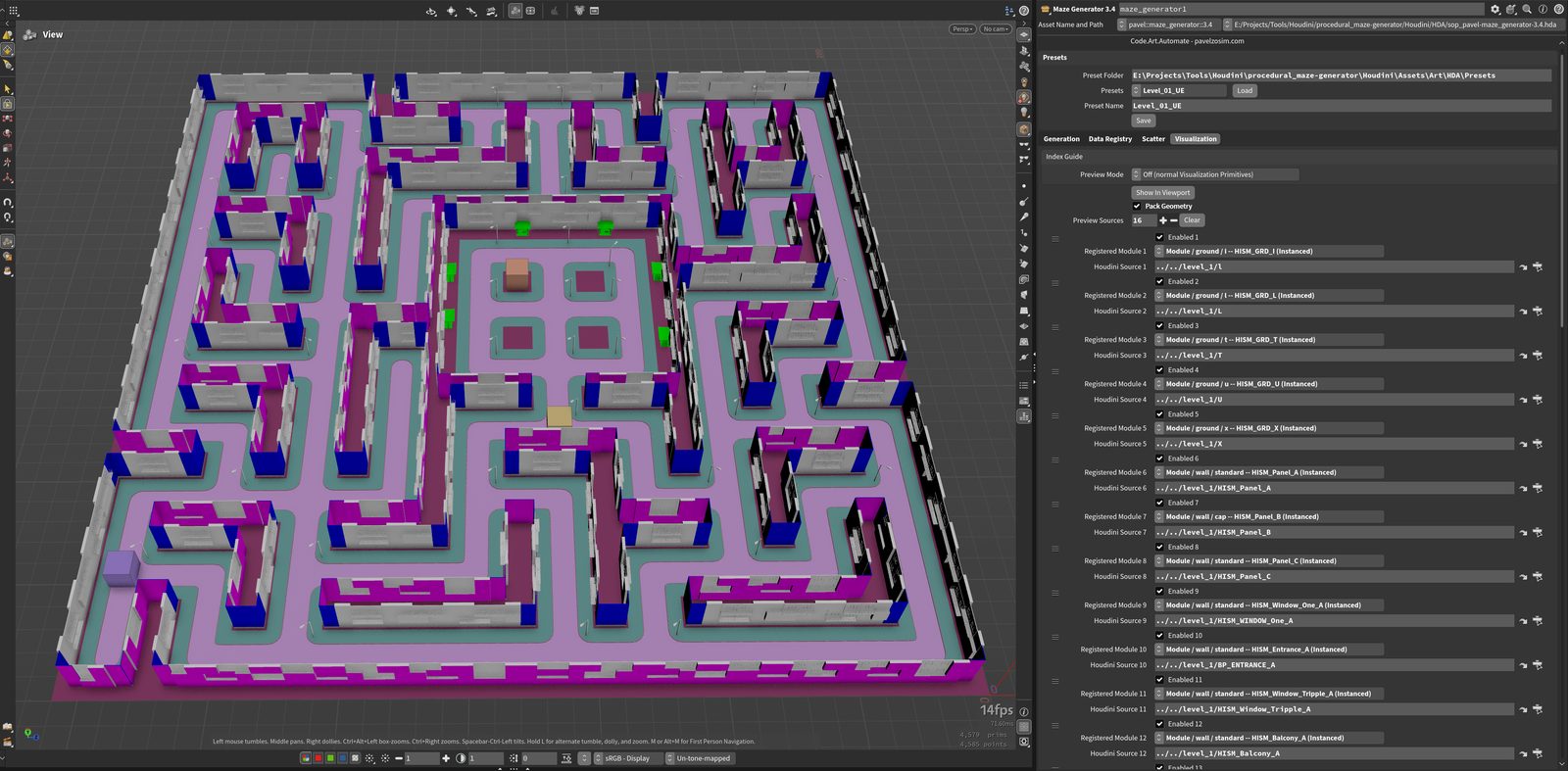
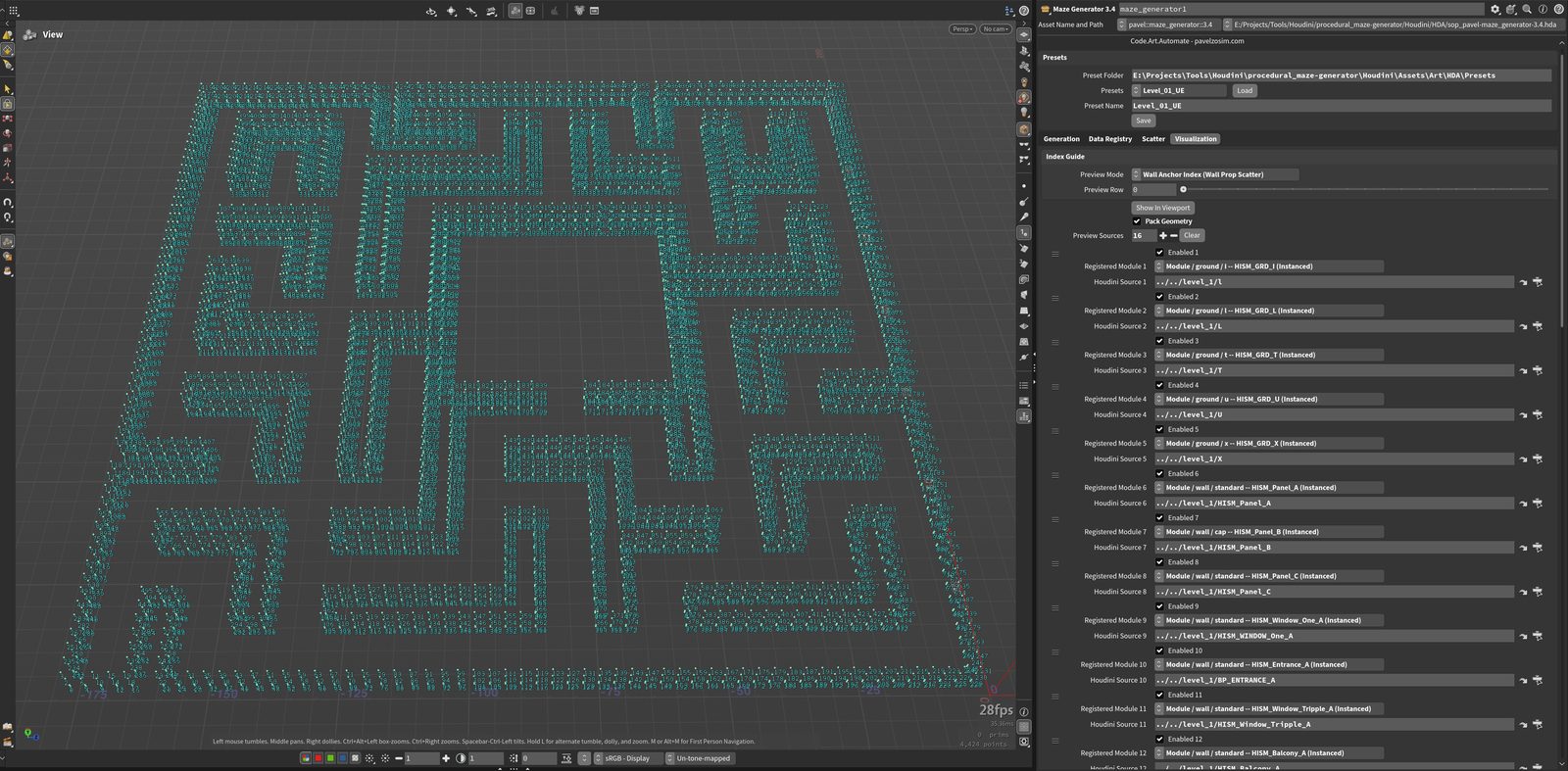
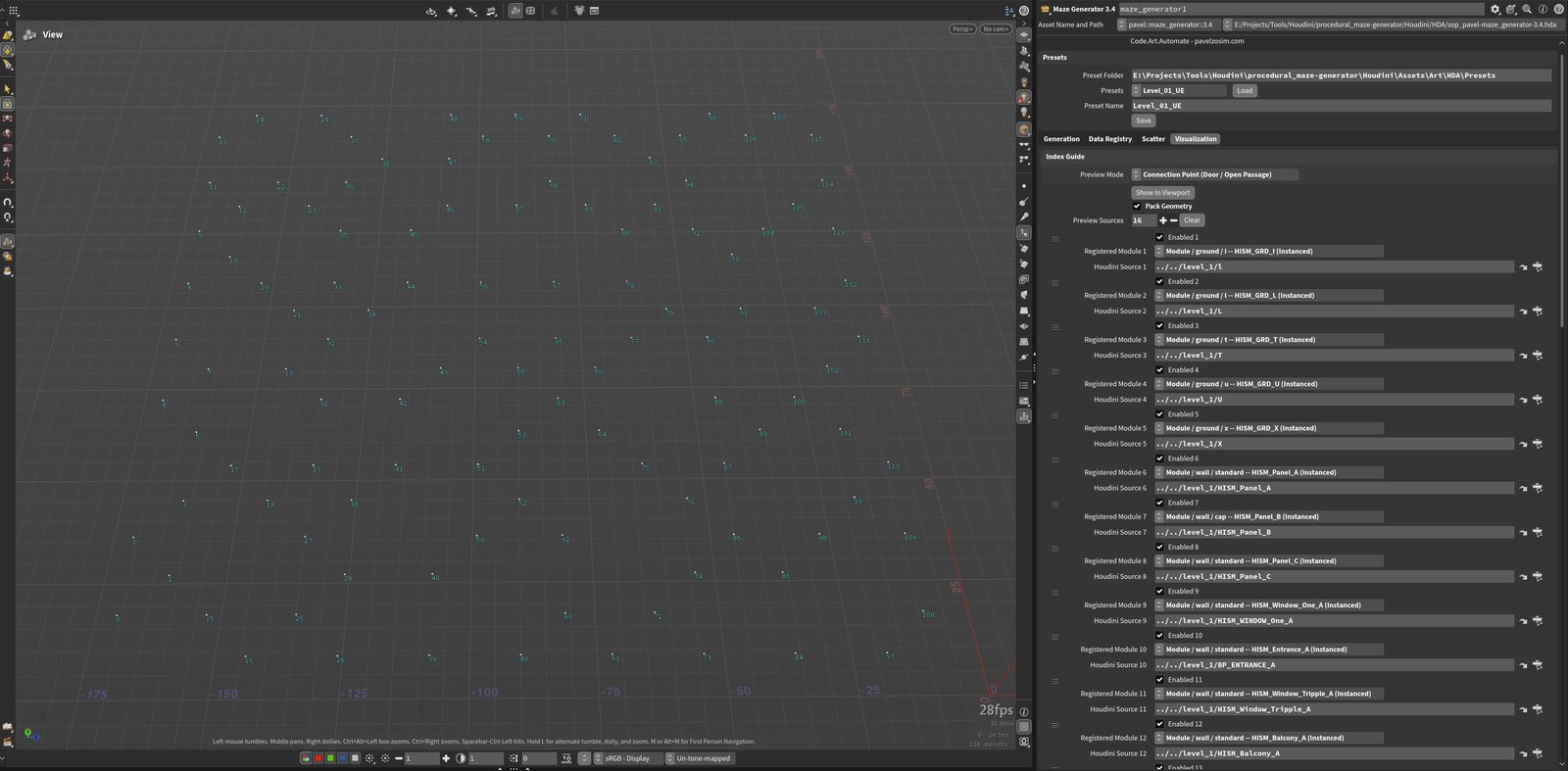
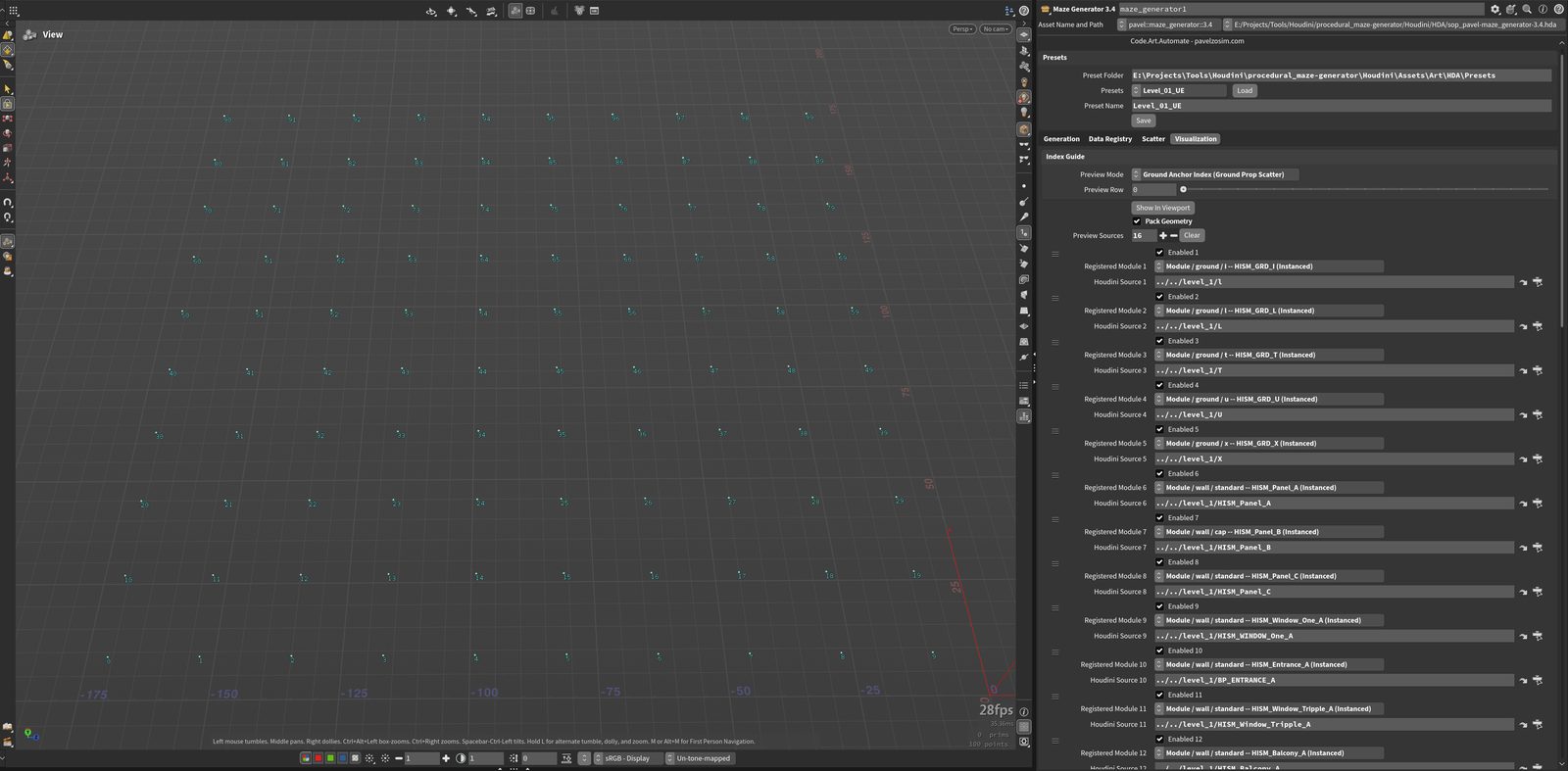
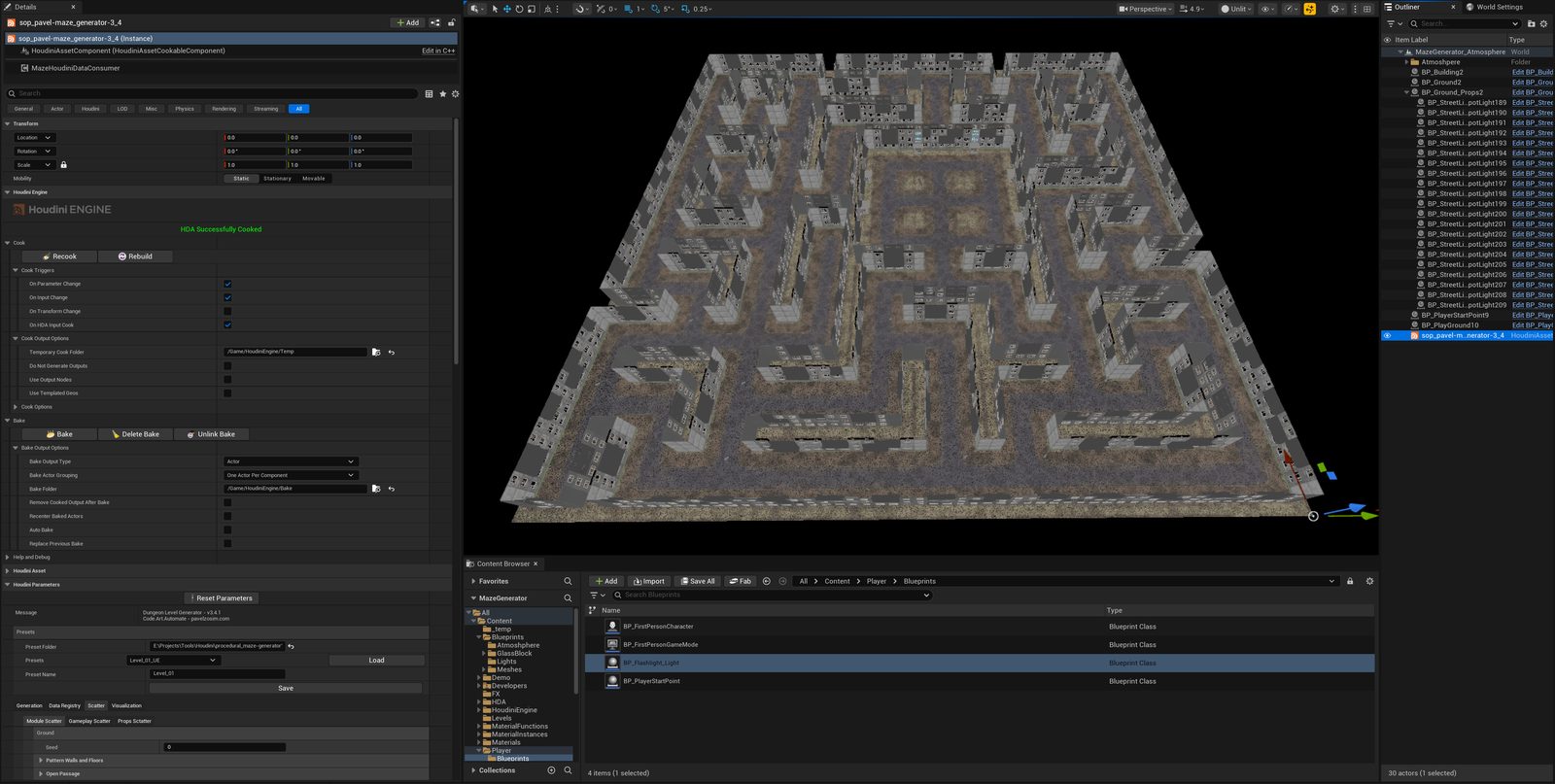
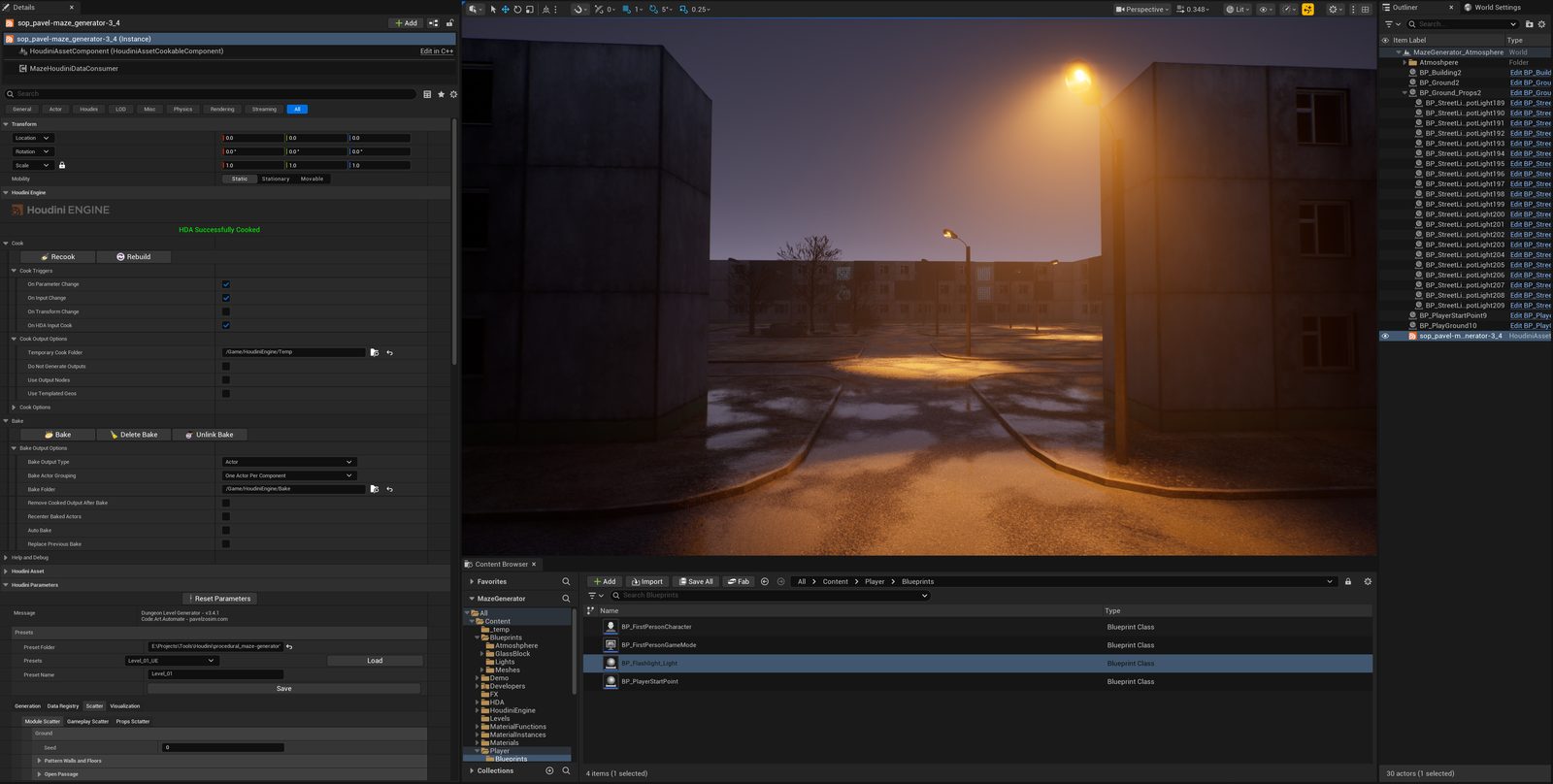
The current demo uses straight wall segments meeting at right angles. This keeps the module set and junction rules manageable while I develop the placement system. The next step is non-orthogonal geometry: more complex modules, more flexible placement steps, and wall and floor scatter that can follow the resulting shapes. Section 09 describes that direction.
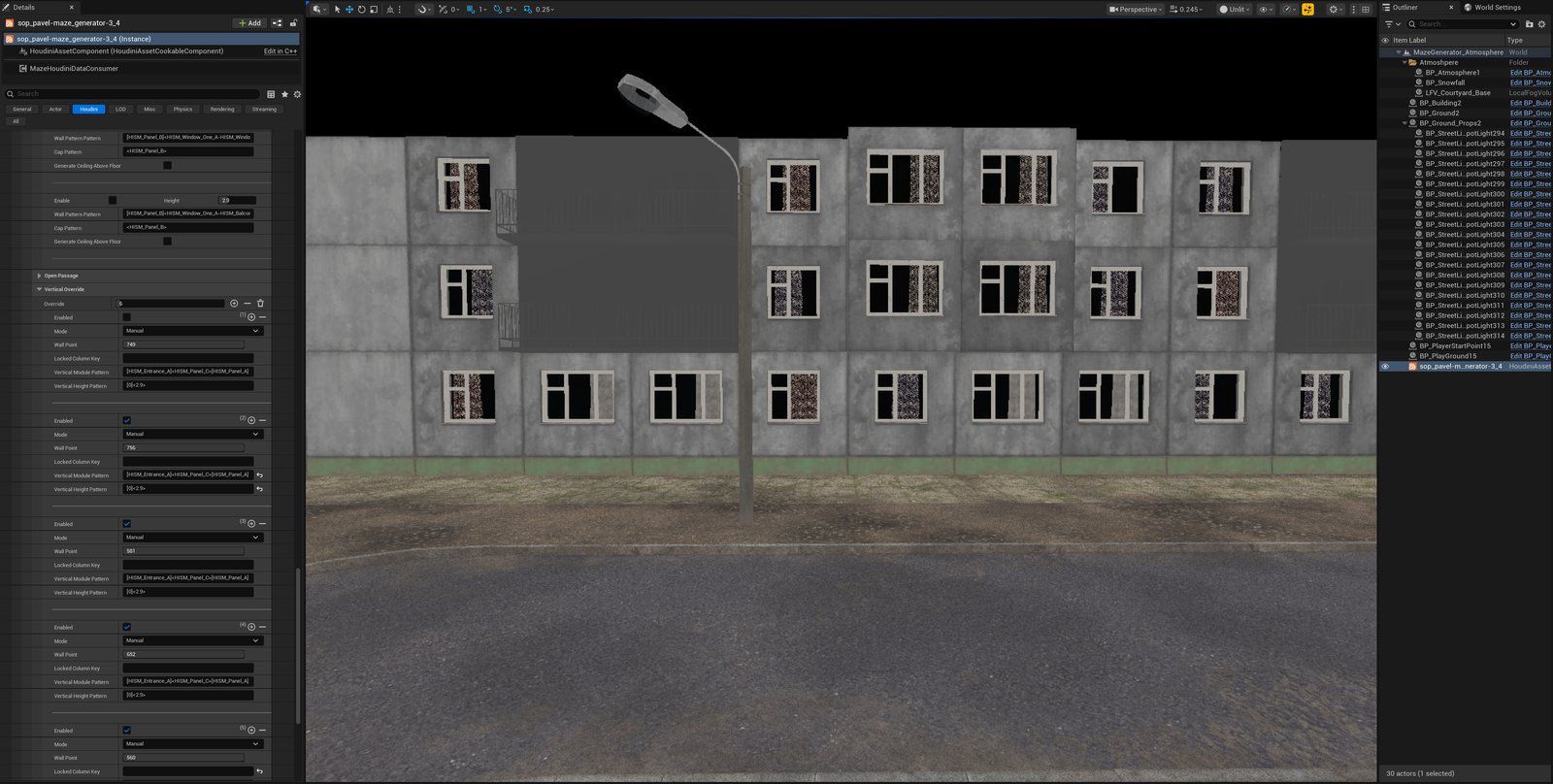
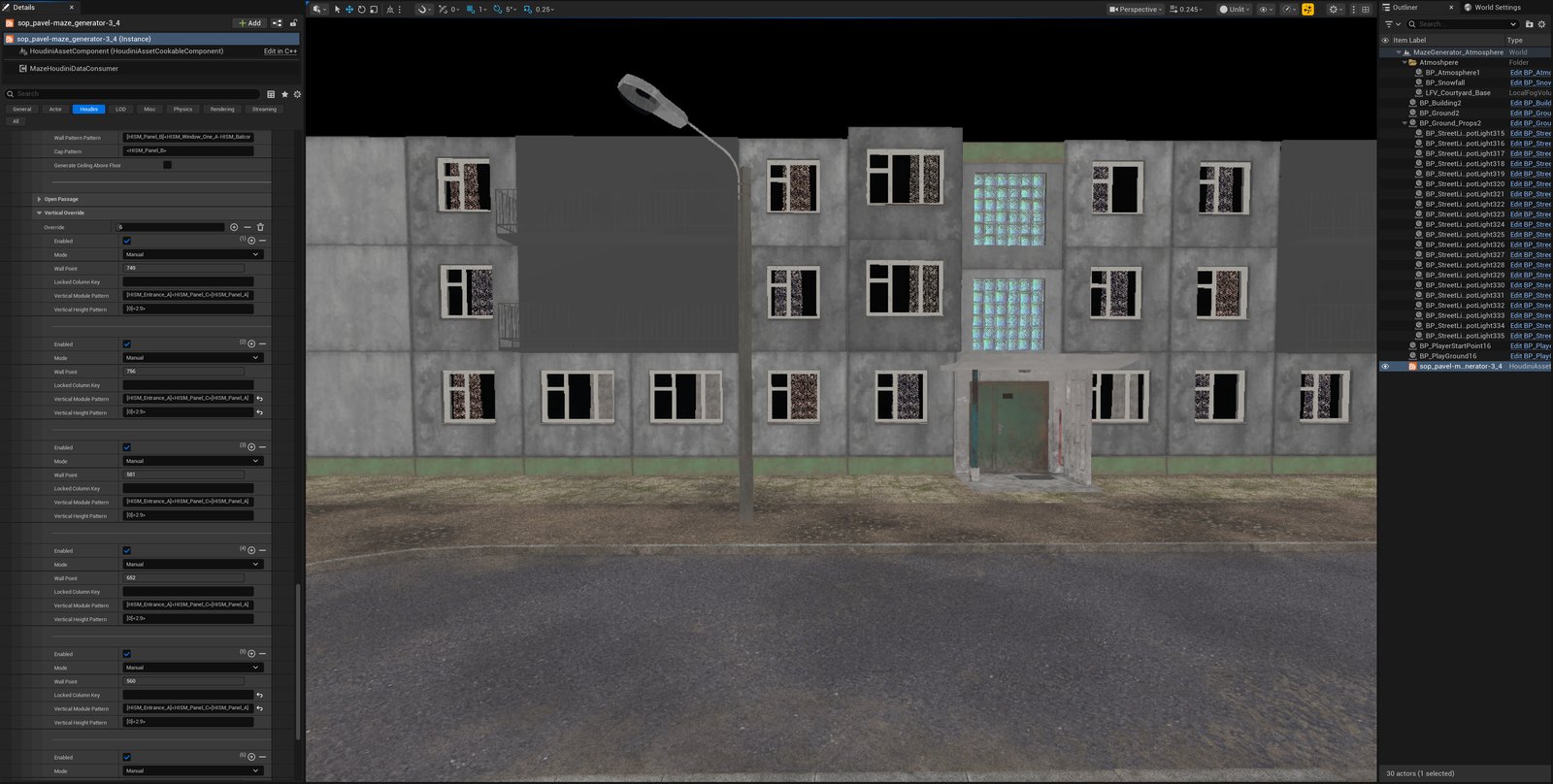
Placement rules accept both random selection and manual entries. In FIG 03, a manual override replaces one wall column with an entrance. Vertical and cap patterns can layer over the base scatter, while weights on the authored variant pools control how often each option is chosen.
02 Borrowing structure from real maps
A map grid provides a useful model for addressing space. In the Military Grid Reference System (MGRS), a grid-zone designation and a 100 km square identifier locate a broad area; paired easting and northing digits refine the reference, down to 1 m with five digits per axis. This describes coordinate precision, not a guarantee of measurement accuracy.
That's one layer: a grid for locating things. It doesn't say anything about what belongs in any given square.
The second layer is design intent. In an interview with Phil Co, the Valve level designer describes planning puzzle and combat beats in relation to adjacent sections, then revising them through playtesting. His concrete example comes from Half-Life 2: Episode Two, where combat was added near the bridge and car sequence in response to playtest feedback.
“We might have an initial idea that we want a certain level to contain a puzzle or combat.” — Phil Co, Interlopers interview
Resident Evil offers another example of pacing through space. In an interview with PC Gamer, Resident Evil 2 remake director Kazunori Kadoi describes save rooms as relief from sustained tension and as bases for exploration. In Resident Evil Village, Capcom presents the Duke as a merchant for buying, selling, and upgrading weapons. I use those rest and resupply functions as references for a shop zone; a merchant location and a safe room are not automatically the same thing.
The connection to my generator is a design analogy: spatial subdivision locates content, while zone rules express its intended role. This does not imply that either game uses my cell model or a literal square grid. For a broader discussion of beats and zones, see The Level Design Book: Pacing.
03 The cell as the unit of intent
That's the layer I built into the generator. A cell is a slot that can carry a zone — shop, action, puzzle — independent of what fills it structurally, and independent of whatever prop rule applies inside it.
| Cell | Zone rule | Prop rule | Structural rule |
|---|---|---|---|
| A | SHOP — a lull zone, room to breathe and pick up ammo or health | — | — |
| B | ACTION | PUZZLE | — |
| C | ACTION | LAMPPOST | HISM wall |
The lamppost in cell C isn't decoration. It's a landmark — the same way a real streetlamp standing alone in the middle of a real street quietly tells you this is a place, without a line of dialogue or a UI marker. Two cells can carry the identical zone label (B and C are both ACTION here) and still read completely differently, because the prop rule and the structural rule under that label aren't tied to it.
04 Two categories: obstacles and actions
Everything the system places falls into one of two buckets.
Same underlying registration mechanism, different job.
05 A guarantee, not a coincidence
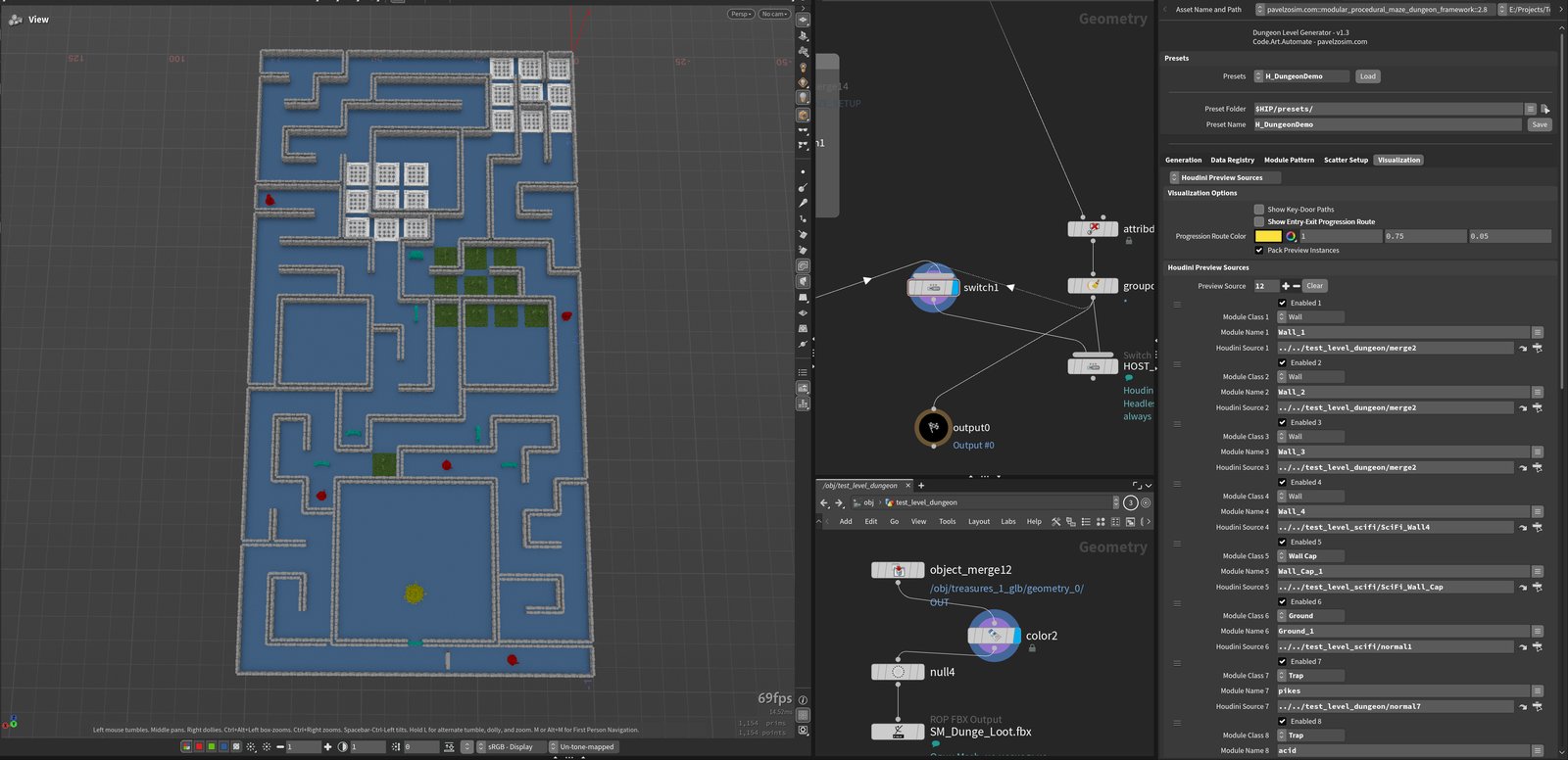
Doors and keys are one instance of this pattern. Each door carries an index, and the system guarantees a matching key exists somewhere the player can actually reach before that door has to be crossed. That's not validated after the fact and patched to fit — the guarantee is built into how the layout gets generated in the first place.
A useful comparison is Chris Pruett’s analysis of “Recursive Unlocking”: returning to earlier areas with newly acquired items gradually opens more of Resident Evil’s mansion. His analysis follows a Resident Evil: Director’s Cut speedrun in Arrange Mode. It describes a traversal pattern, rather than documenting Capcom’s generation algorithm or the behavior of a typical first-time player. My system applies a related dependency principle to generated layouts.
The same dependency principle could support a hammer and breakable wall, a lever, or a button-controlled bridge: the player must be able to reach the means of opening a route before that route is required. Those are possible extensions of the lock/key model, not additional mechanics demonstrated here.
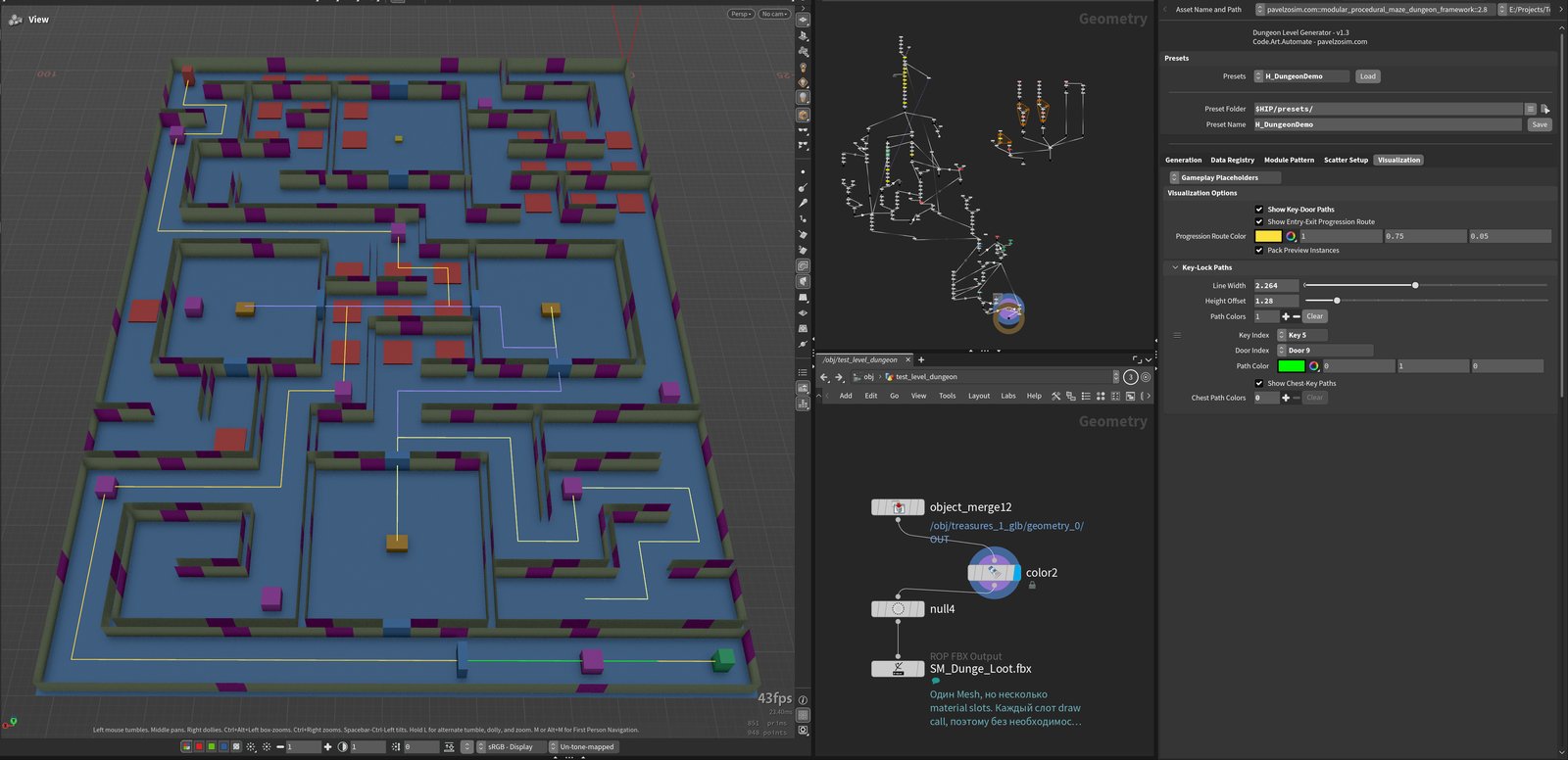
The generation rule and the debug display have different jobs. The rule requires a matching key to be reachable before its locked door must be crossed. Matching indices establish which door a key opens; reachability also depends on the layout's connections and which gates are still closed at that point in the progression.
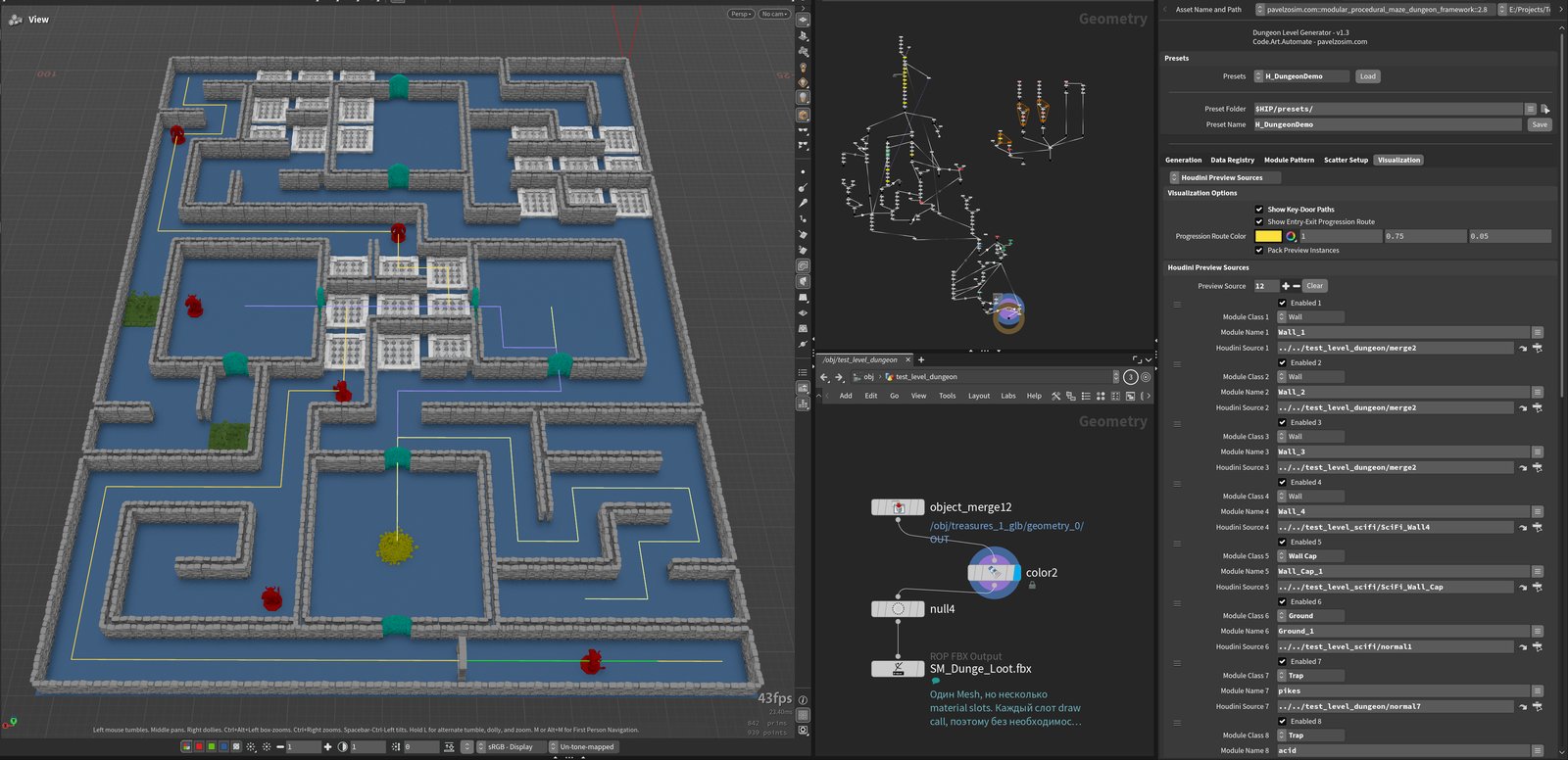
The debug view below helps inspect the generated result. It overlays the Entry → Exit progression route and color-coded Key/Door pair connections, making unexpected pairings easier to spot. A line connecting a key to a door does not, by itself, prove that the player can reach the key. That guarantee comes from the generation logic operating on the layout graph; the overlay is a diagnostic view of its output. This is a graph-level guarantee: collision, navigation, and interaction behavior in Unreal still need to preserve those connections and be tested in-engine.
06 Rooms: space with intent
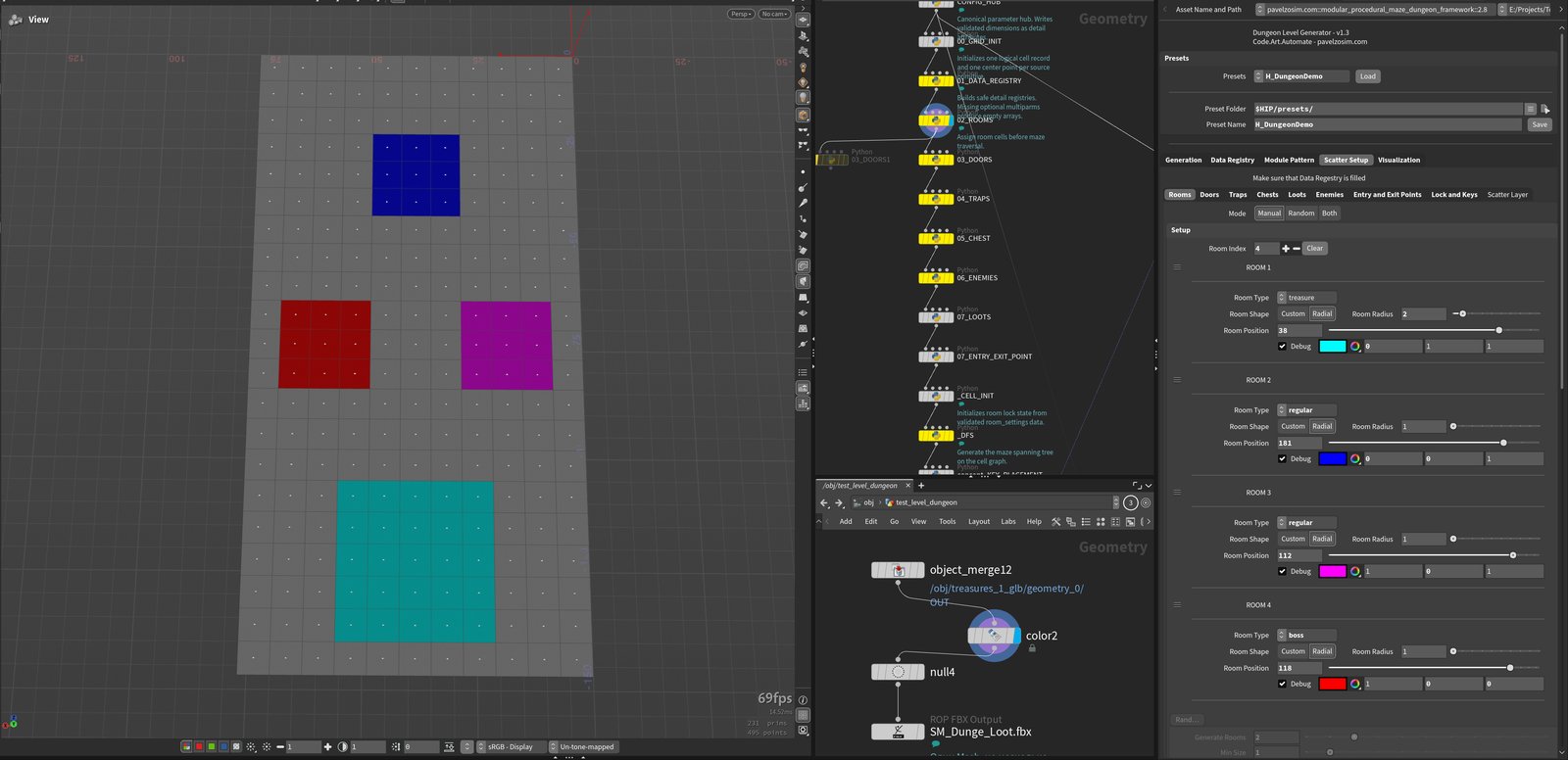
A room is a separate abstraction — a defined region with its own placement rules. It might be a hall between corridors, or a whole biome. What makes it a room instead of leftover space is that it carries its own unique scatter of objects, distinct from whatever rules govern the corridor around it.
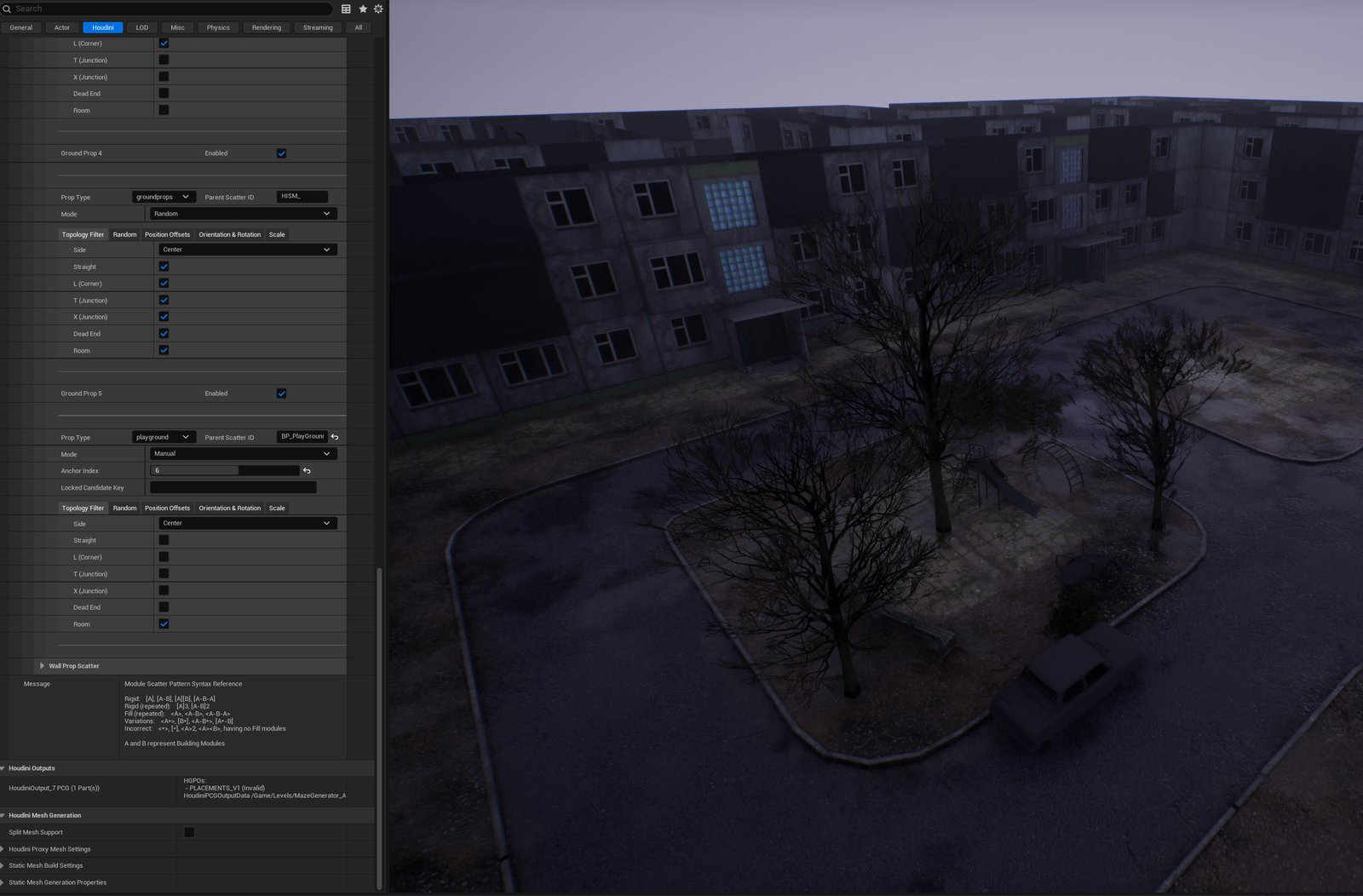
A courtyard playground is a direct example: it's a Ground Prop like any other, but its Topology Filter allows only the Room category, so it only ever lands inside a Room cell — placed there Manually, locked to a specific Anchor Index in this build, rather than left to Random. The same filter runs the other way just as easily: a streetlight in the same registry can be restricted to one topology type instead — L-corners only, say — so it shows up exactly at street corners and nowhere else.
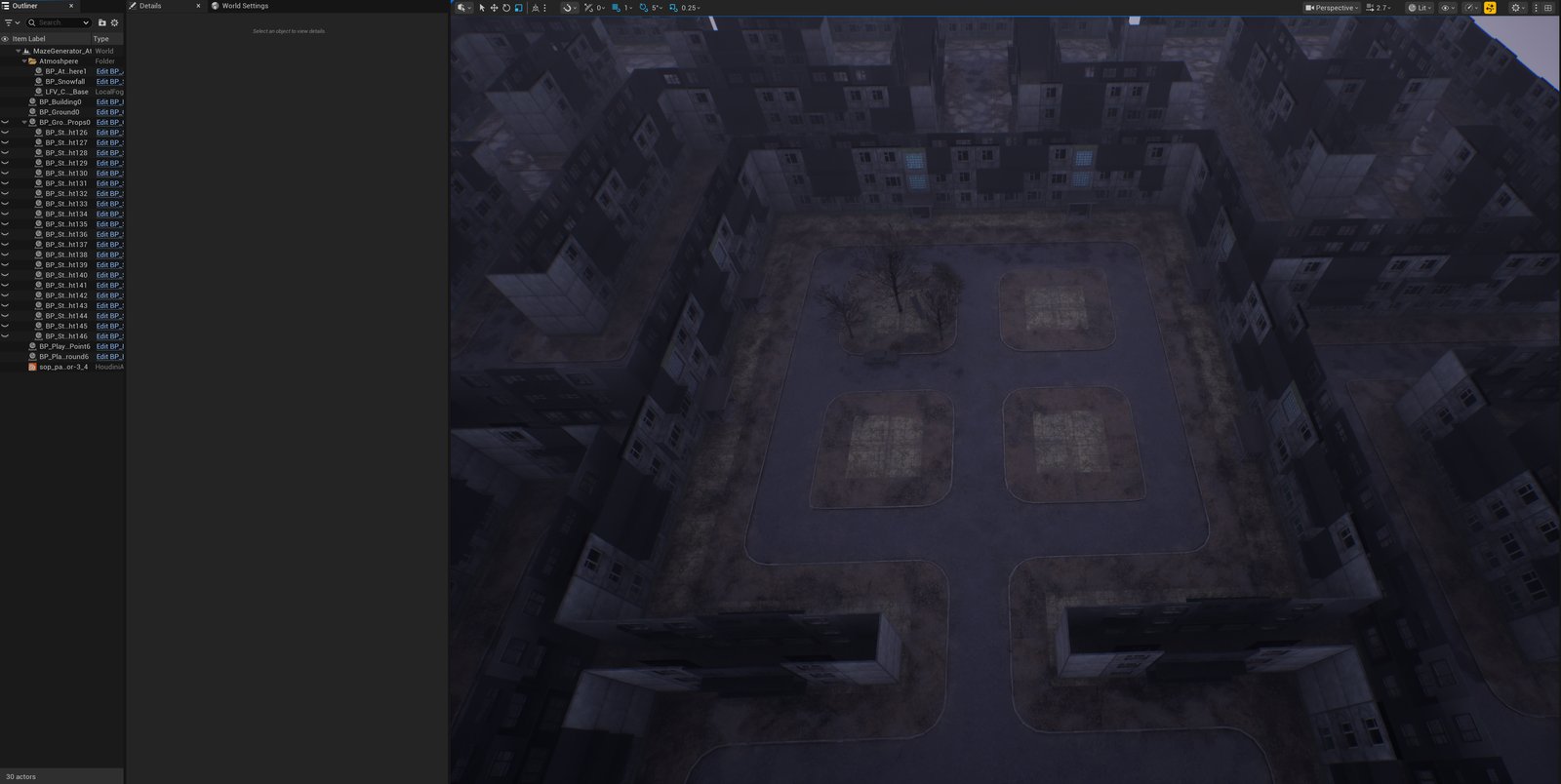
Room isn't just a density flag, either — its own Room Type is a registered category (treasure, boss, regular, and so on, the same registration pattern as everywhere else), and that type is what other systems key their spawn rules off: a boss enemy set to spawn only in boss-type rooms, a specific reward or key set to only ever land in a treasure-type room, all through the same Manual/Random/Both choice as everywhere else. The same idea reaches into a room's own interior, too — specific cells inside it can carry their own spawn rules, and the walls bounding it can pull from a room- or biome-specific set of decals and wall variants instead of the level's general pool.
07 Why it's built this way, and what it looks like for an artist
Four things hold the system together: modularity, abstraction, scalability, and the ability to keep adding new abstractions without rebuilding what already exists. A wall, a chest, a door, a room — every one of them is registered the same way, which is what makes it possible to add a fifth or sixth category later without touching the first four.
In practice, the workflow is three steps:
- Register the entity — wall, room, whatever it is.
- Assign it a ruleset.
- Scatter it. Scatter modes are Manual, Random, and Both. Where supported, patterns additionally control module sequences and repetition — wall A repeated X times at a fixed step, for instance.
Everything is fast to reconfigure, and supports variation on top of that — through a shader or a Blueprint, whichever fits the object. On the Unreal side, registration happens through one of two paths: a container managing HISM, for anything that repeats structurally, or an individual Blueprint Actor, for anything that needs its own behavior. That split is what keeps a wall variant and a functioning door from having to be the same kind of thing under the hood — the mechanism itself is covered in a separate post: Houdini to Unreal — Typed Placement Routing for HISM and Blueprint Actors. I also wrote a Houdini Digital Asset add-on to work with this registration live, which cut iteration time down considerably and got rid of the lag that used to come with editing it directly.
Above structural placement sits the gameplay layer — rooms, doors, keys, enemies — and it follows the same registration principle end to end, because that principle is the actual foundation of the tool, not a detail specific to walls. Above that sit props: benches, lampposts, whatever fills a space without changing how it plays. All three sit on the same Register → Scatter pipeline from the schematic above; what changes between them is what gets registered, what the scatter step targets, and how much built-in behavior — if any — comes attached to the result.
Module: the structural basis
Module is the base layer — walls, ceiling, and everything the floor is built from. Registering a module reserves a name for it in the container, and that name is exactly what the scatter step looks up later — nothing gets placed unless it was reserved first. Ground modules come in five topology types distinguished by connection count and arrangement — I, L, T, U, X — each its own weighted pool of variants, so a straight corridor tile and a four-way crossing never compete for the same pool. Walls split into two kinds: standard panels along a run, and caps at every dead end or opening. Ceiling reuses the exact same five-type registration as the floor, on a per-floor toggle — nothing stops a ceiling module from being a chandelier or a set of stalactites instead of a flat panel; that's a game-design choice, not a limit of the system.
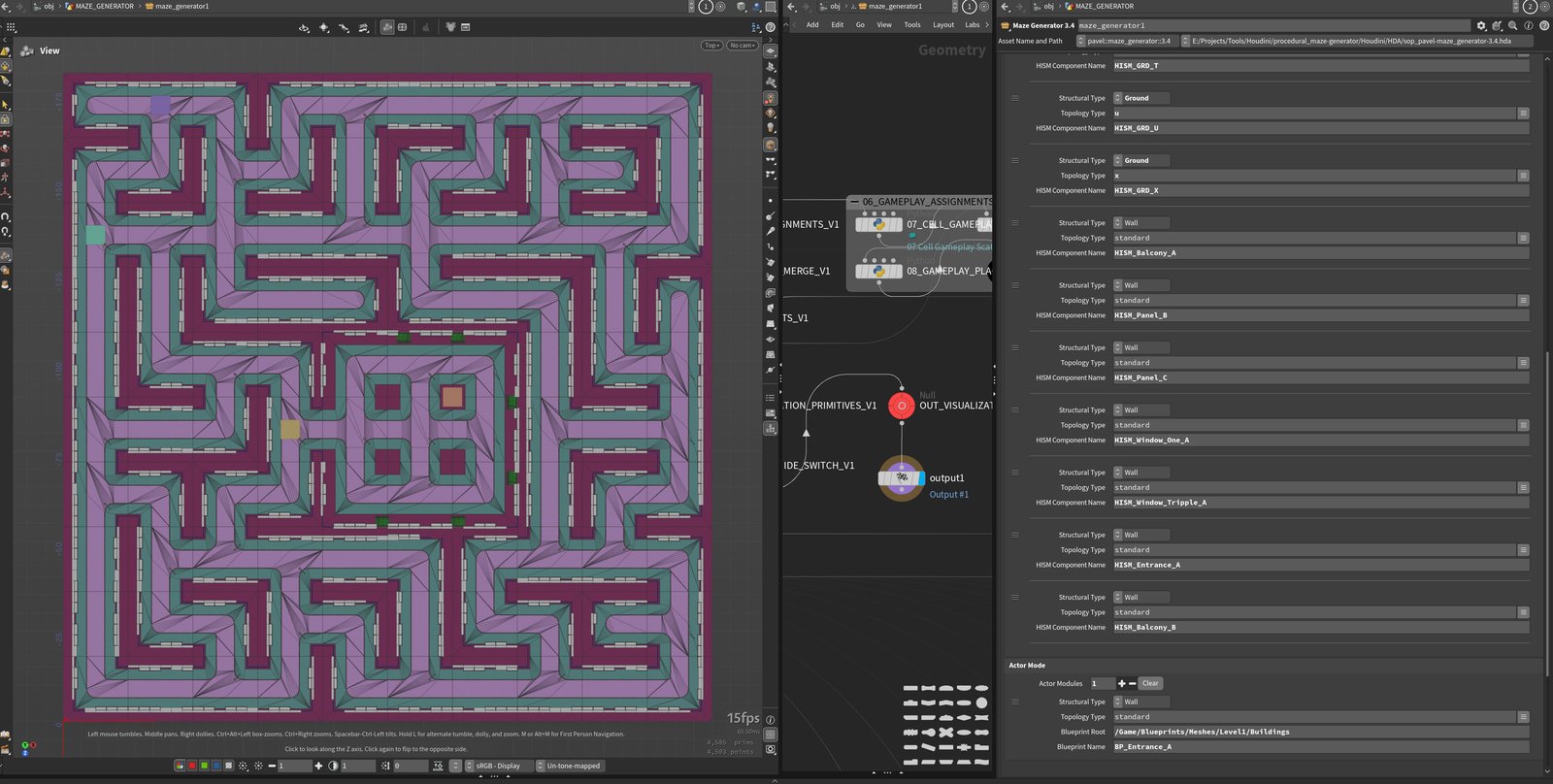
Floors stack, and each enabled floor gets its own height and its own pattern — expressed with the same small grammar, whether it's driving a wall's vertical module sequence or a wall/cap run along one floor:
Rigid:              [A], [A-B], [A][B], [A-B-A]
Rigid (repeated):   [A]3, [A-B]2
Fill (repeated):    <A>, <A-B>, <A-B-A>
Variations:         [A*], [B*], <A-B*>, [A*-B]
Incorrect:          <*>, [*], <A>2, <A><B>, having no Fill modules

A and B represent Building Modules
Square brackets pin an exact, rigid sequence; angle brackets repeat and fill whatever space is left. A number after a bracket repeats that block a fixed number of times, and an asterisk pulls from that slot's own weighted variant pool instead of one fixed pick — so a pattern can stay structurally rigid while still varying which exact module fills it every time it runs. Every pattern is overridable on top of that: pick a specific column manually, or let the override roll randomly with its own count — either way it rewrites that one column's module or height sequence without touching the pattern the rest of the wall still follows (the FIG 03 example above is exactly this: a manual override rewriting one column of an otherwise pattern-driven wall).
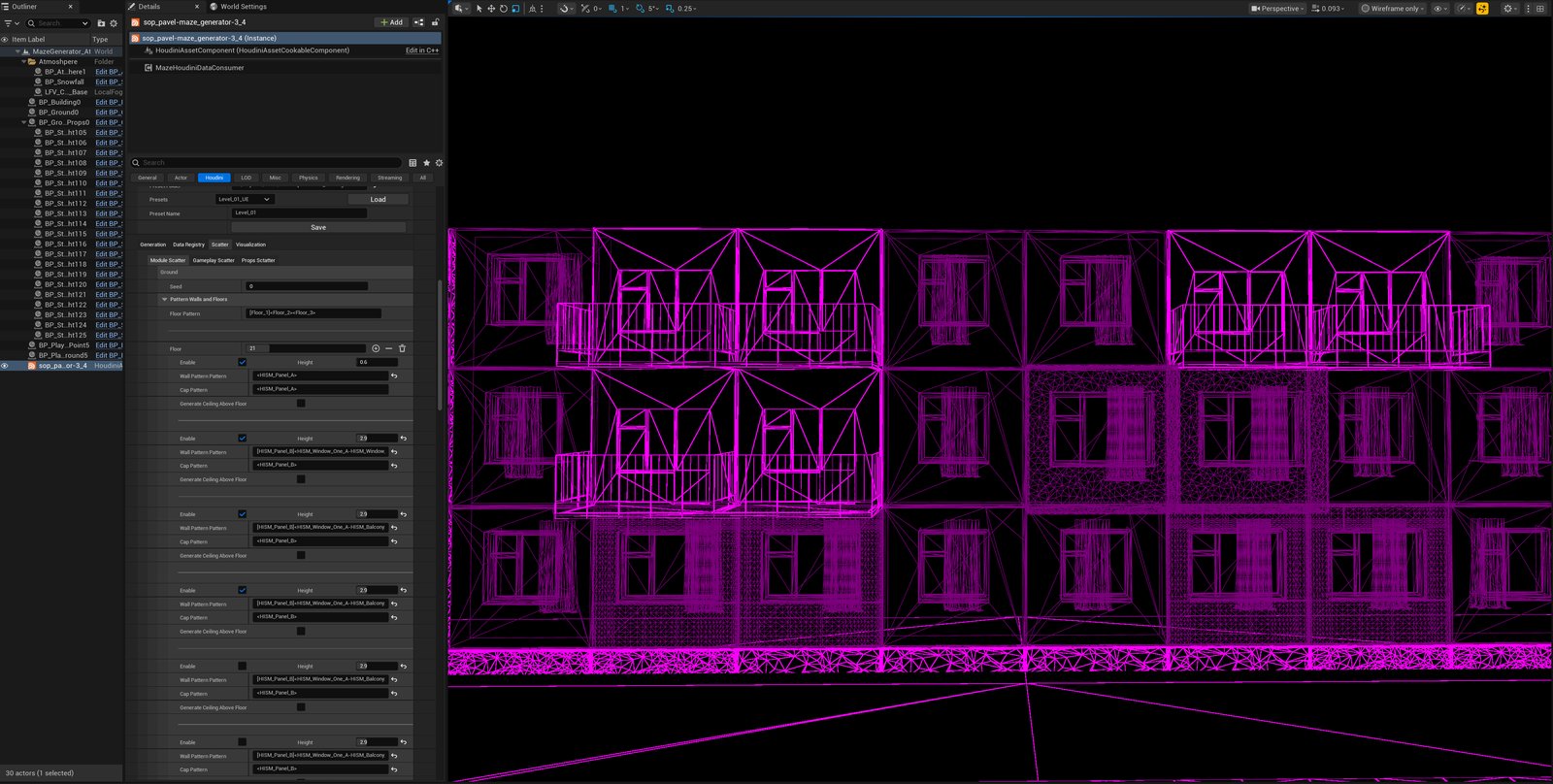
A real example, straight from this build's own Floor Pattern field: [Floor_1] — a rigid, one-off ground floor, then two floor treatments that repeat to fill however many stories the building ends up with. Four floors are configured underneath that: the ground floor sits at a lower 0.6m plinth height running a plain panel wall and cap, and the three floors above it each run at 2.9m with a richer wall pattern mixing windows and balconies into the run. Variety doesn't stop at the module level, either — this build drives curtain position inside the window modules through a vertex shader, one more layer of visual variation riding on top of a system that otherwise only knows about modules and patterns.
Gameplay: the same registration, real behavior on top
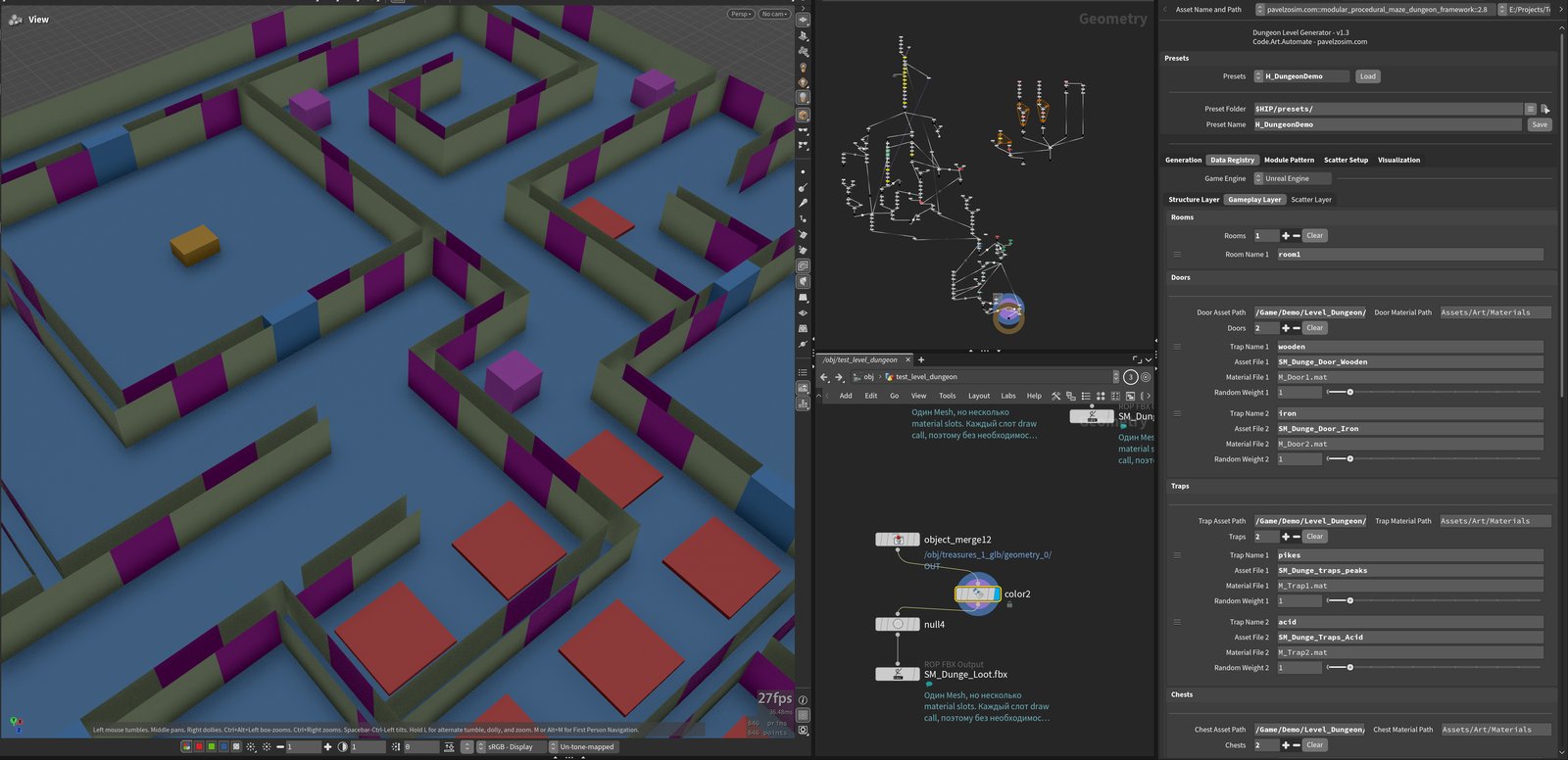
Doors, chests, keys, traps, enemies, loot, and rooms all register through the identical Module-style entry — pick an abstract type, assign a representation, done. What's different is that the tool itself already knows what each of these types means: a Door checks the reachability guarantee from §05, a Key carries a lock ID, an Enemy spawn carries its own density and pairing rules. Scatter here doesn't walk a wall run — it picks a point on the floor and drops the registered entity there, Manual or Random exactly like everywhere else, including the player's own start point, which is registered the same way as everything else. Density is a first-class option too: nothing stops one cell from spawning several enemy types at once, each with its own variant weighting, instead of exactly one enemy per cell.
A Trap doesn't have to sit on a single point, either — the same registration can claim an area spanning several cells at once, set through a size parameter, so one trap reads as a hazard zone instead of one tile. And a spawn point isn't necessarily atomic: the cell it occupies can be subdivided into several sub-cells, each carrying its own Blueprint or object, for finer control over what actually spawns where inside that footprint — a Room with a loot pile in one corner and a guard standing in another, both still coming out of the same registered spawn point.
Props: decoration with placement filters
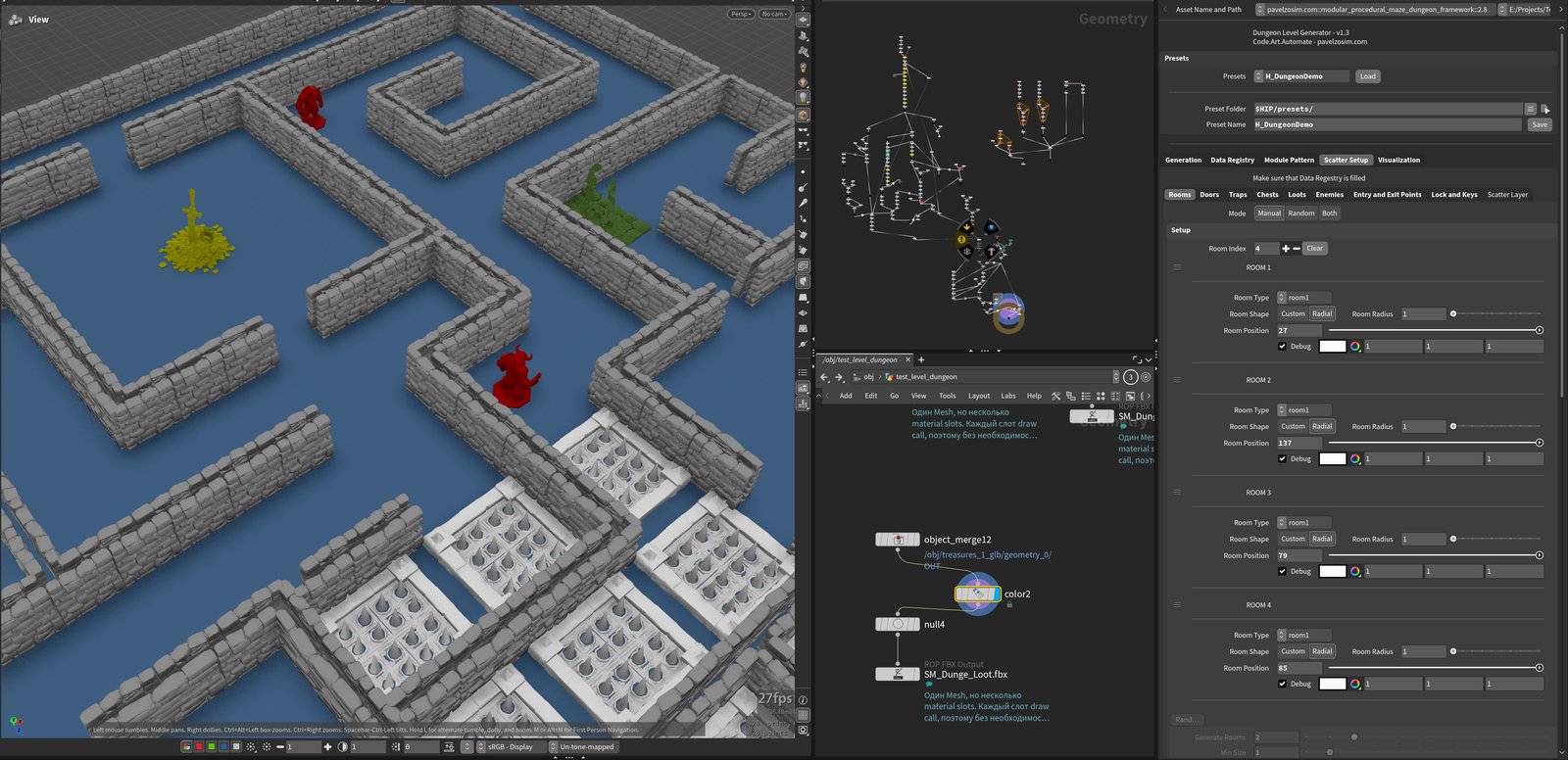
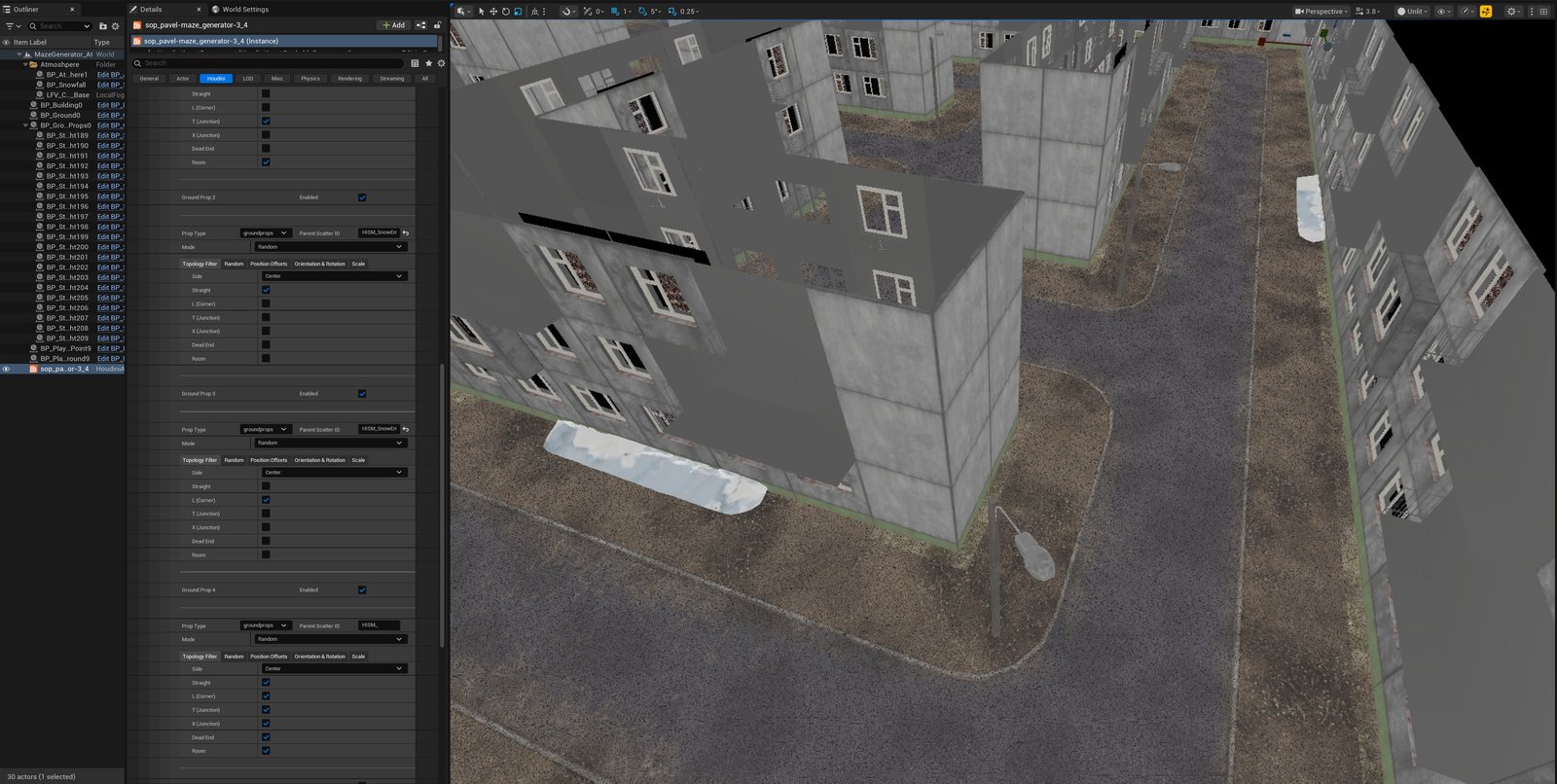
Props add decoration without the lock/key dependencies of the Gameplay domain. Their placement can still be constrained by topology filters, target surfaces, and manual anchor selection. A streetlight, a bench, a poster — anything that fills a scene without changing how it plays — registers freely and scatters directly on top of an already-placed Module surface: wall, floor, or ceiling. The scatter step carries the same Manual/Random/Both choice as everywhere else, plus its own offset, rotation, mesh/material variant, and scale randomization, each on its own seed. And it can be scoped as tightly as it needs to be — restricted to one specific room or biome, or to a single topology type, like only the T-junctions in a floor's corridor network.
A concrete pair from this build: a snow pile prop, carrying two mesh variations, with its Topology Filter narrowed to straight segments only, so it only ever settles along a plain corridor stretch — and a streetlight, filtered the opposite way, to L-corners only, so it only ever stands at a turn. Same registry, same scatter step, two unrelated placement rules living side by side. None of this is unique to ground props, either — Wall Props filter by the same kind of topology (corner, straight, cap), and Manual mode on any of these systems can lock one exact point instead of a whole category, down to a single Anchor Index. Stacked together, that's enough to direct a genuinely deliberate moment — snow gathering only in dead corners, a streetlight only at junctions, one hand-placed prop marking one specific spot — instead of every scene reading like the same generic scatter pass.
| Module | Gameplay | Props | |
|---|---|---|---|
| Covers | Walls, caps, ground, ceiling | Room, Door, Chest, Trap, Enemy, Loot, Key | Streetlights, benches, decals — anything decorative |
| Scatter targets | Cell / column, by topology type | A point on the floor | A Module surface — wall, floor, or ceiling |
| Built-in behavior | None — pure geometry | Domain rules baked in (reachability, lock/key, density) | None — pure decoration |
| Representation | Container/HISM or Blueprint Actor | Container/HISM or Blueprint Actor | Container/HISM or Blueprint Actor |
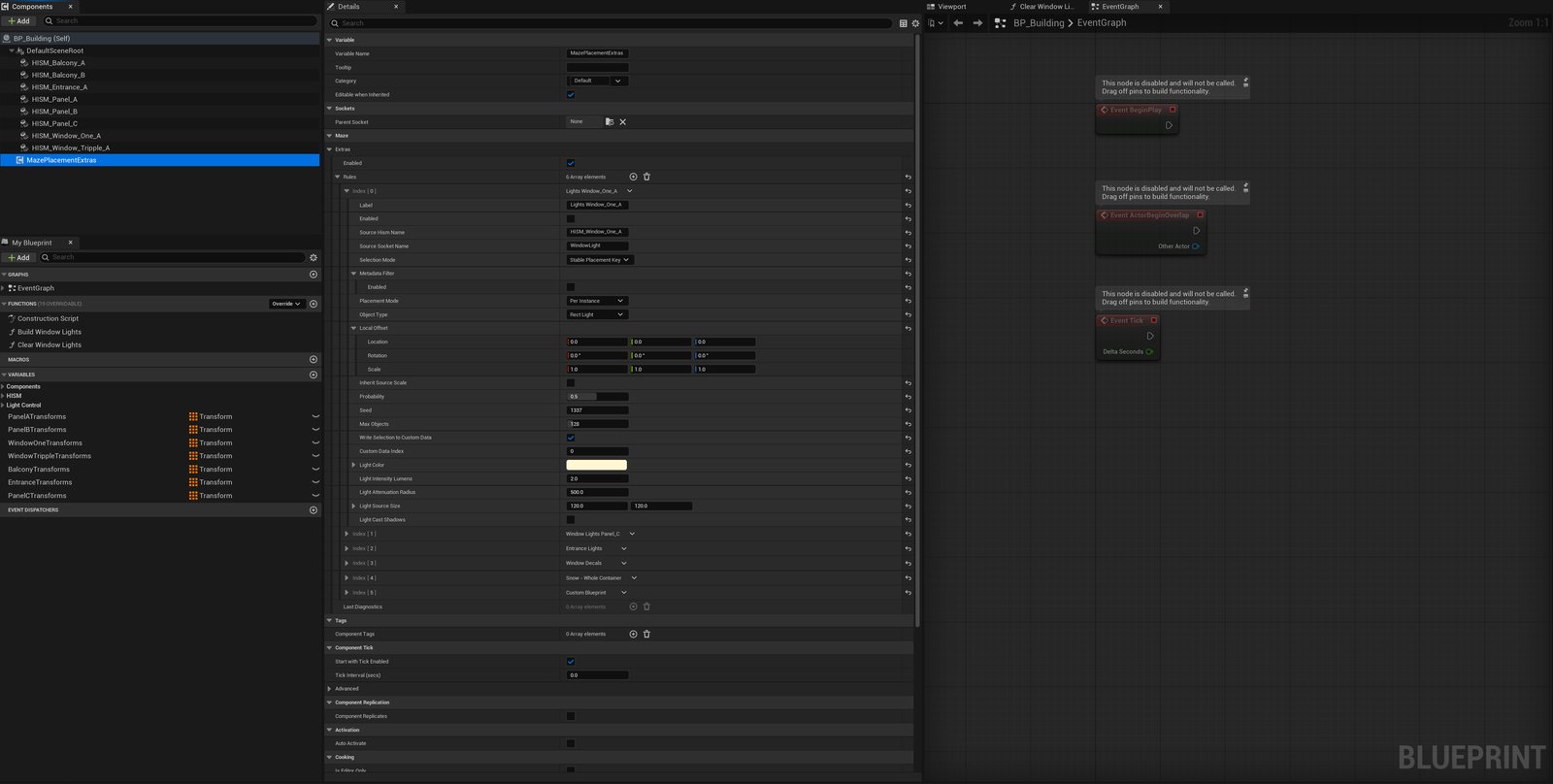
MazePlacementExtras: syncing lights, materials, and objects to the same instances
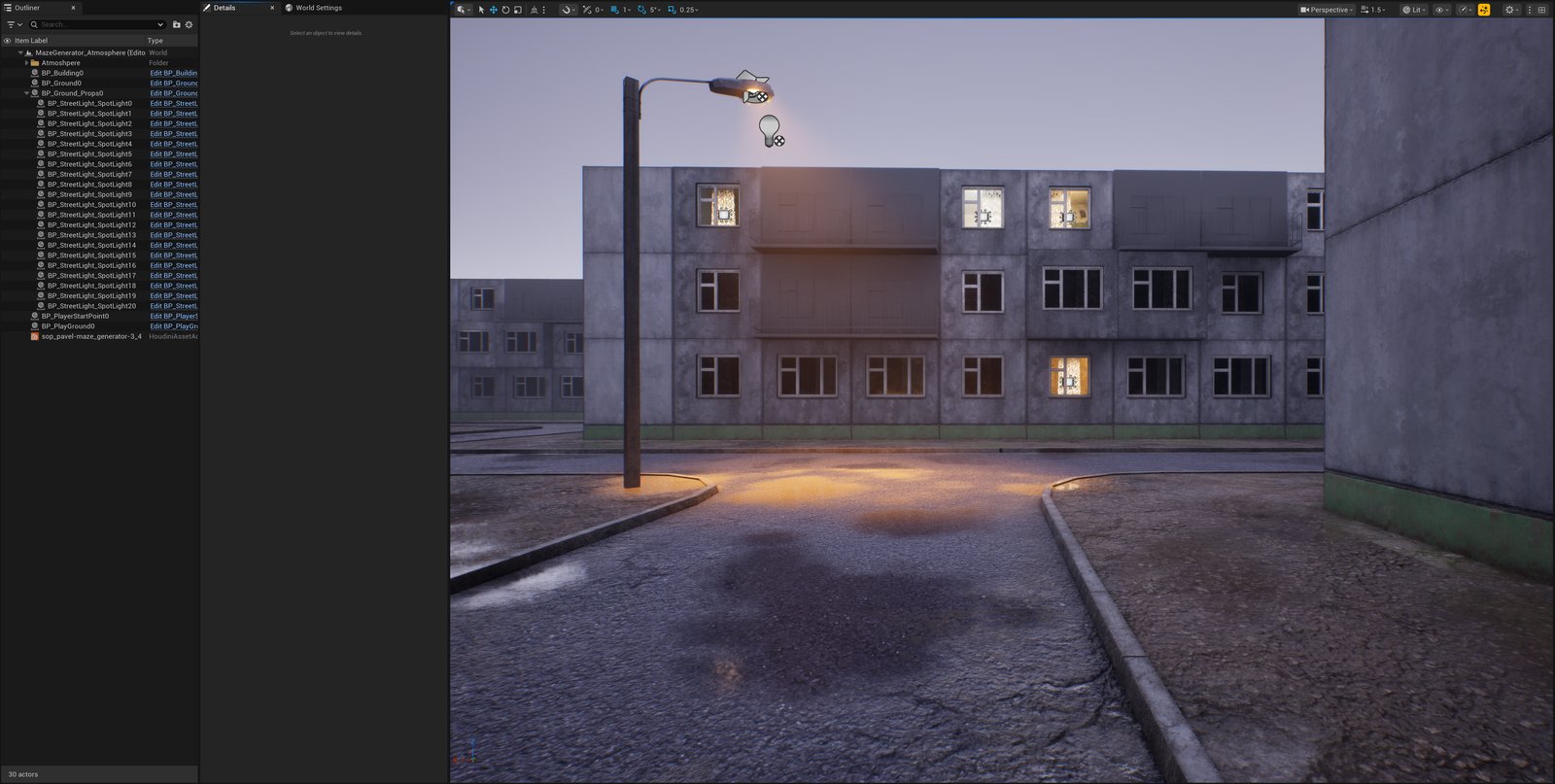
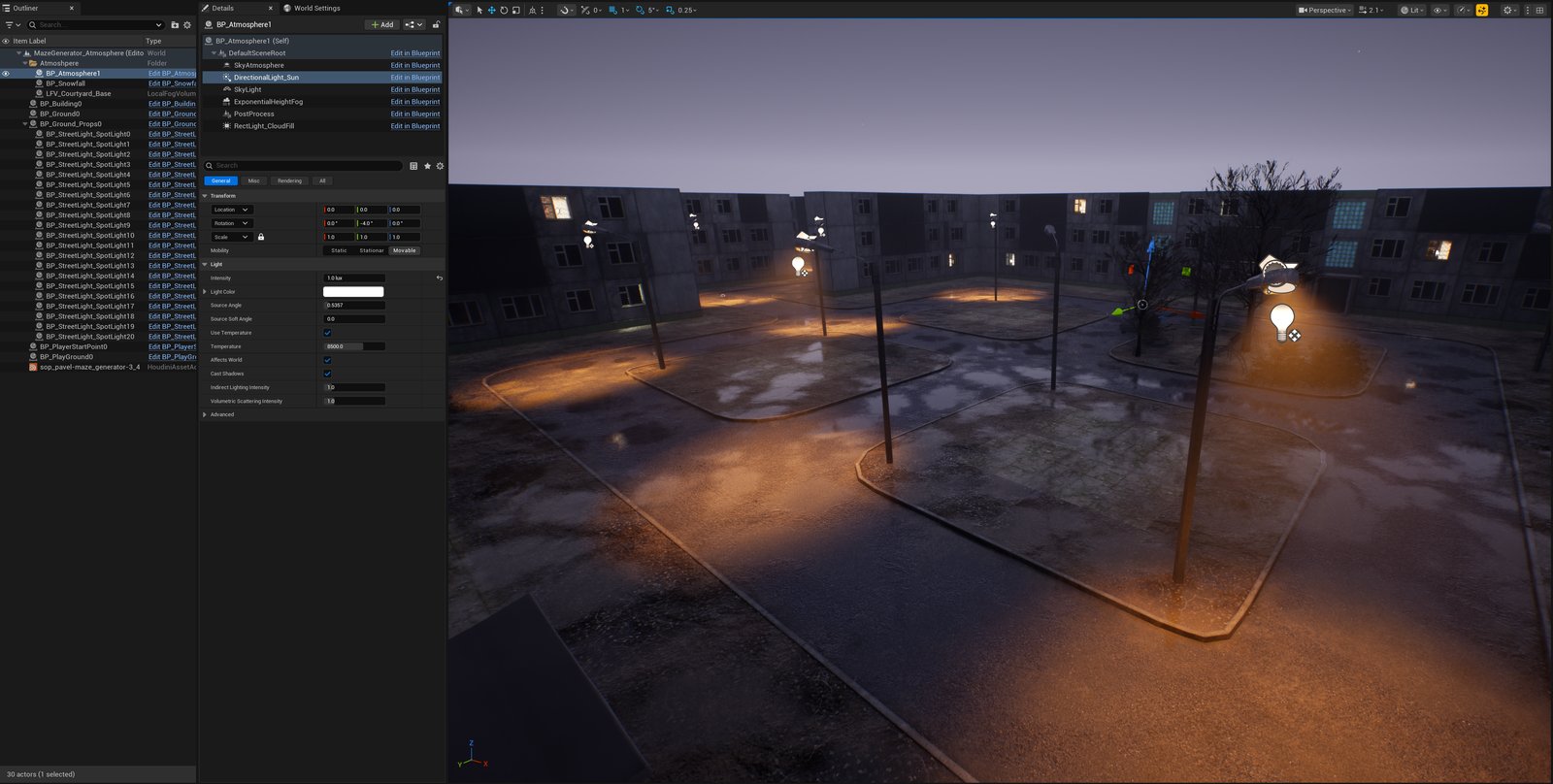
One more layer sits entirely on the Unreal side, independent of Houdini: MazePlacementExtras, a Blueprint component that attaches rules directly to an already-registered HISM — pick a Registered Module (a window panel, say) in the Blueprint and hand it a rule, no round-trip through the generator. Each rule picks an object type — a light, a decal, a particle system, snow, or a custom Blueprint — sets its own probability and seed, and applies a local offset relative to the instance it's attached to.
Selection can run two ways: by raw instance order, or by a Stable Placement Key — a deterministic pick hashed from that placement's own domain, key, and seed, so which specific windows end up lit stays the same even if the underlying HISM's instance order shifts on a later re-cook. For lights specifically, every rule carries its own color, intensity, attenuation radius, source size, and shadow toggle, so a window-lighting rule and an entrance-lighting rule on the same building can look completely different without the two ever touching each other. Clearing and reapplying extras follows the same idempotent pattern as the rest of the pipeline — re-cooking never doubles up a light that's already there.
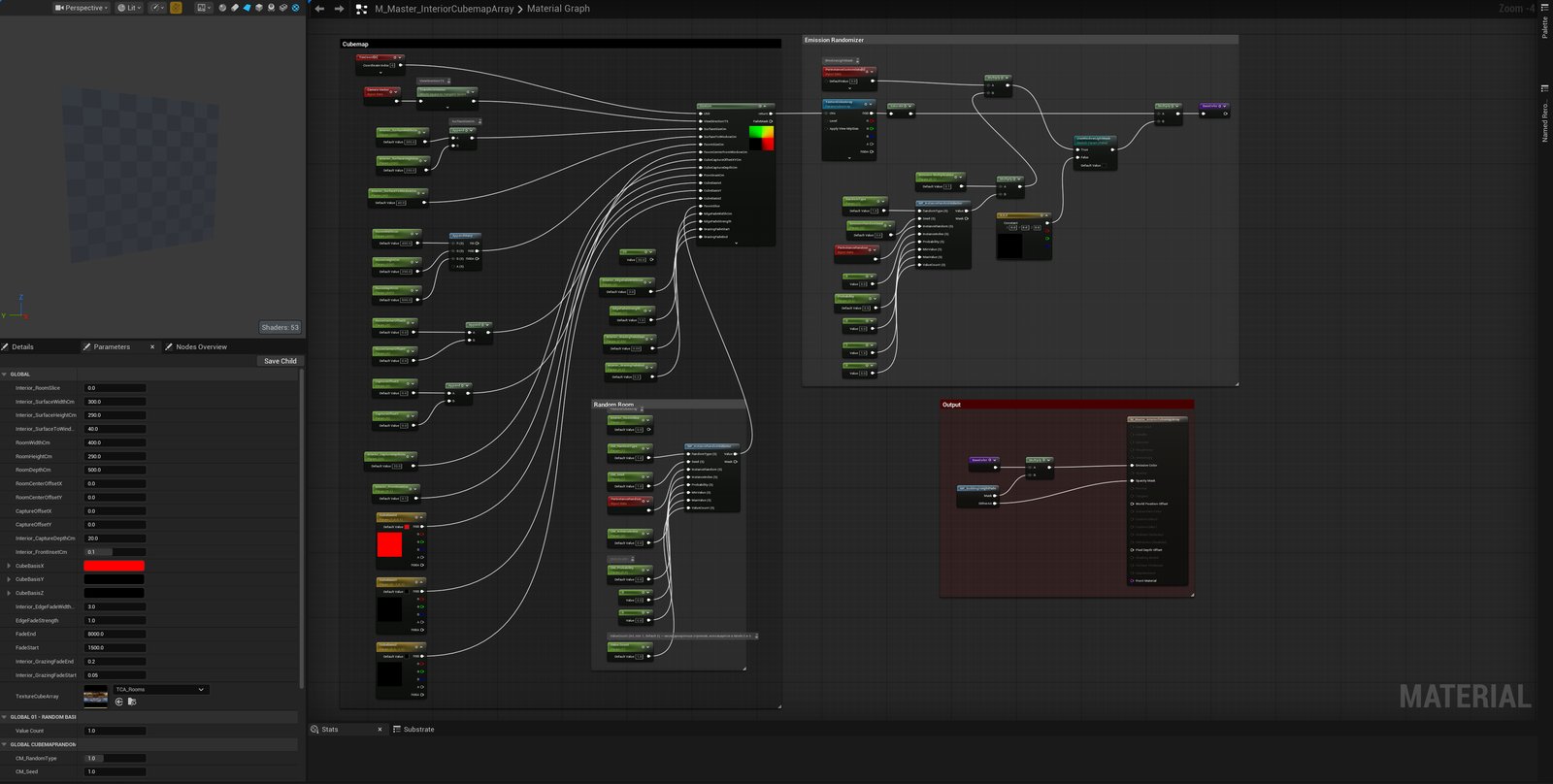
Lighting is just the case this section keeps using as an example — the actual mechanism underneath is a plain deterministic 0/1 draw per instance, and that draw doesn't know or care what it's feeding. The same interior rooms visible through a lit window come from a separate cubemap-array material with its own randomizer wired the same way, picking which fake room shows up behind which window independently of whether that window is lit at all. Wire that same 0/1 output somewhere else and it drives a decal, a particle system, or which variant of a custom Blueprint spawns — the light rule is one consumer of a generic signal, not a special case baked into it.
08 Where this stands right now
I'm developing a game on top of this pipeline: a maze-like city with a late-1980s USSR aesthetic. The generator provides the layout and placement foundation; gameplay scripting and the game's visual identity are still in progress.
I'll share development updates, in-engine results, and further breakdowns of the tools here on my blog as the project develops.
09 What's next
The next development goal is to move beyond the current 90-degree layout and support more complex generated structures. That means extending the module system, the placement step, and the way walls and floors are scattered.
- Non-orthogonal geometry: support angled runs and the junctions where they meet.
- More complex modules: account for their shapes and connection requirements when assembling a structure.
- A more flexible placement step: adapt spacing to module dimensions and the geometry being generated.
- Wall and floor scatter: extend placement and orientation rules to work with these more complex layouts.
These are development goals. The examples in this article show the current orthogonal system. I'll publish experiments and results on the blog as this work progresses.
10 Result
The maze is a convenient, testable surface for a system that isn't really about mazes: cells that carry design intent, not just geometry; a grid borrowed from how real maps already work, with a layer of pacing borrowed from how shipped games already zone their levels; and one reachability guarantee reused under different names. Built by one person, for one person to keep shipping content without hand-placing every instance of it.
- [01] CURRENTControlled Procedurality — How a Maze Generator Became a Level Design System
-
[02]
LIVEHoudini to Unreal — Typed Placement Routing for HISM and Blueprint Actors — the registration split (container/HISM vs. individual Blueprint Actor) mentioned in §07, covered end to end.
pavelzosim.com/post/houdini-unreal-typed-placement-routing -
[03]
LIVEThe Light System — Randomized and Synchronized Lighting on Generated Geometry — the MazePlacementExtras layer mentioned in §07, covered end to end: sockets, stable selection, the emissive mask, and the scalar data layer.
pavelzosim.com/post/lighting-generated-geometry - [04]LIVEProcedural Address Resolution — From Placement Identity to World Coordinates — deterministic building, entrance and apartment addresses resolved from placement identity.
pavelzosim.com/post/addresses-on-generated-buildings - [05]LIVEProcedural Travel Resolution — From World Coordinates to Loaded Interiors — address-aware portals, reusable interiors, arrival anchors and return routes.
pavelzosim.com/post/procedural-travel-resolution
-
[01]
DOCSMilitary Grid Reference System — NGA
NGA Office of Geomatics — Coordinate Systems -
[02]
ARTICLE — on planning level pacing around puzzle and combat.
interlopers.net/articles/valve-interview-phil-co -
[03]
ARTICLEThe art of crafting the perfect videogame safe room — PC Gamer, including an interview with Kazunori Kadoi.
PC Gamer — interview with Kazunori Kadoi -
[04]
OFFICIALResident Evil Village Maiden demo hits PS5 today — Kellen Haney, Capcom; introduces the Duke’s merchant role.
PlayStation Blog — Capcom announcement -
[05]
ARTICLE"Recursive Unlocking: Analyzing Resident Evil's Map Design with Data Visualization" — Chris Pruett, Chris's Survival Horror Quest.
horror.dreamdawn.com/?p=81213 -
[06]
DOCSPacing — The Level Design Book.
book.leveldesignbook.com/process/preproduction/pacing