01 Overview
If you've never programmed before but want to start making games in Unity - this guide is for you! I'll explain everything as simply as possible, without complex terminology.
This cheat sheet covers technical art C# data types commonly used in real-time rendering, tools development, and performance-critical workflows.
This guide provides a comprehensive overview of C# data types and operations for Unity developers. Whether you're new to programming or transitioning from visual scripting, this reference covers fundamental concepts with practical examples and performance tips.
What are variables?
Imagine you're playing a game. Your character has:
- Health (a number from 0 to 100)
- Name (text: "Hero")
- Is alive (yes or no)
- Position in the world (X, Y, Z coordinates)
The computer needs to store this information somewhere in memory, and it needs to know what type of information you're storing to work with it correctly. That's what variables and data types are for!
Simple analogy: Think of variables as labeled boxes where you store different things. The label tells you what can go inside - you wouldn't put milk in a toolbox or screws in a milk carton, right? Same principle!
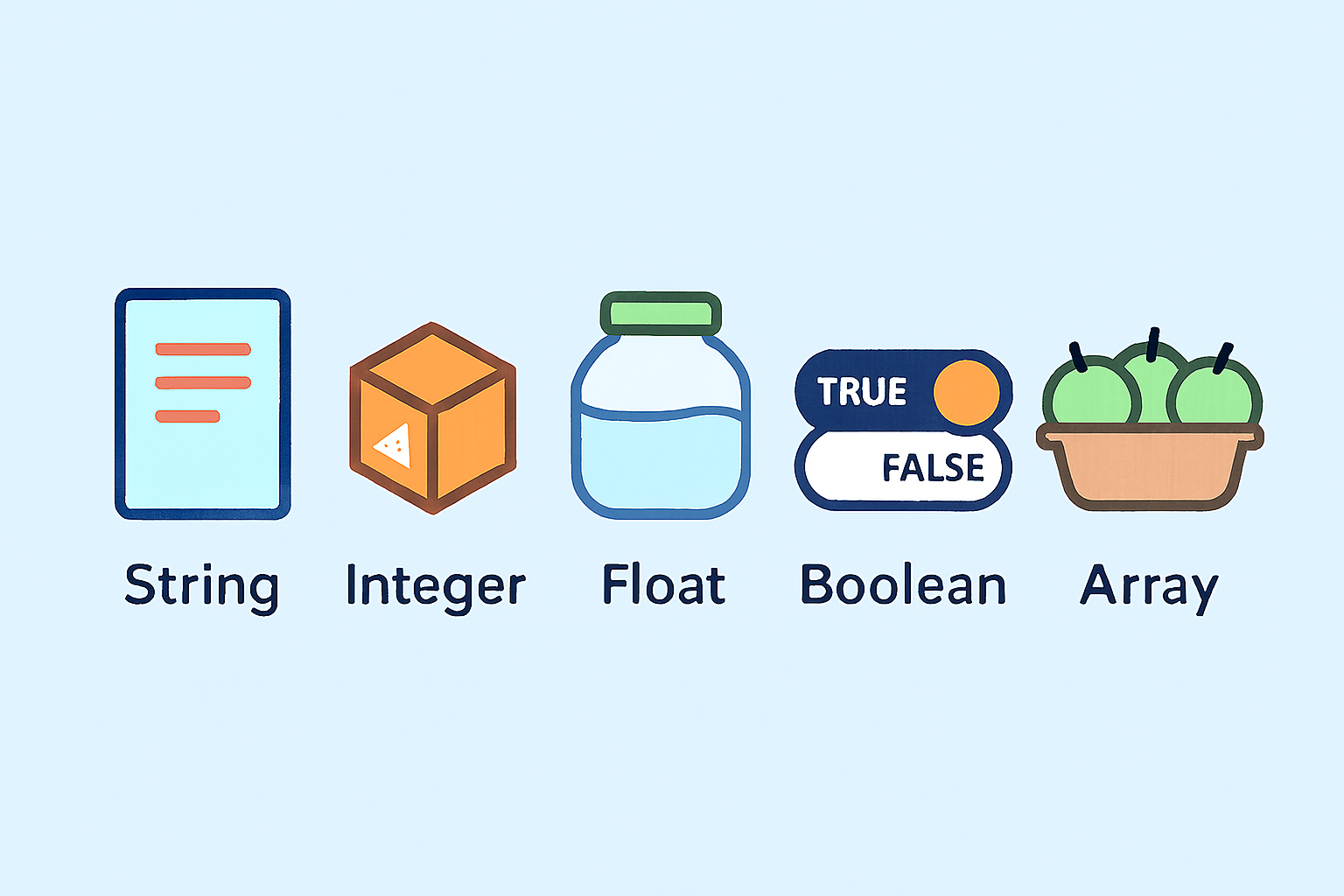
02 Understanding Variables
Every variable declaration in C# follows a consistent pattern:
int health = 100;
Syntax breakdown:
- int - Data type (specifies what kind of information)
- health - Variable name (identifier you choose)
- = 100 - Assignment operator and value
- ; - Semicolon terminates the statement (always needed!)
Three key concepts
Before we dive into specific types, understand these core concepts:
a) Size: Memory footprint measured in bytes. Determines how much RAM the variable occupies.
- Example: byte uses 1 byte, int uses 4 bytes, long uses 8 bytes
- Why it matters: If you're making a mobile game with thousands of enemies, using byte instead of int for health could save significant memory!
b) Range: Minimum and maximum values the variable can store.
Exceeding this causes overflow.
- Example: byte can only store 0 to 255. If you try to store 256, it wraps back to 0!
- Why it matters: Choosing the right range prevents bugs and saves memory
c) Default Value: Initial value assigned automatically if not explicitly initialized.
- Numbers default to 0, booleans to false, strings to null
- Best practice: Always initialize your variables explicitly to avoid confusion!
C# data types
| Type | Size | Range | Default | Primary Use Case |
|---|---|---|---|---|
| Integer types (whole numbers) | ||||
| byte | 1 byte | 0 to 255 | 0 | Health bars, RGB colors, small positive values |
| sbyte | 1 byte | -128 to 127 | 0 | Rarely used, small signed values |
| short | 2 bytes | -32,768 to 32,767 | 0 | Map coordinates, inventory slots |
| ushort | 2 bytes | 0 to 65,535 | 0 | Network ports, small IDs |
| int | 4 bytes | ±2.1 billion | 0 | Default choice – scores, counters, indices |
| uint | 4 bytes | 0 to 4.3 billion | 0 | Bit masks, RGBA colors |
| long | 8 bytes | ±9.2 quintillion | 0 | Timestamps, file sizes, large numbers |
| ulong | 8 bytes | 0 to 18.4 quintillion | 0 | Very large positive numbers |
| Floating point types (decimals) | ||||
| float | 4 bytes | ±3.4×10³⁸ (~7 digits) | 0.0f | Unity/Unreal standard – positions, physics |
| double | 8 bytes | ±1.7×10³⁰⁸ (~15 digits) | 0.0 | C# default – scientific calculations, Math library |
| decimal | 16 bytes | ±7.9×10²⁸ (~29 digits) | 0.0m | Money only – financial calculations |
| Other types | ||||
| char | 2 bytes | Unicode characters | '\0' | Single characters, keyboard input |
| string | Dynamic | Text of any length | null | Names, messages, text data |
| bool | 1 byte | true / false | false | Flags, conditions, states |
Decision guide. Quick defaults before the deep dive below.
Whole numbers: int by default (99% of cases) · byte for 0–255 in large arrays (health, colors) · long only past ±2 billion.
Decimal numbers: float in Unity/Unreal (engine standard) · double for general C# math · decimal ONLY for money (never in game loops!).
Text: char for a single character · string for text of any length.
True/false: bool.
03 Integer types (whole numbers)
int — the default integer type
Beginner explanation: The most common way to store whole numbers (no decimals) in C#. Use this for counting things like score, enemies, level, coins - anything that doesn't need fractions. Think of it as your "standard box" for numbers.
Technical specs
- Size: 4 bytes (32 bits)
- Range: -2,147,483,648 to 2,147,483,647 (±2.1 billion)
- Signed: Yes (can be negative)
- Default Value: 0
Performance notes
- Fastest integer type on all platforms (32-bit and 64-bit)
- Modern CPUs optimized for 32-bit operations
- No conversion overhead when used with standard libraries
- Cache-friendly (fits perfectly in CPU registers)
- Division is slow (~10-40 CPU cycles) - avoid in tight loops if possible
- Use by default unless you have specific memory/range requirements
Syntax and declaration
// Basic declaration
int score = 0;
int enemyCount = 50;
int playerLevel = 1;

// Without initialization (defaults to 0)
int coins; // coins = 0

// Mathematical operations
int total = 100 + 50; // 150
int remaining = total - 30; // 120

// Negative numbers work fine
int temperature = -15;
int depth = -100;
Practical use cases
// Game examples
int playerHealth = 100; // HP: 0 to 100
int score = 0; // Game score
int enemiesDefeated = 0; // Kill counter
int currentLevel = 1; // Level number
int coinCount = 250; // Currency
int arrayIndex = 0; // Array/list indexing
int frameCount = 0; // Frame counter

// Unity-specific
int layerMask = 1 << 8; // Layer masks
int instanceID = gameObject.GetInstanceID(); // Object ID
Common pitfalls
// PITFALL 1: Integer division loses decimals
int a = 10;
int b = 3;
int result = a / b; // Result = 3, not 3.333!
// Fix: Cast to float/double
float correctResult = (float)a / b; // 3.333...

// PITFALL 2: Overflow (exceeding max value)
int maxValue = 2147483647;
int overflow = maxValue + 1; // Wraps to -2147483648!
// Fix: Use long or check before adding

// PITFALL 3: Comparing with unsigned types
int signed = -1;
uint unsigned = 1;
if (signed < unsigned) // Compiler warning! Dangerous comparison
{
 // -1 gets converted to huge positive number!
}

// PITFALL 4: Forgetting to initialize in loops
int sum; // Defaults to 0, but be explicit!
for (int i = 0; i < 10; i++)
{
 sum += i; // Works, but risky if sum was used before
}
Pro tips
// TIP 1: Use const for unchanging values
const int MAX_ENEMIES = 100;
const int GRID_SIZE = 64;

// TIP 2: Use meaningful names
int ec; // Bad: unclear
int enemyCount; // Good: self-documenting

// TIP 3: Check for overflow in critical code
checked
{
 int result = int.MaxValue + 1; // Throws OverflowException
}

// TIP 4: Use int.Parse/TryParse for string conversion
string input = "123";
int number = int.Parse(input); // 123

// Safer version (doesn't throw exception)
if (int.TryParse(input, out int value))
{
 // value = 123
}
byte — small positive numbers (0-255)
Beginner explanation: A tiny box that can only hold small positive numbers from 0 to 255. Perfect for things like health bars (0-100 HP), percentages (0-100%), or color values (red, green, blue are each 0-255). Can't store negative numbers or anything bigger than 255.
When to use byte
- Health bars (0-100)
- RGB color values (0-255)
- Percentages (0-100)
- Small counters that never exceed 255
- Large arrays of small values
- Don't use for values that might exceed 255
- Don't use when you need negative numbers
Technical specs
- Size: 1 byte (8 bits)
- Range: 0 to 255
- Signed: No (unsigned - positive only)
- Default Value: 0
Performance notes
- Smallest integer type - saves 75% memory vs int
- Perfect for large arrays (textures, heightmaps, voxel data)
- GPU-friendly (Color32 in Unity uses bytes)
- Arithmetic operations convert to int (slight overhead)
- Range checks needed for game logic (health, damage)
- Use in large arrays or when range is naturally 0-255
- Memory matters: 1000 bytes = 1KB, 1000 ints = 4KB
Syntax and declaration
// Basic declaration
byte health = 100;
byte percentage = 75;
byte age = 25;

// Color components (RGB values are 0-255)
byte red = 255;
byte green = 128;
byte blue = 0;

// Array of bytes (common for data/networking)
byte[] pixelData = new byte[256];
byte[] networkPacket = { 0x01, 0xFF, 0xA3 }; // Hexadecimal notation
Practical use cases
// Health systems
byte playerHealth = 100; // HP from 0 to 100
byte enemyHealth = 50; // Enemy HP
byte shieldPercent = 80; // Shield strength %

// Color/Graphics
byte r = 255, g = 0, b = 0; // Red color (RGB)
Color32 color = new Color32(255, 128, 0, 255); // Unity uses byte for Color32

// Networking/Data
byte[] ipAddress = { 192, 168, 1, 1 }; // IP address octets
byte messageType = 0x01; // Protocol message types
byte flags = 0b11001100; // Bit flags (binary notation)

// Game mechanics
byte difficulty = 3; // Difficulty level (0-10)
byte playerLevel = 15; // Character level (if max is 255)
byte inventorySlots = 20; // Number of slots

// Large arrays (memory optimization)
byte[] heightMap = new byte[1024 * 1024]; // 1MB instead of 4MB with int
byte[] textureData = new byte[256 * 256]; // Grayscale texture
Common pitfalls
// PITFALL 1: Overflow when exceeding 255
byte value = 255;
value += 1; // Wraps to 0! (not 256)
value = 300; // Compiler error: cannot convert int to byte

// Fix: Check before assignment
int temp = value + 1;
if (temp > 255) temp = 255; // Clamp to max
byte finalValue = (byte)temp;

// PITFALL 2: Arithmetic with bytes returns int!
byte a = 100;
byte b = 50;
byte sum = a + b; // Compiler error! Result is int, not byte
// Fix: Cast back to byte
byte sum = (byte)(a + b); // Works (if result < 256)

// PITFALL 3: Subtraction can't go negative
byte health = 10;
byte damage = 20;
byte result = (byte)(health - damage); // Wraps to 246! (not -10)

// Fix: Use int for calculations, then convert
int calcHealth = health - damage;
if (calcHealth < 0) calcHealth = 0; // Clamp to 0
health = (byte)calcHealth;

// PITFALL 4: Implicit conversion issues
byte small = 100;
int large = 1000;
byte result = small + large; // Error: can't convert int to byte
byte result = (byte)(small + large); // Works but DANGEROUS (overflow!)

// PITFALL 5: Comparison with negative numbers
byte unsigned = 10;
int signed = -5;
if (unsigned > signed) // TRUE, but byte gets converted to int first
{
 // This works, but be aware of type conversion
}
Pro tips
// TIP 1: Perfect for health bars (0-100 range)
byte health = 100;
float healthPercent = health / 100f; // Convert to 0.0-1.0 for UI

// TIP 2: Use for RGB colors (Unity standard)
Color32 customColor = new Color32(255, 128, 64, 255); // RGBA

// TIP 3: Clamp values to prevent overflow
byte ClampByte(int value)
{
 if (value < 0) return 0;
 if (value > 255) return 255;
 return (byte)value;
}

// TIP 4: Use Mathf.Clamp for Unity
byte health = (byte)Mathf.Clamp(newHealth, 0, 255);

// TIP 5: Efficient for large arrays
// 1 million bytes = 1 MB
byte[] heightMap = new byte[1000000]; // 1 MB
// vs
int[] heightMapInt = new int[1000000]; // 4 MB (4x more memory!)

// TIP 6: Use for bit flags (can store 8 boolean flags in 1 byte)
byte flags = 0;
flags |= 0b00000001; // Set bit 0
flags |= 0b00000010; // Set bit 1
bool flag0 = (flags & 0b00000001) != 0; // Check bit 0
sbyte — signed 8-bit integer
Beginner explanation: Like byte, but can go negative. Stores numbers from -128 to +127. Useful for small values that need both positive and negative (like temperature in Celsius, small offsets, or directional values). Rarely used in games because byte or int are usually better choices.
When to use sbyte
- Small values needing negatives (-128 to 127)
- Directional input (-1, 0, 1)
- Small deltas/offsets
- 8-bit audio samples
- Temperature values (if limited range)
- Rarely used in modern game development
- Usually better to use int instead
Technical specs
- Size: 1 byte (8 bits)
- Range: -128 to 127
- Signed: Yes (can be negative)
Default Value: 0
Performance notes
- Same size as byte (1 byte)
- Good for small arrays needing negative values
- Arithmetic operations convert to int (overhead)
- Very limited range compared to int
- Rarely used in practice - byte or int are more common
- Most game engines don't use sbyte - check documentation
Syntax and declaration
// Basic declaration
sbyte temperature = -40; // Temperature in Celsius
sbyte offset = -10; // Position offset
sbyte delta = -5; // Change in value

// Practical examples
sbyte[] audioSamples = new sbyte[1000]; // 8-bit audio data
sbyte xOffset = -3; // Grid offset (-3 tiles left)
sbyte elevationChange = 15; // Height difference

// Common use cases
sbyte directionX = -1; // -1 = left, 0 = none, 1 = right
sbyte directionY = 1; // -1 = down, 0 = none, 1 = up
sbyte velocitySmall = -20; // Small velocity value
Practical use cases
// Directional values
sbyte directionX = -1; // -1 = left, 0 = none, 1 = right
sbyte directionY = 1; // -1 = down, 0 = none, 1 = up
sbyte velocitySmall = -20; // Small velocity value

// Grid offsets
sbyte tileOffsetX = -2; // Move 2 tiles left
sbyte tileOffsetY = 3; // Move 3 tiles up

// Small change values
sbyte healthChange = -5; // Damage over time
sbyte speedBoost = 10; // Speed increase
sbyte accuracyPenalty = -15; // Accuracy decrease

// Audio (8-bit samples)
sbyte[] audioBuffer = new sbyte[44100]; // 8-bit signed audio
sbyte sampleValue = -64; // Audio sample at 50% volume

// Temperature systems
sbyte currentTemp = -25; // Temperature in Celsius
sbyte tempChange = 5; // Temperature increase
Common pitfalls
// PITFALL 1: Overflow at limits
sbyte value = 127;
value += 1; // Wraps to -128! (not 128)

sbyte negative = -128;
negative -= 1; // Wraps to 127! (not -129)

// Fix: Use int for calculations, then clamp
int calc = value + 1;
if (calc > 127) calc = 127;
if (calc < -128) calc = -128;
sbyte result = (sbyte)calc;

// PITFALL 2: Arithmetic returns int
sbyte a = 10;
sbyte b = 5;
sbyte sum = a + b; // Error! Result is int
sbyte sum = (sbyte)(a + b); // Must cast

// PITFALL 3: Limited range for game values
sbyte health = 100; // Error! 100 is out of range for sbyte
sbyte health = 127; // Max possible, but why not use int?

// PITFALL 4: Confusing with byte
byte unsigned = 200; // Valid (0-255)
sbyte signed = 200; // Error! (-128 to 127 only)

// PITFALL 5: Comparison issues
sbyte a = -1;
byte b = 255;
if (a < b) // Compiler warning - comparing signed with unsigned
{
 // Dangerous! Type conversions happen
}
Pro tips
// TIP 1: Good for directional input
sbyte inputX = 0; // -1 (left), 0 (none), 1 (right)
sbyte inputY = 0; // -1 (down), 0 (none), 1 (up)

if (Input.GetKey(KeyCode.A)) inputX = -1;
if (Input.GetKey(KeyCode.D)) inputX = 1;

// TIP 2: Use for small offsets
sbyte[] neighborOffsets = { -1, 0, 1 };
foreach (sbyte offset in neighborOffsets)
{
 CheckNeighborTile(currentX + offset, currentY);
}

// TIP 3: Clamp helper function
sbyte ClampSByte(int value)
{
 if (value < -128) return -128;
 if (value > 127) return 127;
 return (sbyte)value;
}

// TIP 4: Direction mapping
sbyte GetDirection(float axis)
{
 if (axis < -0.1f) return -1;
 if (axis > 0.1f) return 1;
 return 0;
}

// TIP 5: Consider using int instead
// Unless you have thousands of sbytes, int is usually better:
int direction = -1; // Simpler, no overflow issues, same speed
sbyte direction = -1; // Only saves memory in large arrays

// TIP 6: Audio sample conversion
sbyte FloatToSByte(float sample) // sample is -1.0 to 1.0
{
 return (sbyte)(sample * 127f); // Convert to -127 to 127
}

float SByteToFloat(sbyte sample)
{
 return sample / 127f; // Convert to -1.0 to 1.0
}
short — signed 16-bit integer
Beginner explanation: Medium-sized box for whole numbers. Can store from -32,768 to +32,767. Good for coordinates on small maps, item IDs in smaller games, or counters that might exceed 255 but won't reach millions. Bigger than byte, smaller than int.
Technical specs
- Size: 2 bytes (16 bits)
- Range: -32,768 to 32,767
- Signed: Yes (can be negative)
- Default Value: 0
Performance notes
- Uses 50% memory of int
- Good for large arrays needing negative values
- Arithmetic operations convert to int (overhead)
- Limited range - often better to use int
- Use when: range fits AND memory matters
- Modern practice: int is usually preferred (CPU optimized for 32-bit)
When to use short
- Small map coordinates (maps < 32K × 32K)
- Memory optimization in large arrays
- 16-bit audio samples
- Item/Entity IDs in smaller games (< 32K items)
- Building heights, floor numbers
- Don't use for large maps (overflow!)
- Modern CPUs prefer int (32-bit optimized)
Syntax and declaration
// Basic declaration
short positionX = 1024;
short positionY = -512;
short itemID = 5000;

// Practical examples
short[] coordinates = new short[1000]; // 2KB instead of 4KB with int
short tileX = 256; // Tile coordinate (if map < 32K tiles)
short tileY = -128; // Can be negative
short inventorySize = 500; // Max inventory slots
Practical use cases
// Map coordinates (for small/medium maps)
short mapX = 1000; // Tile X position
short mapY = -500; // Tile Y position
short elevation = 250; // Height/elevation value

// Game IDs (for smaller games)
short enemyID = 12000; // Enemy identifier (max 32,767)
short questID = 3500; // Quest number
short weaponID = 500; // Weapon type ID
short npcID = 8000; // NPC identifier

// Building/Structure data
short buildingHeight = 250; // Building floors
short roomNumber = 1505; // Room/apartment number
short floorLevel = -3; // Floor level (negative = basement)

// Score/Stats (if limited range)
short playerScore = 15000; // Score (if max is 32K)
short highScore = 32000; // High score
short killCount = 5000; // Total kills

// Audio (16-bit samples - industry standard!)
short[] audioBuffer = new short[44100]; // 16-bit audio samples (1 second at 44.1kHz)
short leftChannel = 16000; // Left audio sample
short rightChannel = -8000; // Right audio sample

// Large arrays (memory optimization)
short[] heightMap = new short[1024 * 1024]; // 2MB (vs 4MB with int)
short[] terrainData = new short[512 * 512]; // Terrain elevation data
Common pitfalls
// PITFALL 1: Overflow at 32,767
short score = 32767;
score += 1; // Wraps to -32768! (not 32768)

// Fix: Check before adding or use int
int tempScore = score + 1;
if (tempScore > 32767) tempScore = 32767; // Clamp
short finalScore = (short)tempScore;

// PITFALL 2: Arithmetic returns int
short a = 1000;
short b = 500;
short sum = a + b; // Error: can't convert int to short
short sum = (short)(a + b); // Must cast

// PITFALL 3: Map coordinates overflow
short tileX = 32000;
tileX += 1000; // Overflow! Wraps to -32536
// Fix: Use int for large maps or check bounds

// PITFALL 4: Implicit conversion from literals
short value = 50000; // Error! 50000 is too large for short
short value = 30000; // OK (within range)

// PITFALL 5: Comparing with larger types
short small = 1000;
int large = 50000;
if (small > large) // Works, but small is promoted to int
{
 // short automatically converts to int for comparison
}

// PITFALL 6: Division precision loss
short a = 10;
short b = 3;
short result = (short)(a / b); // 3 (integer division)
float accurate = (float)a / b; // 3.333... (need float for decimals)
Pro tips
// TIP 1: Good for small map coordinates
short tileX = 100, tileY = 200; // For maps < 32K × 32K
Vector2Int tilePos = new Vector2Int(tileX, tileY);

// TIP 2: Memory optimization in large arrays
// Example: 1 million shorts = 2MB (vs 4MB with int)
short[] heightMap = new short[1024 * 1024]; // Terrain heightmap

// TIP 3: Use for 16-bit audio (industry standard)
short[] audioSamples = new short[sampleCount]; // Standard 16-bit PCM audio
short maxAmplitude = 32767; // Max positive audio value
short minAmplitude = -32768; // Max negative audio value

// TIP 4: Item/Entity IDs in smaller games
short weaponID = 150; // If you have < 32K weapons
short npcID = 5000; // If you have < 32K NPCs
short questID = 1200; // If you have < 32K quests

// TIP 5: Clamp to prevent overflow
short ClampShort(int value)
{
 if (value < -32768) return -32768;
 if (value > 32767) return 32767;
 return (short)value;
}

// Unity version:
short clamped = (short)Mathf.Clamp(value, short.MinValue, short.MaxValue);

// TIP 6: Check if value fits in short
bool FitsInShort(int value)
{
 return value >= short.MinValue && value <= short.MaxValue;
}

if (FitsInShort(enemyID))
{
 short id = (short)enemyID;
}

// TIP 7: Use for tile-based game coordinates (if map is small)
struct TilePosition
{
 public short x;
 public short y;
}

TilePosition playerTile = new TilePosition { x = 100, y = 200 };

// TIP 8: Audio conversion helpers
short FloatToShort(float sample) // sample is -1.0 to 1.0
{
 return (short)(sample * 32767f);
}

float ShortToFloat(short sample)
{
 return sample / 32767f;
}

// TIP 9: When to use int instead
// Use short: Large arrays, memory matters, range fits
short[] bigArray = new short[1000000]; // Saves 2MB

// Use int: General purpose, single values, calculations
int score = 0; // Better than short for most cases
int enemyCount = 50; // int is faster and safer
ushort — unsigned 16-bit integer
Beginner explanation: Like short, but only positive numbers (0 to 65,535). Double the positive range! Great for network port numbers, character codes (Unicode), small object IDs, or anything needing 0-65K range without negatives.
Technical specs
- Size: 2 bytes (16 bits)
- Range: 0 to 65,535
- Signed: No (unsigned - positive only)
- Default Value: 0
Performance notes
- Same memory as short (2 bytes)
- Double positive range vs short
- Arithmetic operations convert to int
- Subtraction can wrap around (dangerous!)
- Use for: ports, Unicode, IDs up to 65K
- Less common than byte/int in game development
When to use ushort
- Network port numbers (0-65535)
- Unicode character codes
- Object IDs up to 65K
- Voxel/block types (Minecraft-style)
- Audio sample rate values
- Small positive-only counters
- Don't use if you need negatives
- Be careful with subtraction (wrapping!)
Syntax and declaration
// Basic declaration
ushort port = 8080; // Network port
ushort objectID = 50000; // Object identifier
ushort characterCode = 0x4E2D; // Unicode character (中)

// Practical examples
ushort[] entityIDs = new ushort[10000]; // Entity system
ushort networkPort = 3000; // Server port (0-65535)
ushort unicodeChar = 65; // 'A' in Unicode
Practical use cases
// Network/Server
ushort serverPort = 8080; // HTTP port
ushort gamePort = 27015; // Game server port (Source engine style)
ushort clientPort = 50000; // Client connection port
ushort udpPort = 9999; // UDP listening port

// Unicode/Character codes
ushort unicodeA = 65; // 'A' (0x0041)
ushort unicodeChinese = 0x4E2D; // '中' Chinese character
ushort unicodeEmoji = 0x263A; // ☺ (simple emoji)
char character = (char)unicodeA; // Convert to char

// Game object IDs (for medium-sized games)
ushort buildingID = 30000; // Building unique ID
ushort particleID = 15000; // Particle system ID
ushort entityID = 45000; // Entity in world
ushort prefabID = 5000; // Prefab identifier

// Voxel/Block systems (Minecraft-style)
ushort blockType = 256; // Block type (0-65535 possible blocks!)
ushort airBlock = 0; // Air (empty)
ushort stoneBlock = 1; // Stone
ushort grassBlock = 2; // Grass

ushort[,,] voxelWorld = new ushort[256, 256, 256]; // Voxel chunk
voxelWorld[10, 20, 30] = stoneBlock;

// Audio
ushort sampleRate = 44100; // Audio sample rate (44.1 kHz)
ushort bitDepth = 16; // Audio bit depth
ushort channels = 2; // Stereo (2 channels)

// Data structures
ushort packetID = 12345; // Network packet identifier
ushort sequenceNumber = 500; // Packet sequence
ushort checksum = 0xABCD; // Data checksum (16-bit)

// Frame/Tick counters (wraps after 65K)
ushort frameCounter = 0; // Wraps every ~18 minutes at 60fps
frameCounter++;
Common pitfalls
// PITFALL 1: Overflow at 65,535
ushort value = 65535;
value += 1; // Wraps to 0! (not 65536)

// Fix: Check before adding
int temp = value + 1;
if (temp > 65535) temp = 65535; // Clamp
ushort result = (ushort)temp;

// PITFALL 2: Subtraction can't go negative (DANGEROUS!)
ushort a = 10;
ushort b = 20;
ushort result = (ushort)(a - b); // Wraps to 65526! (not -10)

// Fix: Use int for calculations
int calc = a - b; // -10
if (calc < 0) calc = 0; // Clamp to 0
ushort safe = (ushort)calc;

// PITFALL 3: Arithmetic returns int
ushort a = 1000;
ushort b = 500;
ushort sum = a + b; // Error! Result is int
ushort sum = (ushort)(a + b); // Must cast

// PITFALL 4: Mixing signed and unsigned
ushort unsigned = 1000;
short signed = -500;
if (unsigned > signed) // Dangerous! Type conversion issues
{
 // signed converts to int first, comparison might be unexpected
}

// PITFALL 5: Implicit conversion from literals
ushort value = 70000; // Error! 70000 is too large for ushort
ushort value = 60000; // OK (within range)

// PITFALL 6: Port number validation
ushort port = GetUserInput(); // User enters port number
// Looks valid since ushort is 0-65535, but...
// Port 0 is reserved! Ports 1-1023 are well-known ports!

bool IsValidPort(ushort port)
{
 return port > 0 && port <= 65535; // Port 0 is invalid
}

// PITFALL 7: Unicode surrogate pairs (emojis)
ushort emoji = 0x1F600; // Error! Emoji needs 2 chars (outside ushort range)
string emoji = "😀"; // Use string for emojis
Pro tips
// TIP 1: Perfect for network ports
ushort serverPort = 8080; // Valid ports: 0-65535 (but 0 is reserved)
bool IsValidPort(ushort port) => port > 0;

// TIP 2: Character/Unicode codes
ushort unicodeValue = (ushort)'A'; // 65
char character = (char)unicodeValue; // 'A'

// Convert string to ushort array (Unicode codes)
string text = "Hello";
ushort[] unicodeCodes = new ushort[text.Length];
for (int i = 0; i < text.Length; i++)
{
 unicodeCodes[i] = (ushort)text[i];
}

// TIP 3: Use for object IDs in medium-sized games
ushort entityID = 12000; // If you have < 65K entities
Dictionary<ushort, GameObject> entities = new Dictionary<ushort, GameObject>();

// TIP 4: Clamp for safety
ushort ClampUShort(int value)
{
 if (value < 0) return 0;
 if (value > 65535) return 65535;
 return (ushort)value;
}

// Unity version:
ushort clamped = (ushort)Mathf.Clamp(value, 0, ushort.MaxValue);

// TIP 5: Good for voxel/block types (like Minecraft)
ushort blockType = 150; // Minecraft has ~700 block types, ushort allows 65K!

// Voxel chunk system
class VoxelChunk
{
 private ushort[,,] blocks = new ushort[16, 16, 16]; // 16x16x16 chunk

 public ushort GetBlock(int x, int y, int z)
 {
 return blocks[x, y, z];
 }

 public void SetBlock(int x, int y, int z, ushort blockType)
 {
 blocks[x, y, z] = blockType;
 }
}

// TIP 6: Network packet IDs
ushort packetID = 0;
ushort GetNextPacketID()
{
 return packetID++; // Auto-wraps at 65535
}

// TIP 7: Check if value fits in ushort
bool FitsInUShort(int value)
{
 return value >= 0 && value <= 65535;
}

if (FitsInUShort(objectID))
{
 ushort id = (ushort)objectID;
}

// TIP 8: Port range constants
const ushort MIN_USER_PORT = 1024; // Below are system/well-known ports
const ushort MAX_PORT = 65535;

bool IsUserPort(ushort port)
{
 return port >= MIN_USER_PORT && port <= MAX_PORT;
}

// TIP 9: Use for audio metadata
struct AudioFormat
{
 public ushort sampleRate; // 44100, 48000, etc.
 public ushort channels; // 1 = mono, 2 = stereo
 public ushort bitsPerSample; // 8, 16, 24, 32
}

AudioFormat format = new AudioFormat
{
 sampleRate = 44100,
 channels = 2,
 bitsPerSample = 16
};

// TIP 10: Bit manipulation with ushort
ushort flags = 0;
ushort FLAG_BIT_0 = 1 << 0; // Bit 0
ushort FLAG_BIT_15 = 1 << 15; // Bit 15 (max for ushort)

flags |= FLAG_BIT_0; // Set bit
flags &= (ushort)~FLAG_BIT_0; // Clear bit (needs cast!)
bool isSet = (flags & FLAG_BIT_0) != 0; // Check bit
04 References
- [01]DOCS — Built-in types and literals.
learn.microsoft.com/en-us/dotnet/csharp/fundamentals/types/built-in-types - [02]DOCS — Integral numeric types.
learn.microsoft.com/en-us/dotnet/csharp/language-reference/builtin-types/integral-numeric-types
- 01Overview & Integer Typesint · byte · sbyte · short · ushortCURRENT
- 02Unsigned & Floating-Point Typesuint · long · ulong · float · doubleLIVE
- 03Decimal, Char, String & Booldecimal · char · string · boolLIVE